


文档首页/ iMasterCloud/ 设备接入/ 设备直接连云/ 通过iMasterCloud CloudOptix系统接入光网络设备/ iMasterCloud CloudOptix上的配置参考/ 进入iMasterCloud CloudOptix
更新时间:2026-07-02 GMT+08:00
进入iMasterCloud CloudOptix
场景介绍
- 如果您是伙伴用户,且客户已授权给您代维管理,请参考伙伴进入iMasterCloud CloudOptix,打开iMasterCloud CloudOptix。
- 如果您是客户,请参考客户进入iMasterCloud CloudOptix,打开iMasterCloud CloudOptix。
伙伴进入iMasterCloud CloudOptix
- 参考伙伴登录iMasterCloud代维创建站点,使用伙伴的账号名、密码进入iMasterCloud。
- 在主菜单中选择“保障中心”。
- 在左侧客户列表中选择对应客户,在该客户信息栏右侧单击“开局”。

- 打开iMasterCloud CloudOptix:
- 从开局页面打开进入iMasterCloud CloudOptix:单击“设备配置”下的“光”,在浏览器新页签打开iMasterCloud CloudOptix,进入页面。
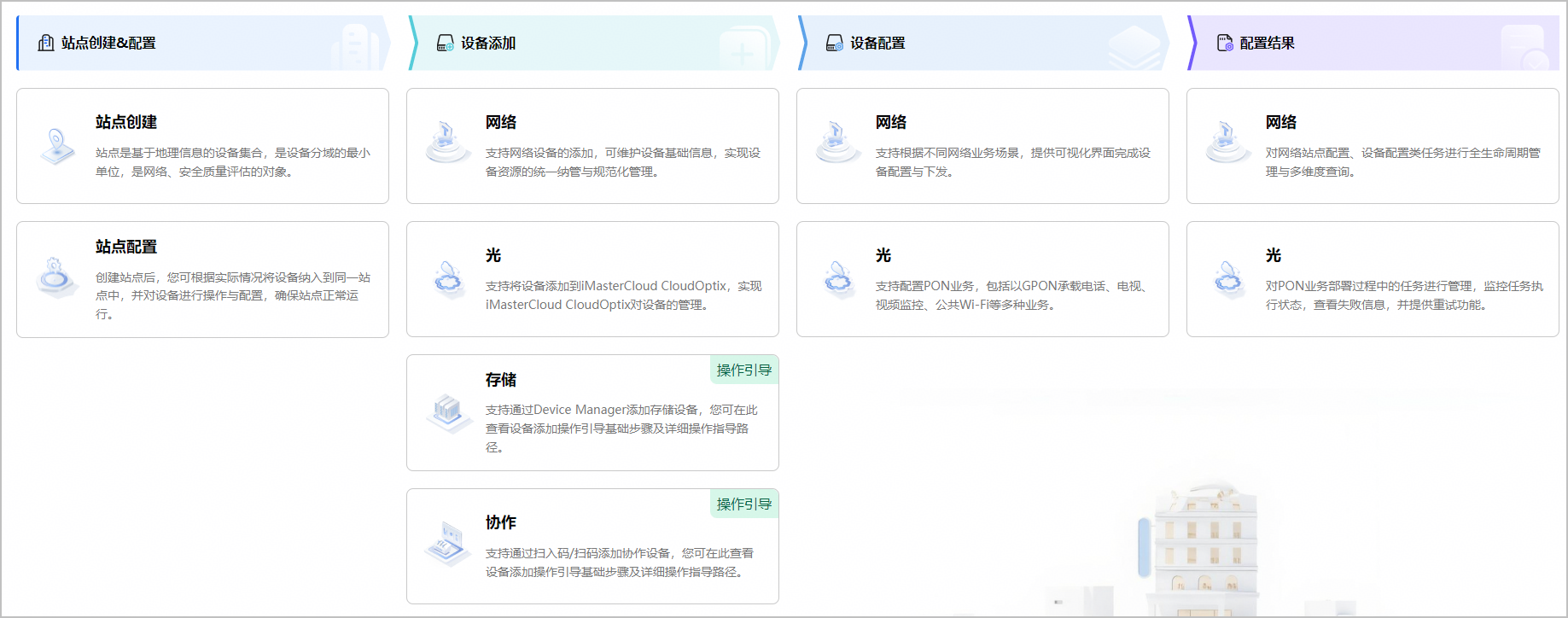
- 从配置页面打开进入iMasterCloud CloudOptix:将鼠标移至菜单左上方
 区域,选择 ,单击光配置的配置菜单,在浏览器新页签打开iMasterCloud CloudOptix,进入对应的配置页面。
- 从开局页面打开进入iMasterCloud CloudOptix:单击“设备配置”下的“光”,在浏览器新页签打开iMasterCloud CloudOptix,进入页面。
客户进入iMasterCloud CloudOptix
- 参考客户登录iMasterCloud创建站点,使用客户的账号名、密码进入iMasterCloud。
- 单击主菜单右上角的“开局”。
- 打开iMasterCloud CloudOptix:
- 从开局页面打开进入iMasterCloud CloudOptix:单击“设备配置”下的“光”,在浏览器新页签打开iMasterCloud CloudOptix,进入页面。
- 从配置页面打开进入iMasterCloud CloudOptix:将鼠标移至菜单左上方区域,选择 ,单击光配置的配置菜单,在浏览器新页签打开iMasterCloud CloudOptix,进入对应的配置页面。
- 从开局页面打开进入iMasterCloud CloudOptix:单击“设备配置”下的“光”,在浏览器新页签打开iMasterCloud CloudOptix,进入页面。


