

Connecting to an RDS for MySQL Instance Through MySQL-Front
MySQL-Front is a Windows front end for MySQL databases. It allows you to interact with MySQL databases through a GUI. For example, you can connect to a database, run SQL commands, and manage tables and records.
This section uses MySQL-Front 5.4 as an example to describe how to use MySQL-Front to connect to an RDS for MySQL instance through an EIP.
Procedure
- Download and install MySQL-Front (for example, MySQL-Front 5.4).
- Start the MySQL-Front.
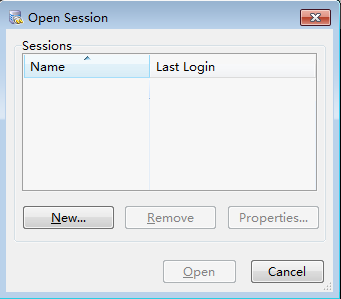
- In the displayed dialog box, click New.
Figure 1 Connection management
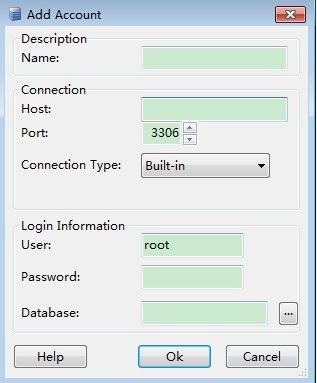
- Enter the information of the DB instance to be connected and click Ok, as shown in Figure 2.
Table 1 Parameters Parameter
Description
Name
Name of the database connection task. If you do not specify this parameter, it will be the same as that configured for Host by default.
Host
EIP bound to the DB instance.
To obtain it:
- Click the instance name to enter the Summary page.
- In the navigation pane, click Connectivity & Security and check the EIP.
Port
Database port of the DB instance.
To obtain it:
- Click the instance name to enter the Summary page.
- In the navigation pane, click Connectivity & Security and check the database port.
User
Username for accessing the instance. The default user is root.
Password
Password of the username.
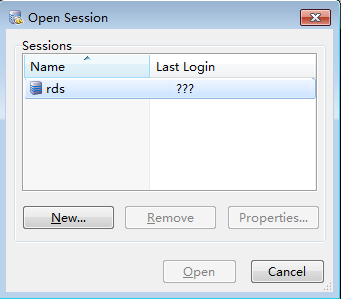
- In the displayed window, select the connection that you have created in 4 and click Open. If the connection information is correct, the DB instance will be connected.
Figure 3 Opening a session
FAQ
Follow-up Operations
After logging in to the DB instance, you can create or migrate databases.
Feedback
Was this page helpful?
Provide feedbackThank you very much for your feedback. We will continue working to improve the documentation.See the reply and handling status in My Cloud VOC.
For any further questions, feel free to contact us through the chatbot.
Chatbot


