

Help Center/ IoT Device Access/ Getting Started/ Quick Device Access - Message Sending and Receiving/ Overview
Updated on 2025-12-18 GMT+08:00
Overview
IoTDA allows devices to access the IoT platform using MQTTS or MQTT and send and receive messages. This section uses MQTT.fx and Java SDKs to describe how a device sends and receives messages using MQTTS or MQTT.
Procedure
Figure 1 Procedure
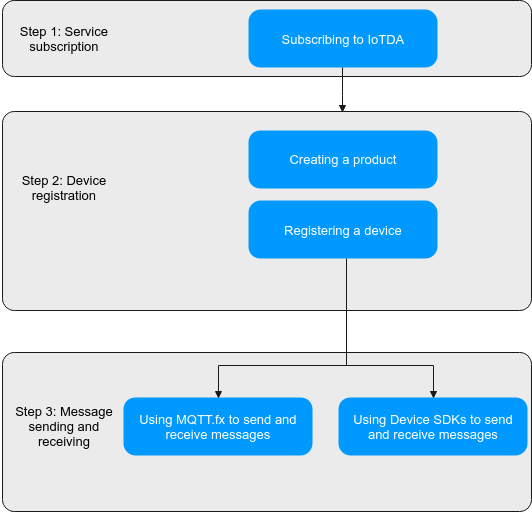
Perform the following steps:
- Subscribe to IoTDA. You can select the instance specifications and number of units as required.
- Register a device. Create a product and register a device on the IoTDA console.
- A product is a collection of devices with the same capabilities or features.
- Device: A device is a physical entity under a product and is used for identity authentication (necessary) when the device connects to the platform. You can use an application to call the API for creating a device, register a device on the console, or use the self-registration capability to automatically register the device when it is connected to the platform.
- Send and receive messages.
- Use MQTT.fx to send and receive messages.
- Use device SDKs to send and receive messages.
Parent topic: Quick Device Access - Message Sending and Receiving
What is your overall rating for this page?
0
1
2
3
4
5
6
7
8
9
10
Very dissatisfiedVery satisfied
Thank you very much for your feedback. We will continue working to improve the documentation.See the reply and handling status in My Cloud VOC.
The system is busy. Please try again later.
For any further questions, feel free to contact us through the chatbot.
Chatbot


