

Help Center/ Cloud Operations Center/ User Guide/ Automated O&M/ Parameter Management/ Modifying a Parameter
Updated on 2025-03-17 GMT+08:00
Modifying a Parameter
- Log in to COC.
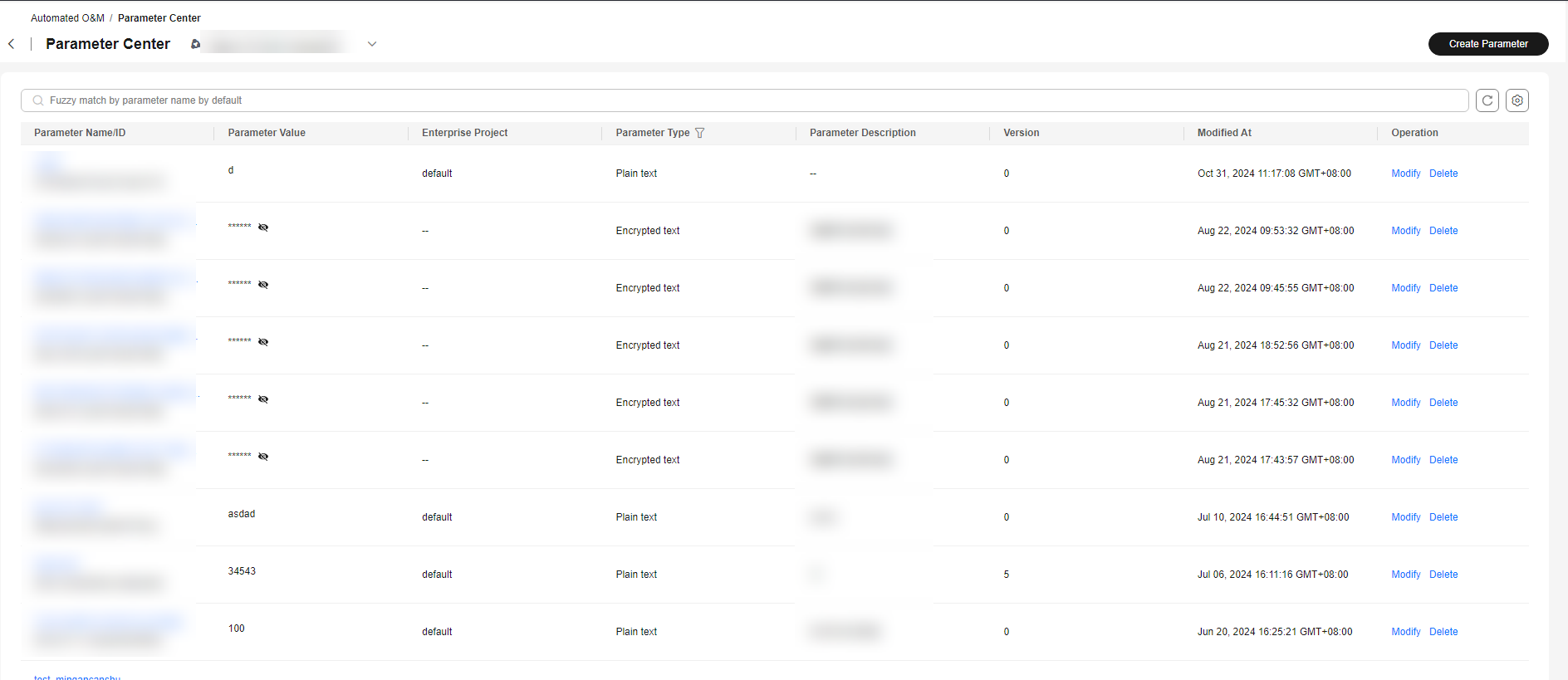
- In the navigation pane, choose Resource O&M > Automatic O&M and click Parameter Center. Locate the target parameter record, and click Modify in the Operation column. Figure 1 Parameter list
- On the displayed Modify Parameters page, Parameter Name, Enterprise Project, and Parameter Type cannot be changed. Figure 2 Parameter details

- Modify the parameters as required and click Submit.

If the notification time is a relative time, note the following:
- For unmodified notifications: If you click the modification button, the notification time will change immediately.
- For pre-deletion notifications: If you change the deletion time, the pre-deletion notification time will also change.
Parent topic: Parameter Management
What is your overall rating for this page?
0
1
2
3
4
5
6
7
8
9
10
Very dissatisfiedVery satisfied
Thank you very much for your feedback. We will continue working to improve the documentation.
The system is busy. Please try again later.


