
Developing Functions in Java (Using an IDEA Java Project)
Perform the following procedure to develop a Java function:
- Create a function project.
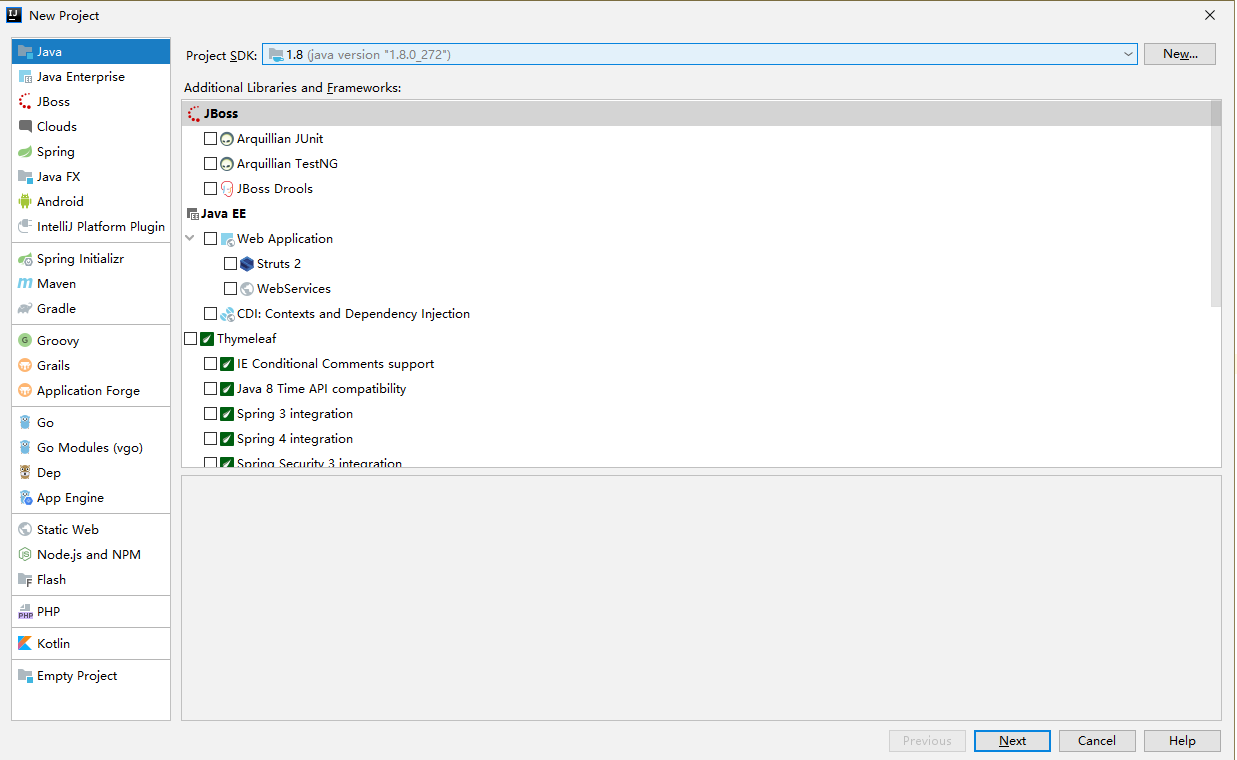
- Configure the IDEA and create a Java project named JavaTest, as shown in Figure 1.
- Add dependencies to the project.
- Configure dependencies.
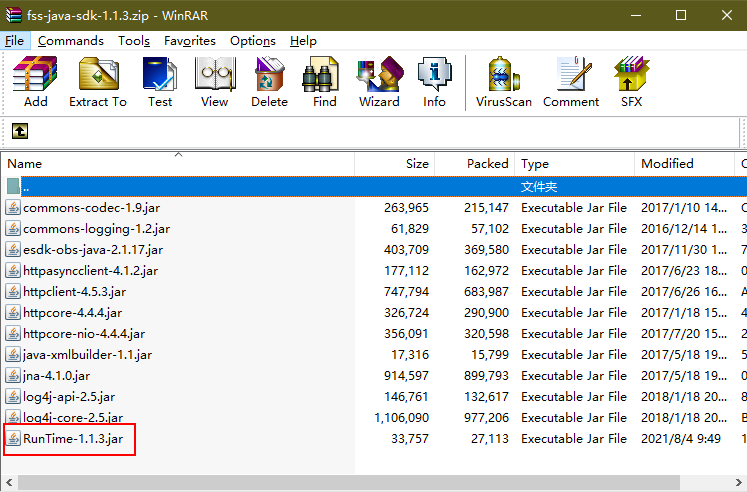
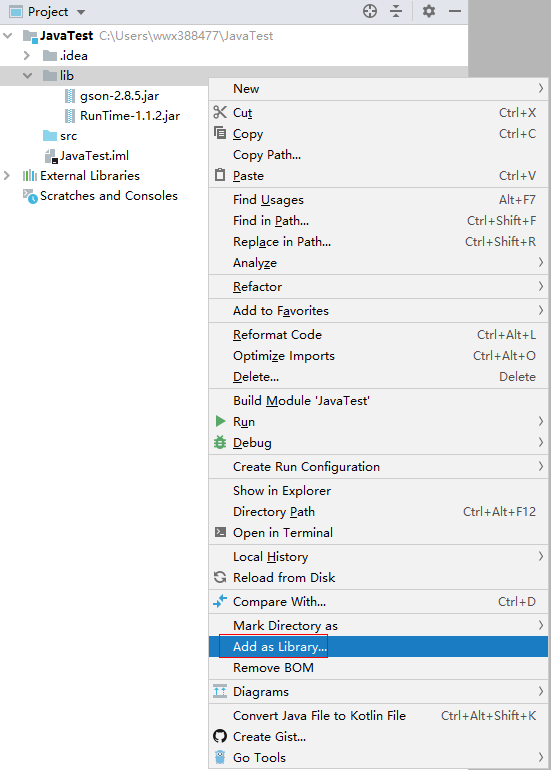
Create a folder named lib in the project directory, copy the RunTime-1.1.3.jar file and other required dependencies to the lib folder, and add the JAR files as the dependencies of the project, as shown in Figure 3.
- Create a function.
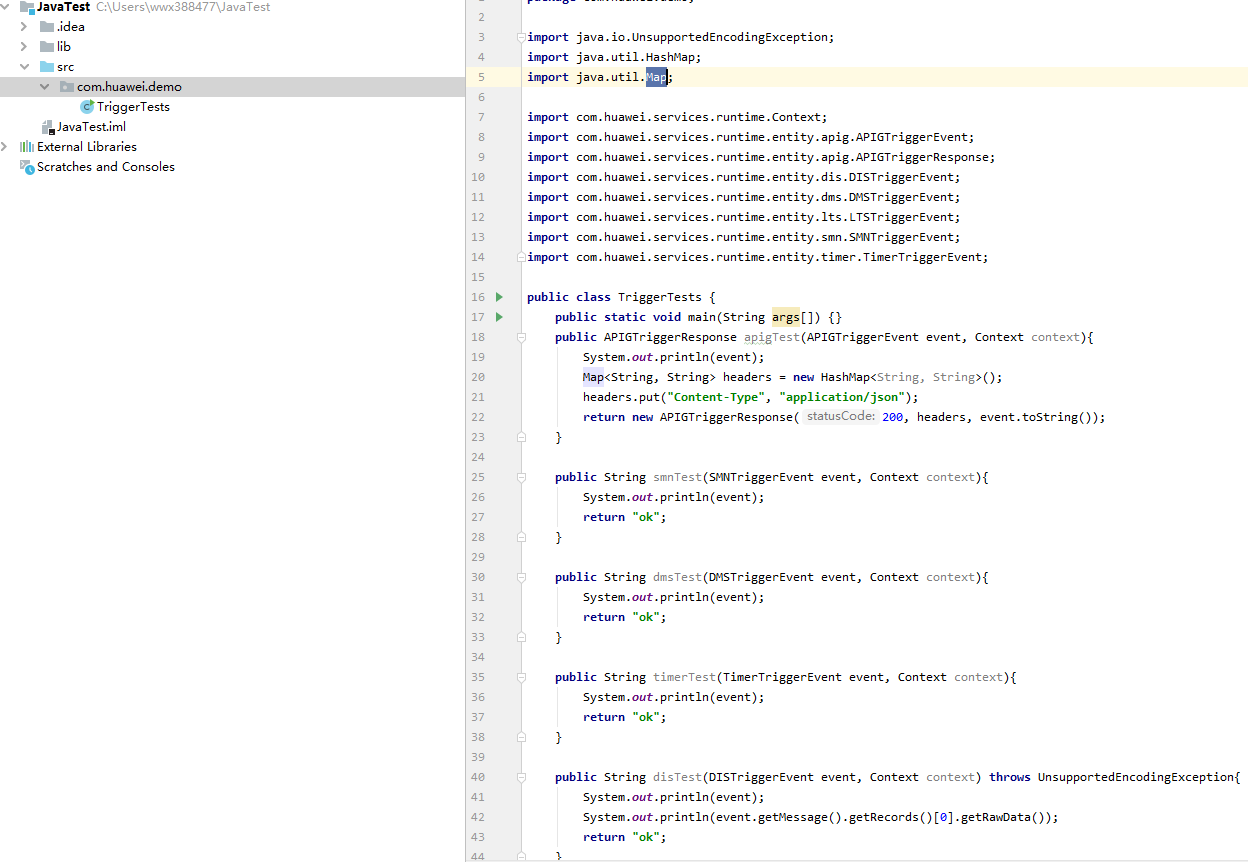
- Create a package named com.huawei.demo, and then create a class named TriggerTests under the package, as shown in Figure 4.
- Define the function handler in TriggerTests.java, as shown in Figure 5.
 1
 2
 3
 4
 5
 6
 7
 8
 9
10
11
12
13
14
15
16
17
18
19
20
21
22
23
24
25
26
27
28
29
30
31
32
33
34
35
36
37
38
39
40
41
42
43
44
45
46
47
48
49
50
51
52
package com.huawei.demo;

import java.io.UnsupportedEncodingException;
import java.util.HashMap;
import java.util.Map;

import com.huawei.services.runtime.Context;
import com.huawei.services.runtime.entity.apig.APIGTriggerEvent;
import com.huawei.services.runtime.entity.apig.APIGTriggerResponse;
import com.huawei.services.runtime.entity.dis.DISTriggerEvent;
import com.huawei.services.runtime.entity.dms.DMSTriggerEvent;
import com.huawei.services.runtime.entity.lts.LTSTriggerEvent;
import com.huawei.services.runtime.entity.smn.SMNTriggerEvent;
import com.huawei.services.runtime.entity.timer.TimerTriggerEvent;

public class TriggerTests {
    public static void main(String args[]) {}
    public APIGTriggerResponse apigTest(APIGTriggerEvent event, Context context){
        System.out.println(event);
        Map<String, String> headers = new HashMap<String, String>();
        headers.put("Content-Type", "application/json");
        return new APIGTriggerResponse(200, headers, event.toString());
    }

    public String smnTest(SMNTriggerEvent event, Context context){
        System.out.println(event);
        return "ok";
    }

    public String dmsTest(DMSTriggerEvent event, Context context){
        System.out.println(event);
        return "ok";
    }

    public String timerTest(TimerTriggerEvent event, Context context){
        System.out.println(event);
        return "ok";
    }

    public String disTest(DISTriggerEvent event, Context context) throws UnsupportedEncodingException{
        System.out.println(event);
        System.out.println(event.getMessage().getRecords()[0].getRawData());
        return "ok";
    }

    public String ltsTest(LTSTriggerEvent event, Context context) throws UnsupportedEncodingException {
        System.out.println(event);
        event.getLts().getData();
        System.out.println("raw data: " + event.getLts().getRawData());
        return "ok";
    }
}

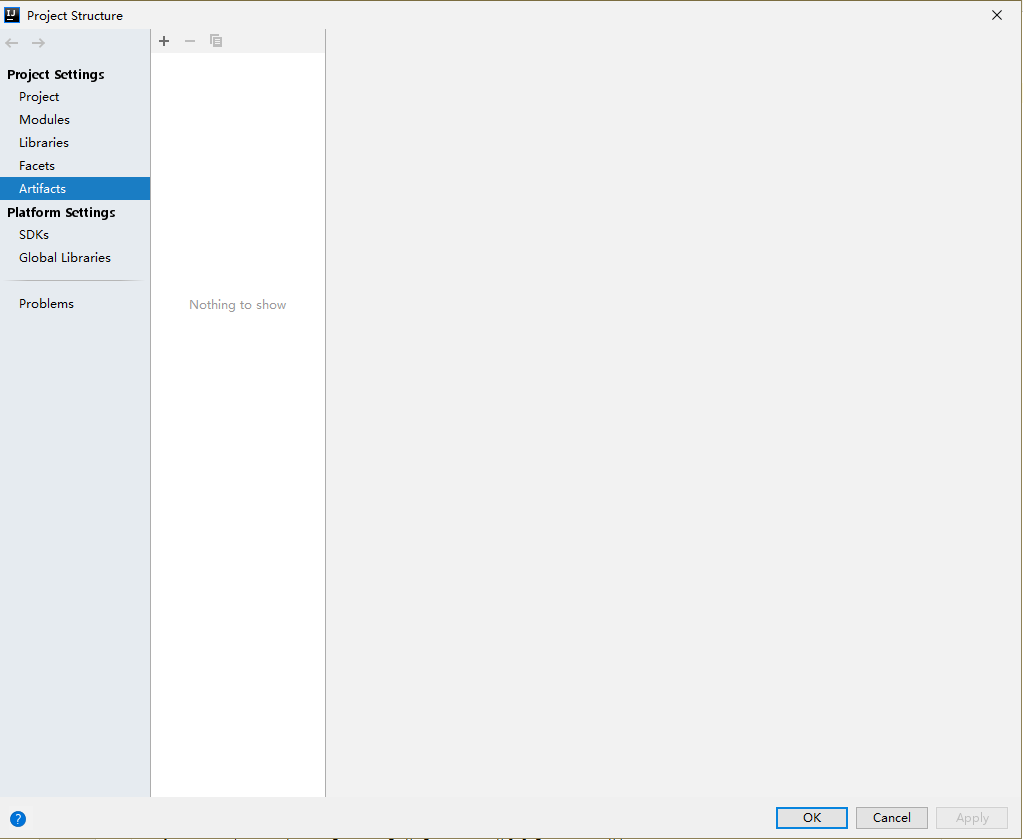
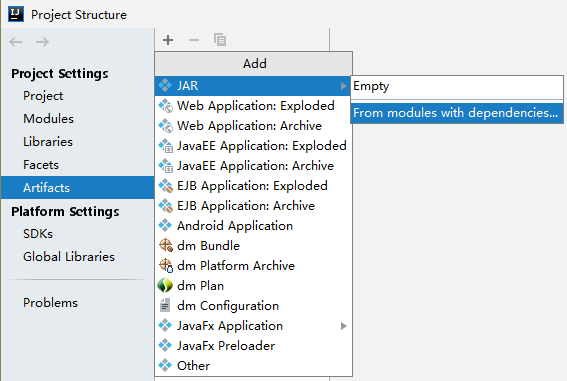
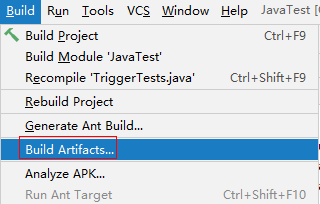
A common Java project needs to be compiled using artifacts, and a main function needs to be defined.
The example code contains multiple handler functions, which use different types of triggers.
- Pack the project file.
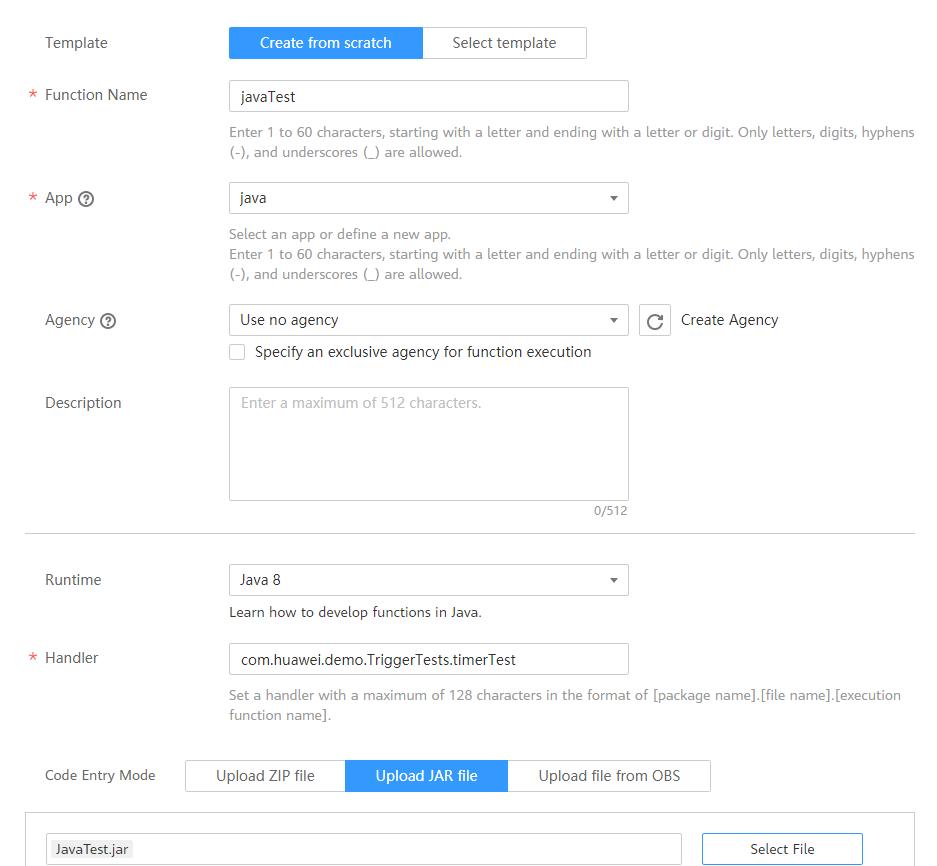
- Log in to the FunctionGraph console, create a Java function, and upload the JAR file, as shown in Figure 10.
- Test the function.
- Create a test event.
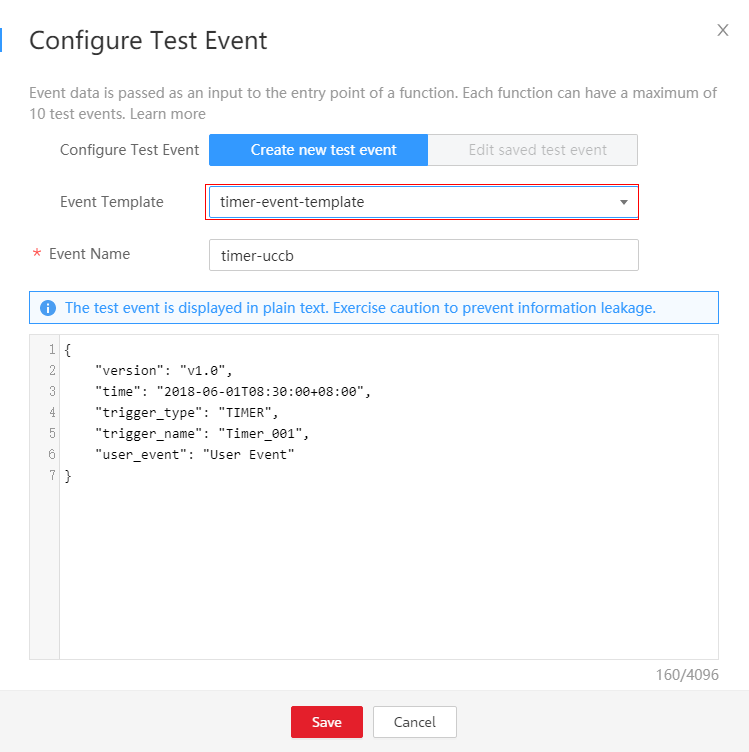
Select timer-event-template from the Event Template drop-down list and click Save, as shown in Figure 11.
- Click Test.
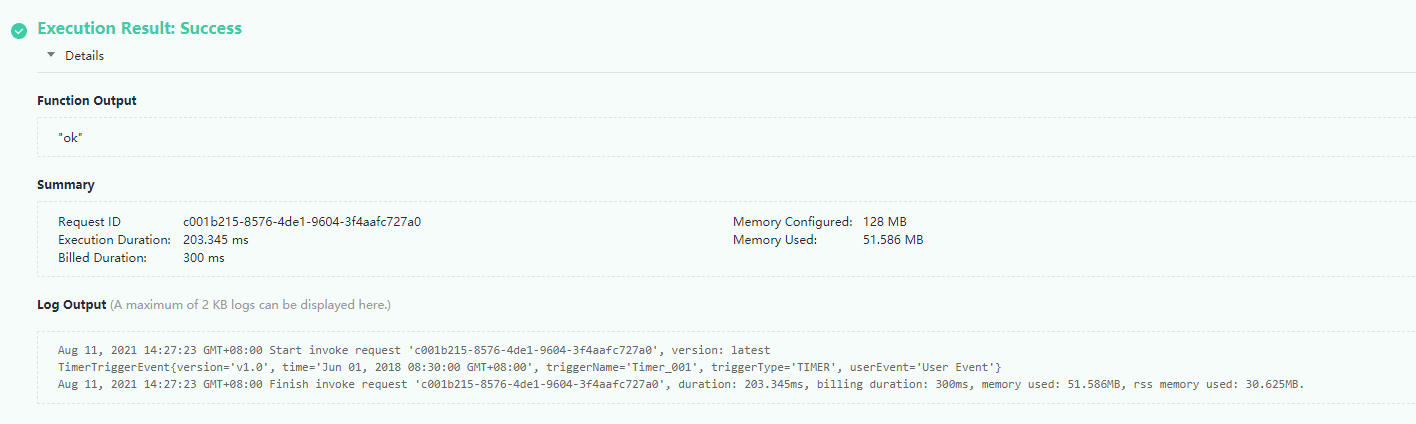
The function execution result consists of three parts: function output (returned by callback), summary, and log (output by using the console.log or getLogger() method), as shown in Figure 12.
- Create a test event.


Last Article: Developing Functions in Java (Using Eclipse)
Next Article: Developing Functions in Java (Using an IDEA Maven Project)

Did this article solve your problem?
Thank you for your score!Your feedback would help us improve the website.