

Help Center/ Relational Database Service_RDS for PostgreSQL/ User Guide/ Problem Diagnosis and SQL Analysis/ SQL Analysis/ Viewing Slow Query Logs of a DB Instance
Updated on 2026-10-08 GMT+08:00
Viewing Slow Query Logs of a DB Instance
Scenarios
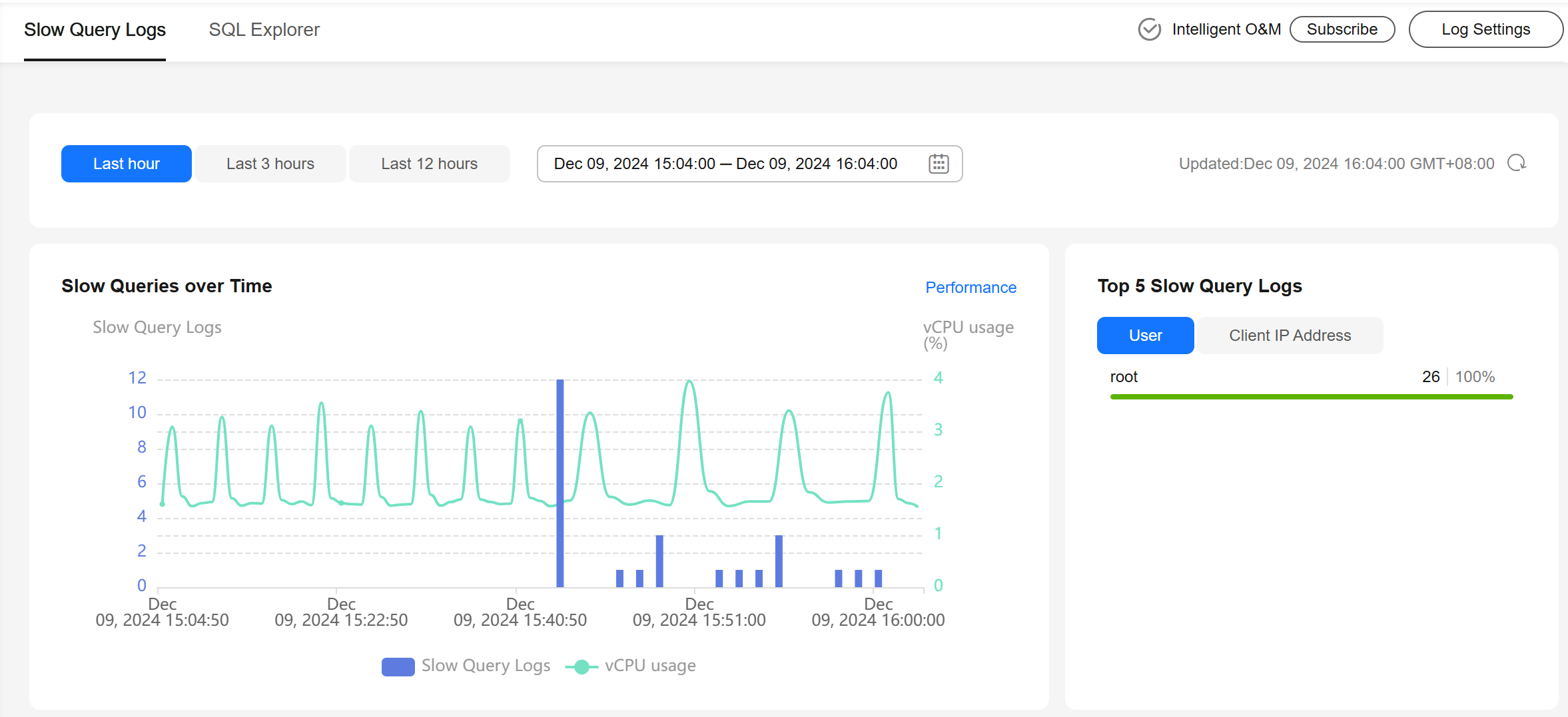
Slow SQL analysis provides statistics on recorded slow SQL queries by user source, client source, and SQL template. It also offers time series trend analysis, helping you identify slow SQL queries from multiple perspectives and tune them quickly.
Procedure
- Log in to the RDS console.
- Click
 in the upper left corner and select a region.
 - On the Instances page, click the target instance name to go to the Summary page.
- In the navigation pane, choose SQL Analysis and Tuning under DBA Assistant.
- Click the Slow Query Logs tab.

This feature needs to be purchased separately. To use it, subscribe to Intelligent O&M first.
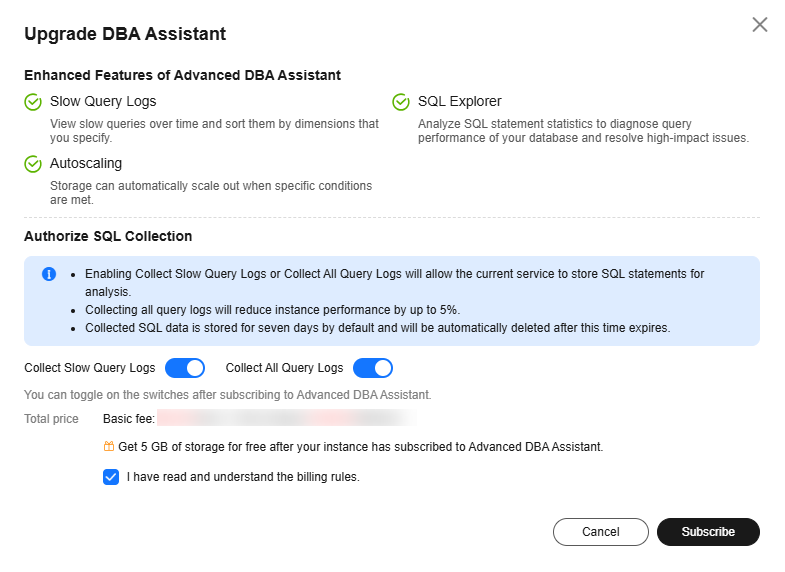
- Click Upgrade DBA Assistant. In the displayed dialog box, you can learn about the enhanced features and billing rules. Figure 1 Upgrading DBA Assistant
- After the upgrade is complete, view slow SQL query changes of the instance.
- Check slow queries over time and archived slow query logs in the last 1 hour, last 3 hours, last 12 hours, or a custom time period (spanning no more than one day). Figure 2 Viewing slow queries over time
- View slow query log details and template statistics.
- To export slow query log information, click Export.
- To view log export history, click View Export List.
What is your overall rating for this page?
0
1
2
3
4
5
6
7
8
9
10
Very dissatisfiedVery satisfied
Thank you very much for your feedback. We will continue working to improve the documentation.See the reply and handling status in My Cloud VOC.
The system is busy. Please try again later.
For any further questions, feel free to contact us through the chatbot.
Chatbot


