

Help Center/ Relational Database Service_RDS for PostgreSQL/ User Guide/ Problem Diagnosis and SQL Analysis/ SQL Analysis/ Creating a SQL Insights Task
Updated on 2026-10-16 GMT+08:00
Creating a SQL Insights Task
Scenarios
SQL Insights allows you to query all executed SQL statements, analyze and search for the tables that are accessed and updated most frequently, and identify SQL statements that have the longest lock wait, helping you quickly detect exceptions.
Constraints
- You need to enable Collect All Query Logs before using SQL Insights.
- After Collect All Query Logs is disabled, new SQL statements will not be collected anymore and the collected SQL data will be deleted.
- Only the tasks created in the last two days can be displayed.
Procedure
- Log in to the RDS console.
- Click
 in the upper left corner and select a region.
 - On the Instances page, click the target instance name to go to the Summary page.
- In the navigation pane, choose SQL Analysis and Tuning under DBA Assistant.
- Click the SQL Insights tab.
- Click
 next to Collect All Query Logs.
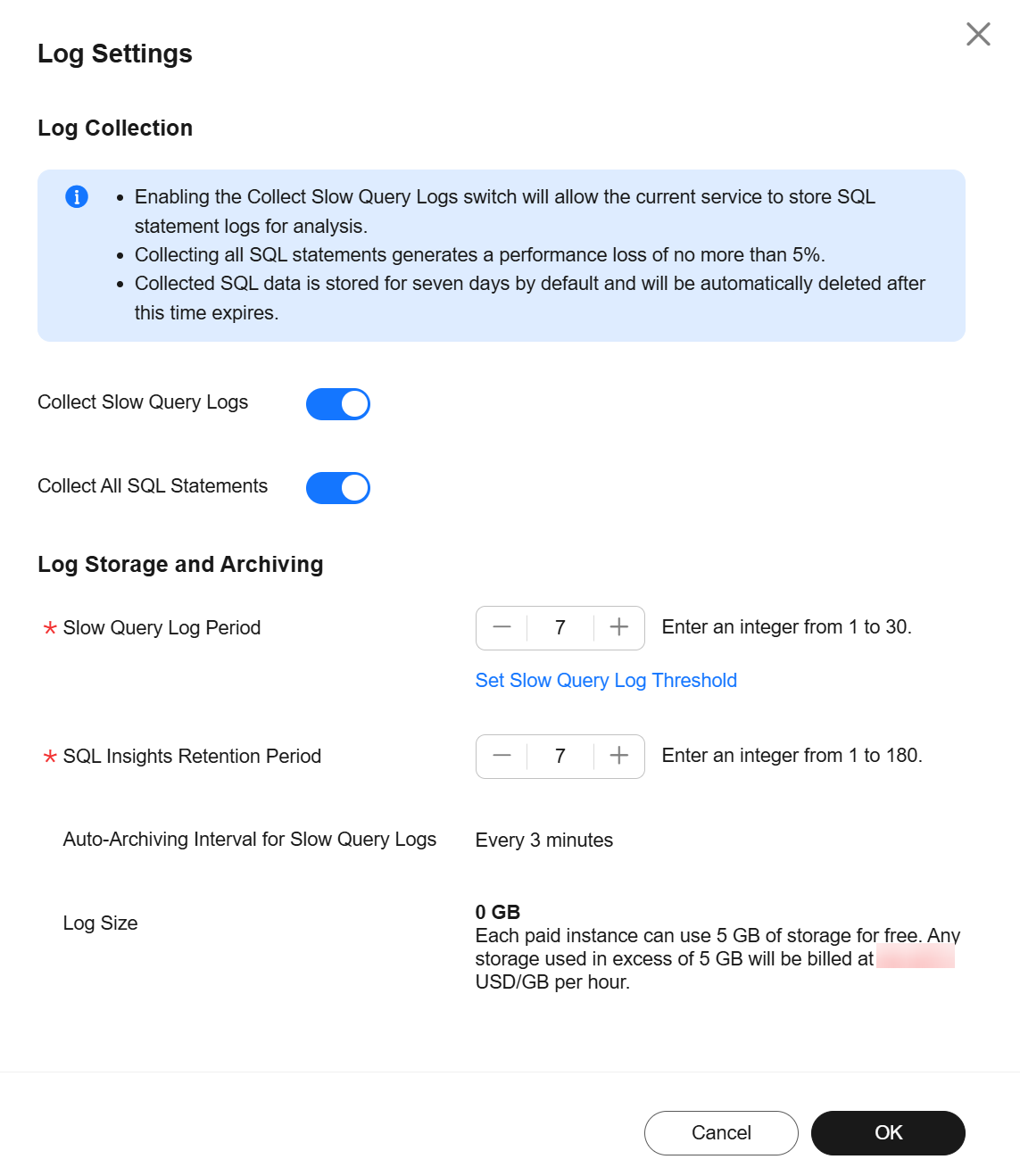
 To disable this function, click Log Settings in the upper right corner, toggle off the Collect All Query Logs switch, and click OK.

Collecting all SQL statements generates a performance loss of no more than 5%.
Figure 1 Log Settings (Advanced DBA Assistant)
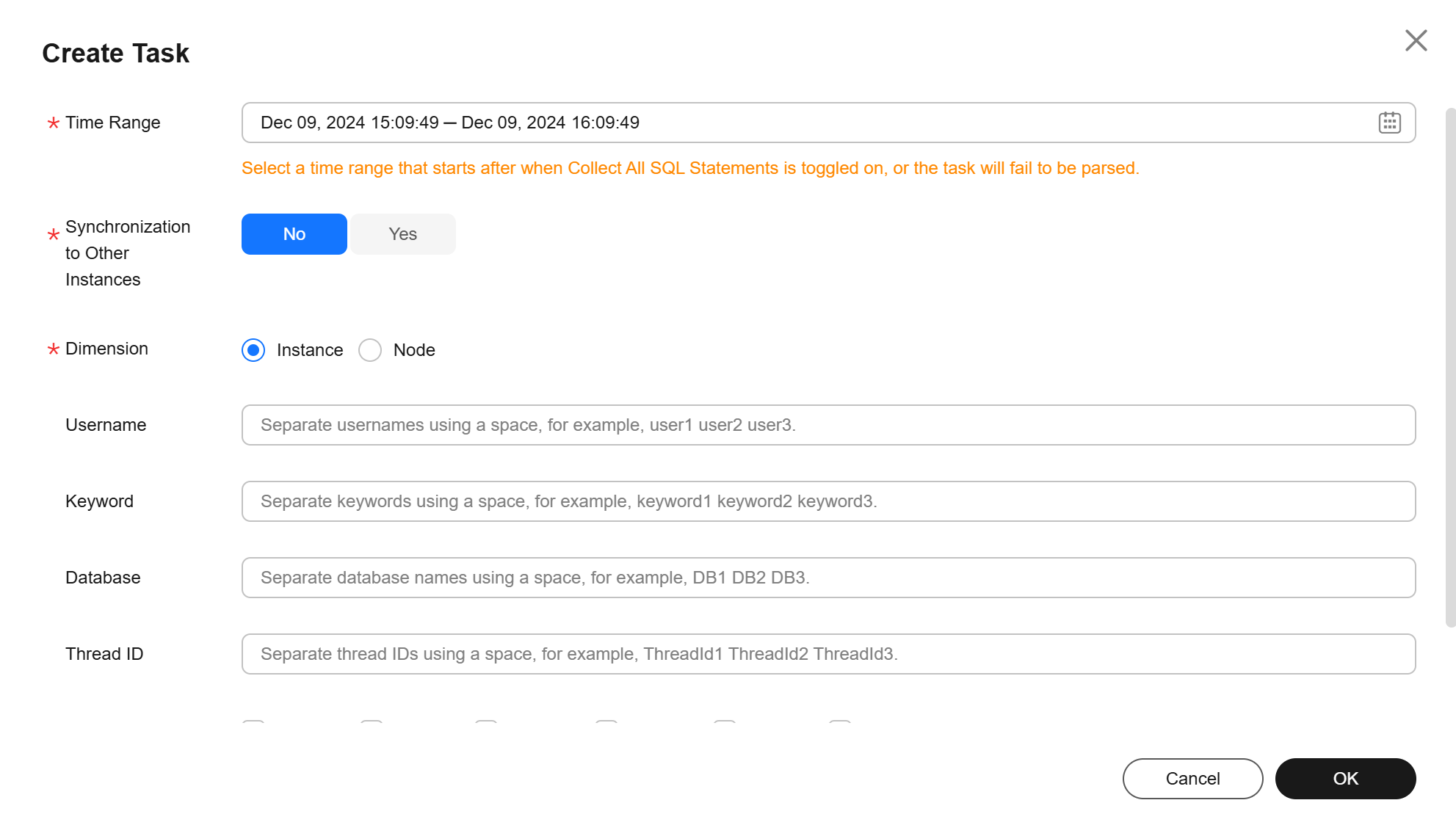
- Click Create Task. In the displayed dialog box, specify Time Range, Dimension, and other configuration items, and click OK. Figure 2 Creating a SQL Insights Task
- In the task list, click Details in the Operation column to view task details. Figure 3 Viewing task details

What is your overall rating for this page?
0
1
2
3
4
5
6
7
8
9
10
Very dissatisfiedVery satisfied
Thank you very much for your feedback. We will continue working to improve the documentation.See the reply and handling status in My Cloud VOC.
The system is busy. Please try again later.
For any further questions, feel free to contact us through the chatbot.
Chatbot


