Scenarios
As workload data continues to grow, the amount of data stored in a collection increases accordingly, resulting in rising storage usage. Too many indexes or overly large indexes also consume storage. In certain cases, the total index size may approach or even exceed the size of the actual workload data. In high-frequency write scenarios, increased write pressure makes data files, indexes, and internal storage structures more active, causing storage usage to rise even faster. When using DDS, persistently high storage usage can degrade data read/write performance and eventually affect normal service operations. This section describes how to analyze and resolve high storage usage issues.
Procedure
Checking the Storage Usage
DDS provides two methods to check the storage usage of an instance.
- Check the storage usage on the DDS console.
You can log in to the DDS console and click the instance. On the Basic Information page, you can view the storage space of the instance in the Storage Space area.
Figure 1 Checking the storage usage 
- View the monitoring metrics (storage usage and used storage).
To view monitoring metrics, see Viewing Monitoring Metrics.
Figure 2 Checking the storage usage 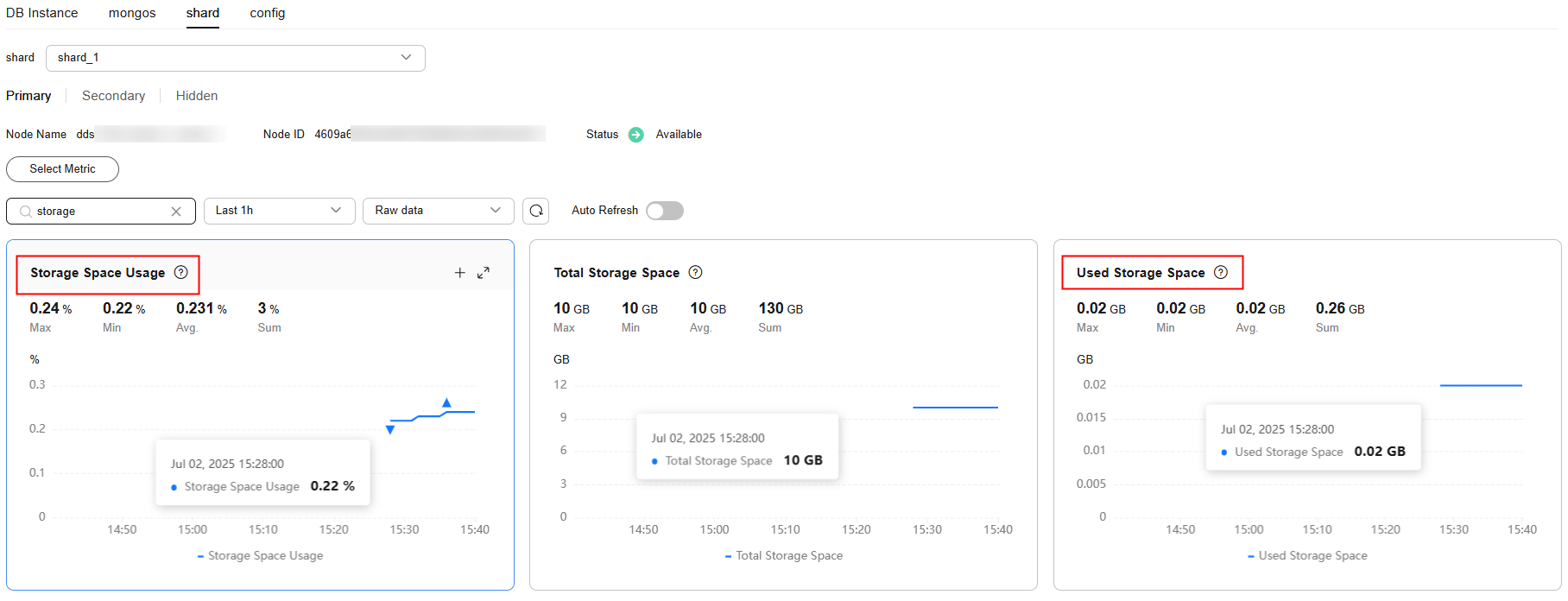
Solution
- For cluster instances, data may be unevenly distributed because the database collection is not properly sharded. As a result, the storage usage is high.
To shard the database collection properly, see How Do I Improve Database Performance by Configuring Sharding?
- As service data increases, the original database storage is insufficient. You can expand the storage space to fix this problem.
If the storage space has reached the upper limit of your instance class, change the instance class first.
- If a large number of expired files occupy the storage space, delete the expired files in time. For example, if the entire database is no longer used, run dropDatabase to delete it.
- The background data processing mechanism is faulty.
- Regardless of whether the operation is an insert, update, or delete (including index insertions and deletions), all operations are ultimately converted into writes in the background. Deleting data of an instance in use does not reclaim disk space. The unreclaimed space is referred to as disk fragments. The database continues to reuse this fragmented space, meaning that new data can be written into these fragments without allocating additional disk space. The specific behavior varies depending on the underlying storage engine (RocksDB or WiredTiger).
- In RocksDB, delete operations are internally converted into append writes. After accumulating a certain amount of redundant data, RocksDB automatically triggers background compact threads to merge multiple versions of the same data and release unnecessary disk space. Therefore, you are advised to wait for the system to reclaim space automatically. When disk usage becomes high and approaches the read-only threshold, submit a service ticket.
- In WiredTiger, after data is deleted and multi-version records are merged during compaction, disk space fragments are also generated. However, WiredTiger does not return this space to the OS. Instead, it marks the space as reserved for future writes of the current collection. Subsequent writes to this collection will preferentially reuse this reserved space. If you need to release this portion of disk space, you can run the compact command. (This command blocks normal operations, so it is disabled by default.)


