

Configuring Origin SNI
If your origin server IP address is bound to multiple domains and CDN visits the origin server using HTTPS, you can set the SNI to specify the domain to be visited by CDN during origin pull.
Working Principles
Server Name Indication (SNI) is a TLS extension that allows a client to specify the domain name it wants to access during the TLS handshake. This enables multiple HTTPS sites to be hosted on the same IP address.
This diagram shows the CDN origin pull process when there is an origin SNI.

- A user initiates a request.
- The CDN PoP cache is not hit. The PoP carries SNI test.example.com to pull content from the origin server.
- The origin server returns the certificate of domain name test.example.com to the PoP.
- The PoP receives the certificate and sets up a secure connection with the origin server.
- The PoP receives content from the origin server, returns it to the user, and caches it.
Constraints
- The origin SNI cannot be set for domain names with whole site acceleration.
- The origin SNI cannot be set for domain names with special configurations.
- By default, CDN PoPs carry the SNI when they pull origin content using HTTPS. If no origin SNI is configured, the origin host is used.
Procedure
- Log in to the CDN console.
- In the navigation pane, choose .
- In the domain list, click the target domain name. The Overview page is displayed.
- In the full configuration directory, click the Origin Settings tab.
- Switch on Origin SNI and enter the origin SNI. Figure 1 Origin SNI
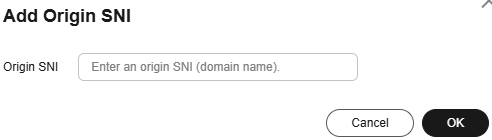
Table 1 Parameter description Parameter
Description
Origin SNI
Origin domain name to be accessed by CDN during origin pull, for example, test.example.com.
- Wildcard domains are not supported.
- The value contains up to 75 characters, including letters, digits, hyphens (-), and periods (.). It cannot start with a hyphen (-) or period (.).
- Each label of a domain name (for example, *** in ***.***.com) can contain up to 63 characters.
- Click OK.
Helpful Links
- Origin Protocol
- Modifying origin SNI settings via an API: Modifying the Full Domain Configuration
- Modifying the Host Header
What is your overall rating for this page?
Thank you very much for your feedback. We will continue working to improve the documentation.See the reply and handling status in My Cloud VOC.
For any further questions, feel free to contact us through the chatbot.
Chatbot


