

Help Center/ FunctionGraph/ Developer Guide/ Automated Deployment/ Hosting Function Code with CodeArts/ Step 4: Set Up a Pipeline for Updating the Function Deployment Script
Updated on 2025-12-10 GMT+08:00
Step 4: Set Up a Pipeline for Updating the Function Deployment Script
The pipeline allows you to release the function deployment script deploy.py to the deployment host for function updates.
Creating a Build Task
- Log in to the CodeArts console, choose CodeArts Build in the navigation pane, and click Go to CodeArts Build.
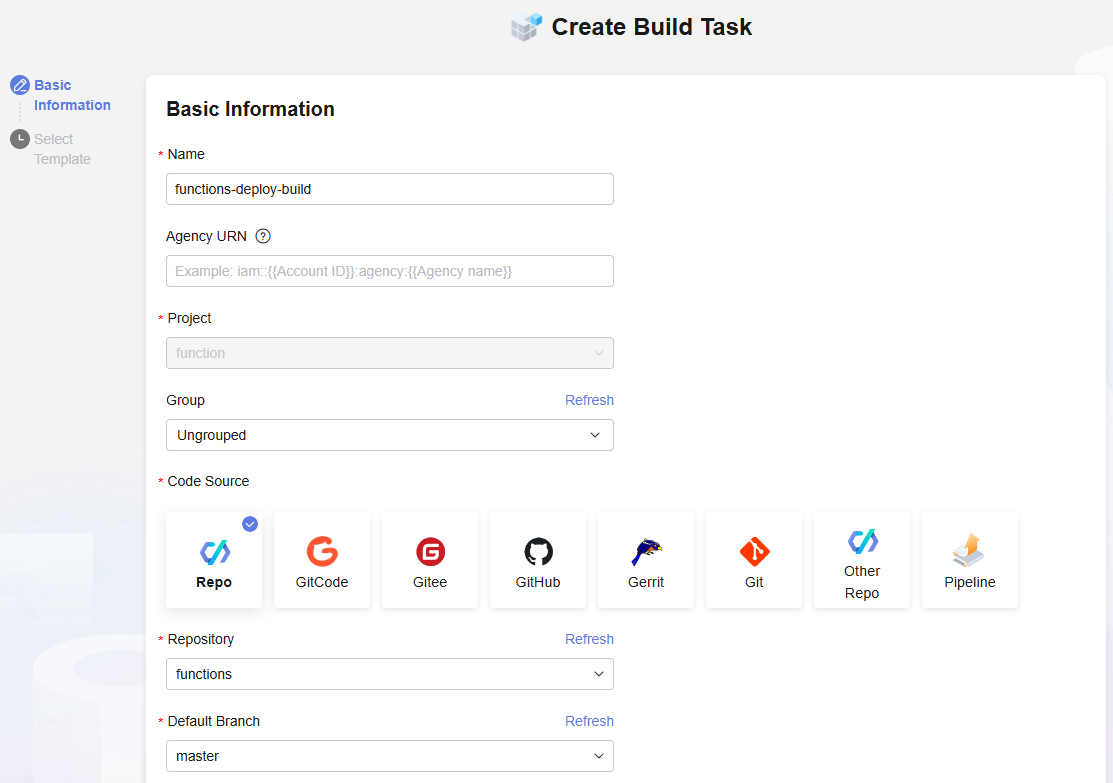
- On the Build page, click Create Task. Set basic information by referring to Figure 1 and click Next.
- Select Blank Template and click OK.
- Click the Parameters tab, add the codeBranch and releaseVersion parameters inCustom page, and enable Runtime Settings. Figure 2 Configuring the version parameter

- Click the Build Actions tab, click Add Build Actions, and select Upload to Release Repo. The Upload to Release Repo action is displayed in the left pane.
- Click the Upload to Release Repo action, and set parameters. Figure 3 Setting parameters
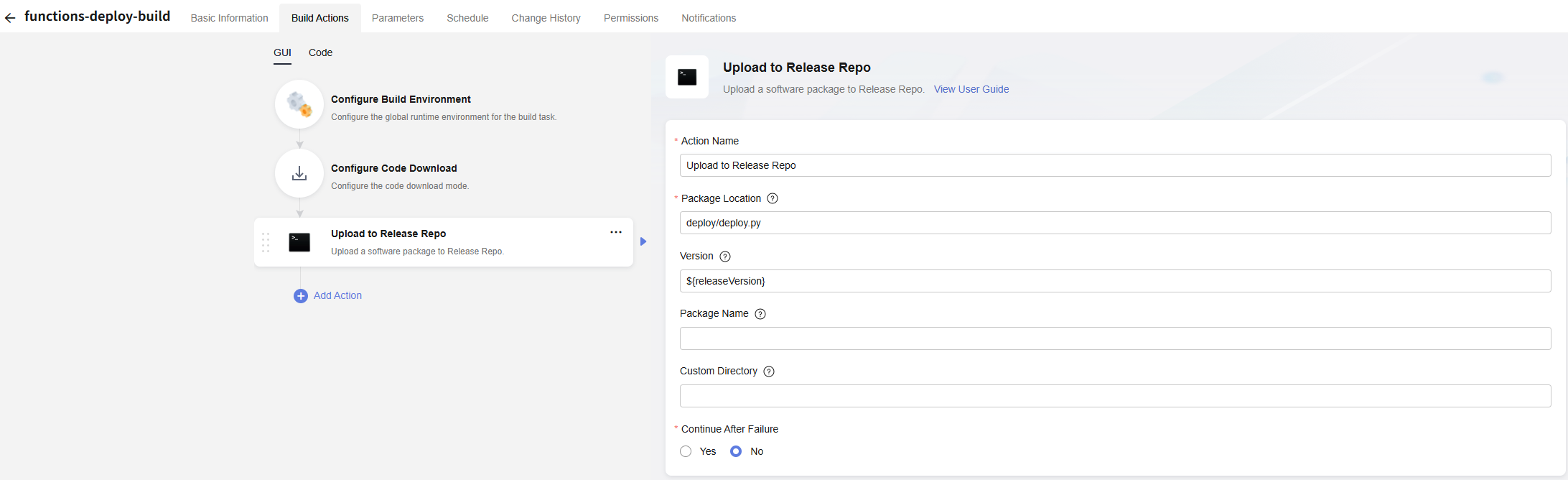
- Action Name: Enter Upload to Release Repo.
- Package Location: Enter deploy/deploy.py.
- Version: Enter ${releaseVersion}.
Creating a Deployment Task
- Return to the CodeArts console. In the navigation pane, choose Deploy. Click Create Application.
- On the Basic Information tab page, set the application basic information. Set Name to update-function-deploy, retain the default values for other parameters, and click Next.
- Select Blank Template and click OK.
- On the Deployment Actions tab page, add Select Deployment Source.
- Set Source to Artifact and configure the deployment source.
- Environment: Select the host cluster deploy-function.
- Software Package: Enter /functions-deploy-build/${releaseVersion}/deploy.py.
- Download Path: Enter /home/function/deploy.
- Click the Parameters tab, add the codeBranch and releaseVersion parameters inCustom page, and enable Runtime Settings. Figure 4 Configuring the version parameter

Configuring a Pipeline
- Return to the CodeArts console. In the navigation pane, choose CodeArts Pipeline. Click Go to CodeArts Pipeline.
- Access the pipeline console and click Create Pipeline.
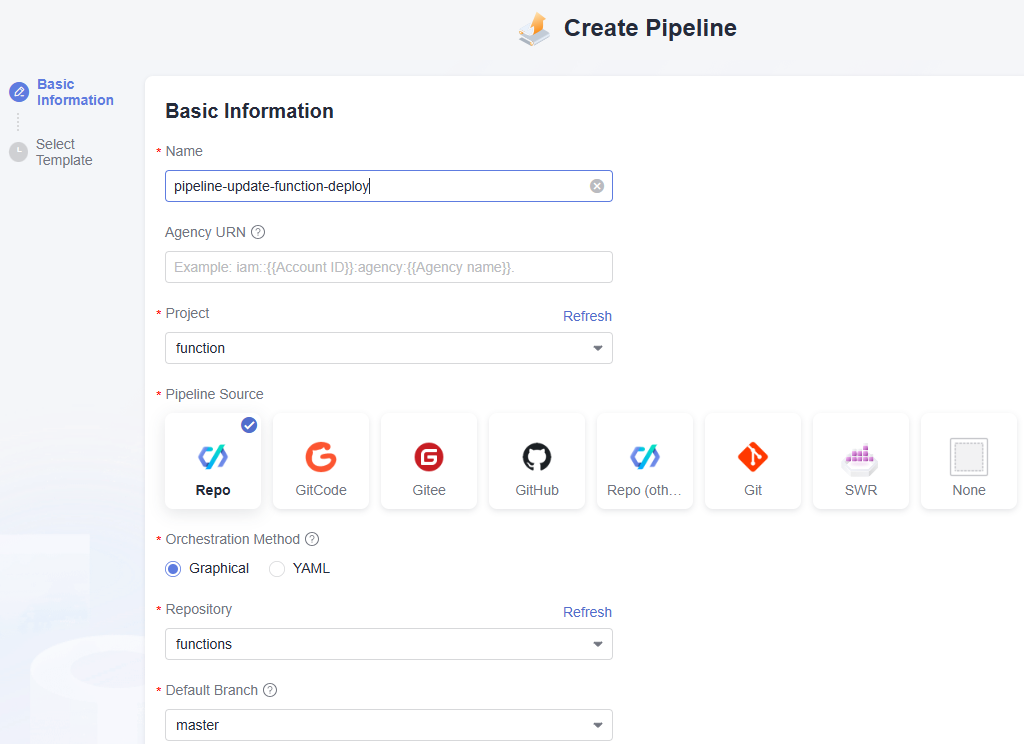
- On the Basic Information page, set the pipeline name to pipeline-update-function-deploy, set other parameters by referring to Figure 5, and click Next.
- Configure Build and Check.
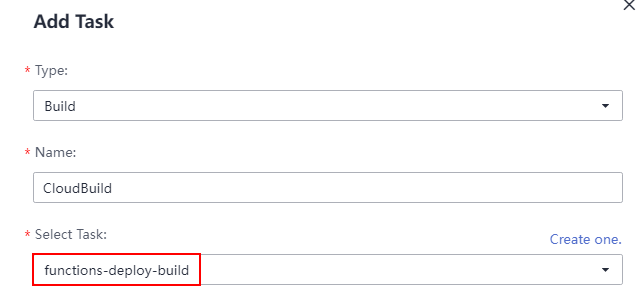
- Add a build task, and select the function-deploy-build task. Figure 6 Adding a task
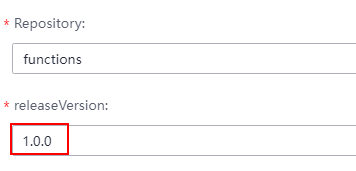
- Set releaseVersion as a pipeline parameter. Figure 7 Setting releaseVersion
- Click Save.
- Add a build task, and select the function-deploy-build task.
- Configure a deployment task.
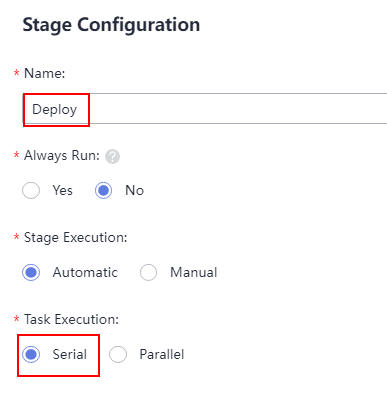
- Add a stage named Deploy after Build_and_Check, set Task Execution to Serial, and click Save. Figure 8 Configuring the stage
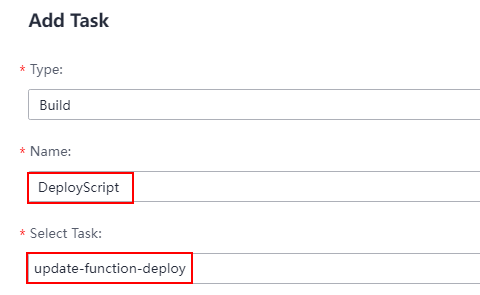
- Click Add Task to add a deployment task named DeployScript, and select the update-function-deploy task. Figure 9 Adding a task
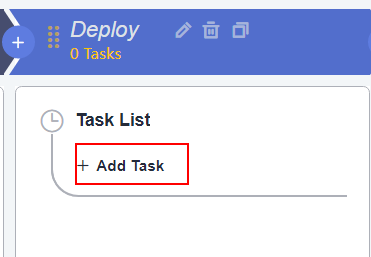 Figure 10 Configuring the task
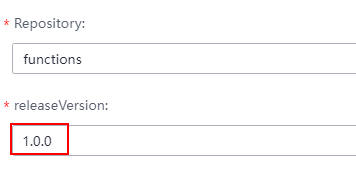
 Set releaseVersion as a pipeline parameter.Figure 11 Setting releaseVersion
- Click Save.
- Add a stage named Deploy after Build_and_Check, set Task Execution to Serial, and click Save.
- On the Basic Information tab page, change the pipeline task name to pipeline-update-function-deploy and click Save.
- Execute the pipeline.
- Set the runtime parameter releaseVersion to 1.0.0 and click Execute.
- Wait till the deploy.py script is released. Figure 12 Execution successful

Parent topic: Hosting Function Code with CodeArts
What is your overall rating for this page?
0
1
2
3
4
5
6
7
8
9
10
Very dissatisfiedVery satisfied
Thank you very much for your feedback. We will continue working to improve the documentation.See the reply and handling status in My Cloud VOC.
The system is busy. Please try again later.
For any further questions, feel free to contact us through the chatbot.
Chatbot


