

Help Center/ Relational Database Service_RDS for PostgreSQL/ Best Practices/ Creating a Cross-Region DR Relationship for an RDS for PostgreSQL Instance/ Preparing an RDS for PostgreSQL Instance in the Production Center
Updated on 2026-09-20 GMT+08:00
Preparing an RDS for PostgreSQL Instance in the Production Center
This section describes how to create a VPC, a security group, and an RDS for PostgreSQL instance in the production center.
Step 1: Create a VPC and Security Group
- Go to the Create VPC page.
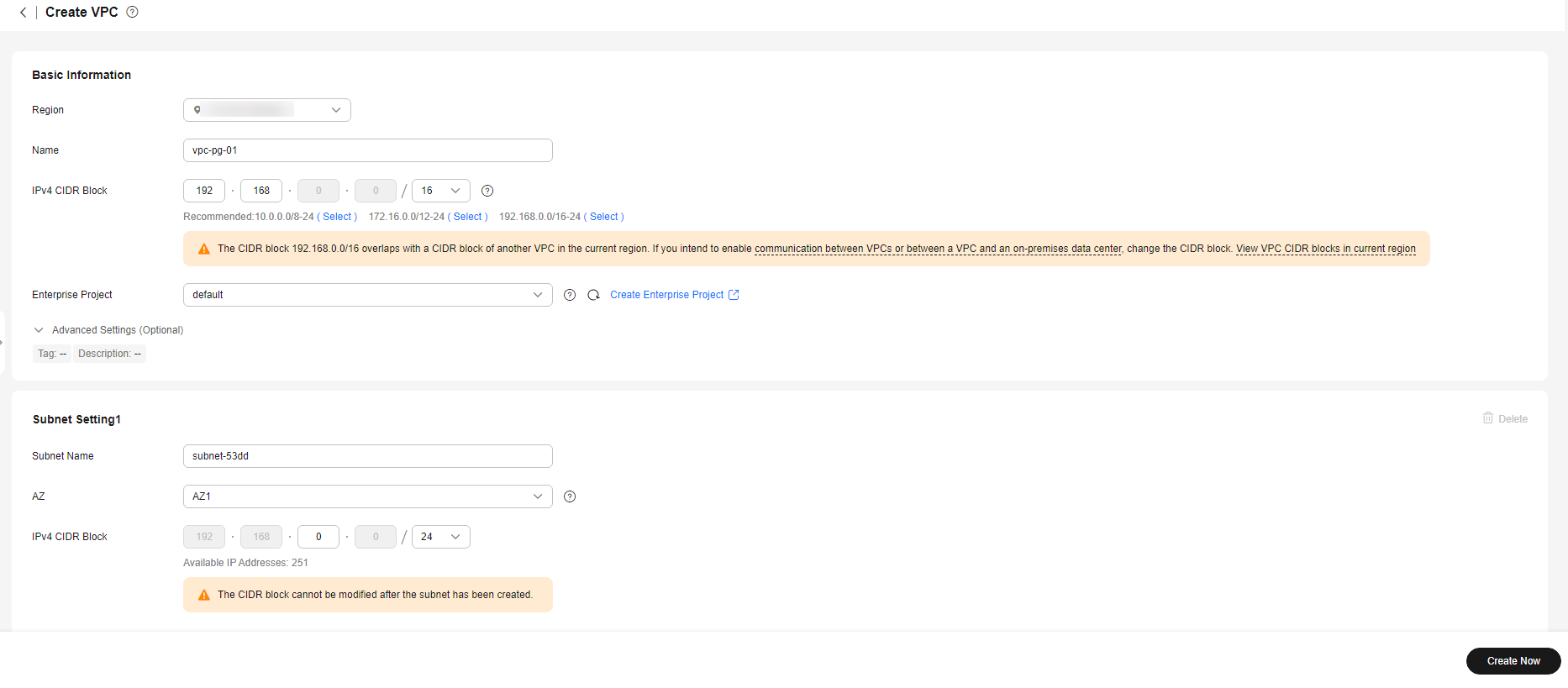
- Select CN-Hong Kong for Region. Configure the basic information, subnet, and IP address.
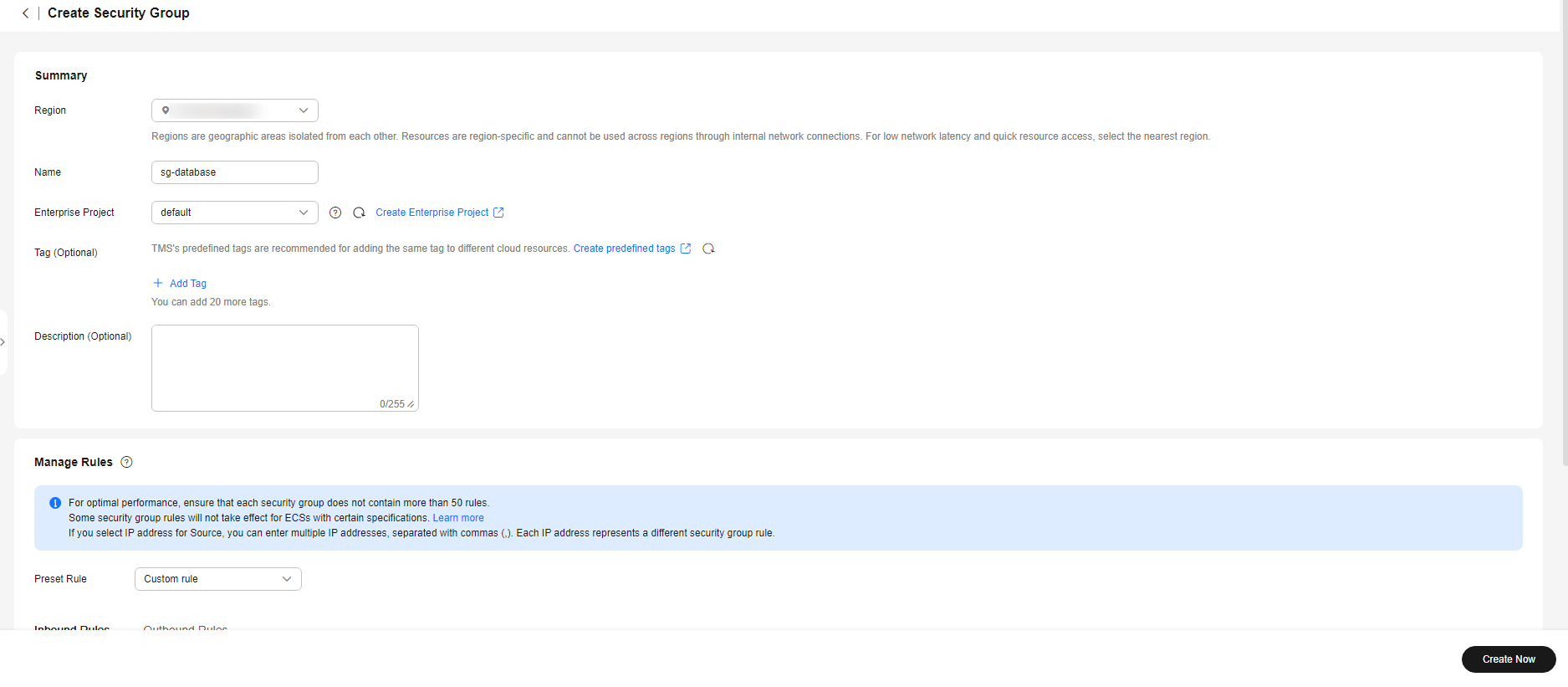
Configure the VPC and security group by referring to Resource Planning.
Figure 1 Creating a VPC
- Click Create Now.
- In the navigation pane of Network Console, choose Access Control > Security Groups.
- Click Create Security Group. Figure 2 Creating a security group
- Click Create Now.
Step 2: Create an RDS for PostgreSQL Instance
- Go to the Buy DB Instance page.
- Select CN-Hong Kong for Region. Configure the instance information and click Buy.
Configure the instance by referring to Resource Planning. For details, see Buying an RDS for PostgreSQL Instance.
Figure 3 Selecting a DB engine version
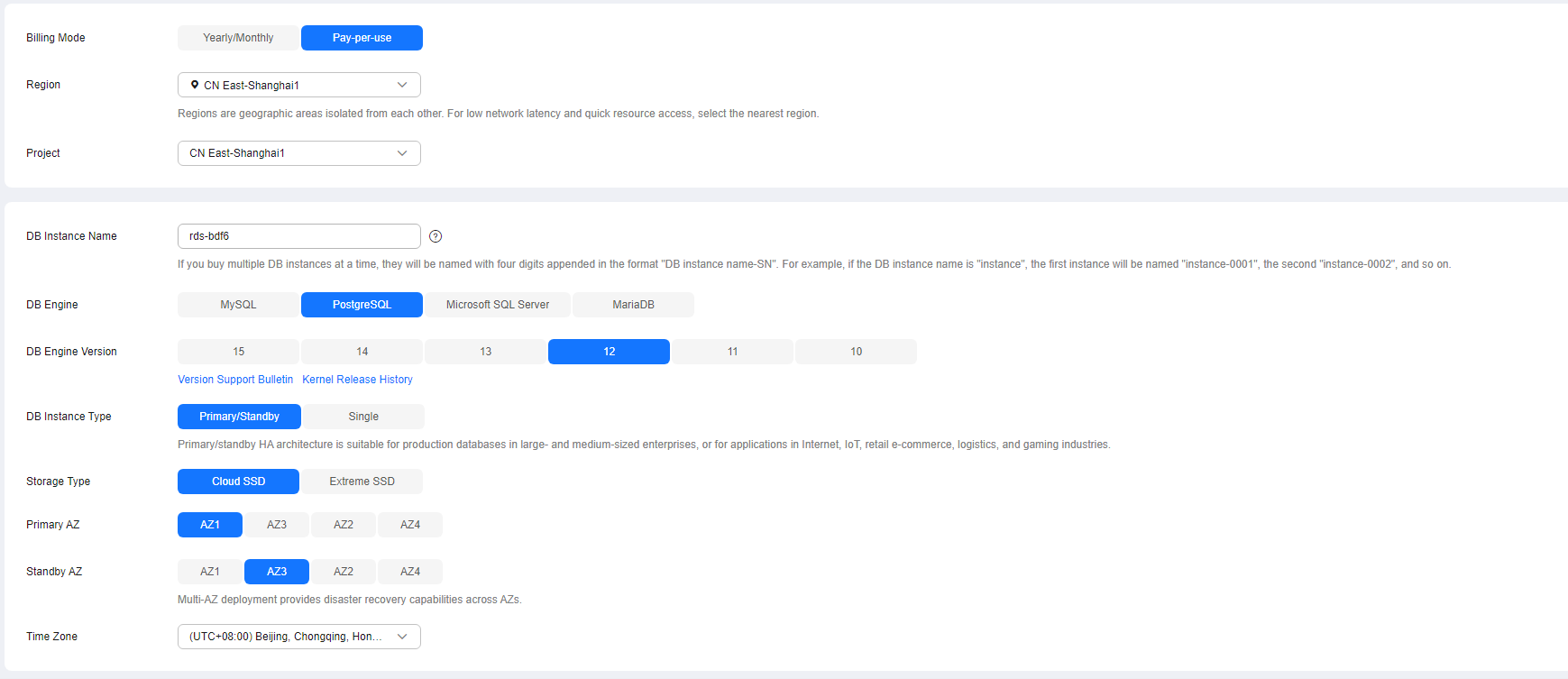 Figure 4 Specifying specifications
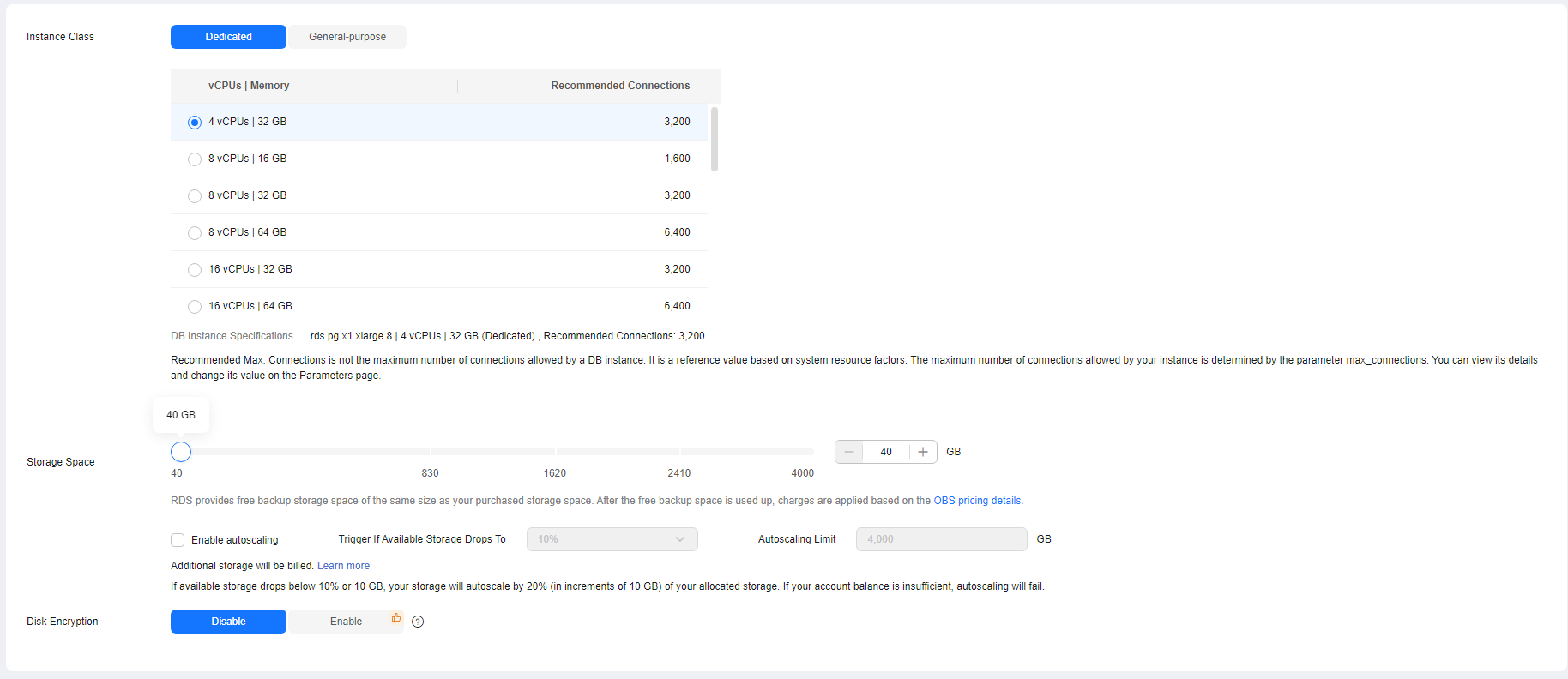 Figure 5 Configuring network information as planned
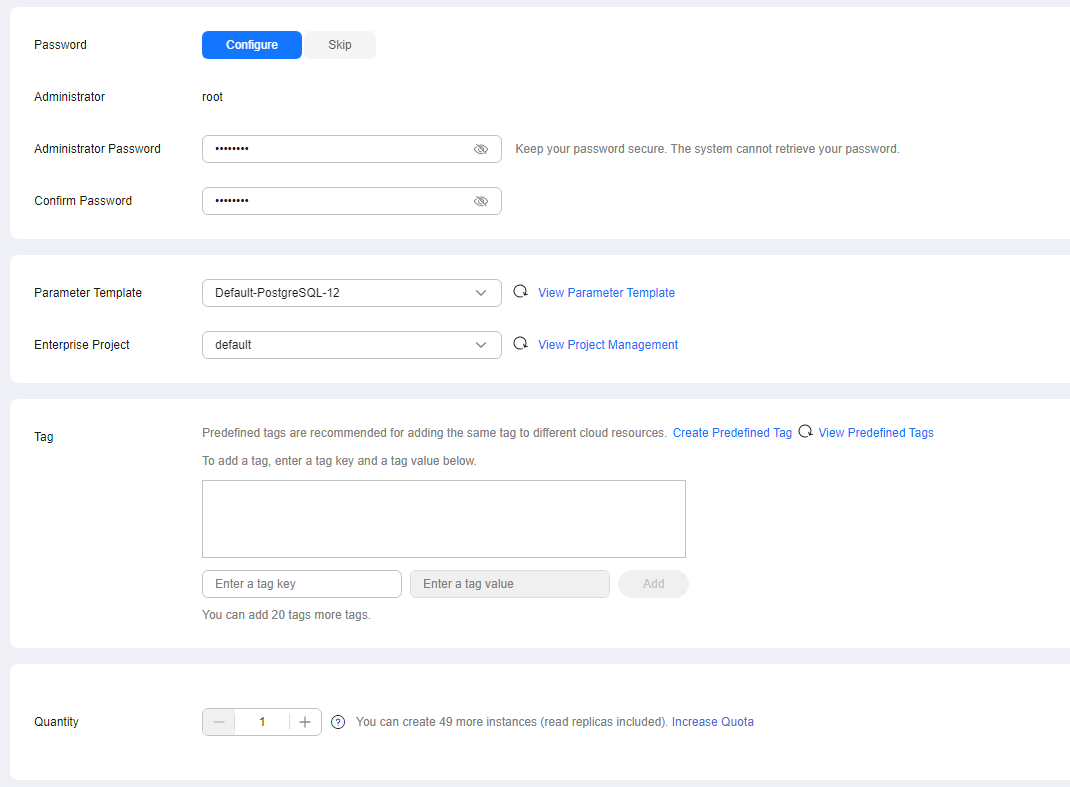
 Figure 6 Setting an administrator password
- Confirm the settings.
- To modify your settings, click Previous.
- If you do not need to modify your settings, click Submit.
What is your overall rating for this page?
0
1
2
3
4
5
6
7
8
9
10
Very dissatisfiedVery satisfied
Thank you very much for your feedback. We will continue working to improve the documentation.See the reply and handling status in My Cloud VOC.
The system is busy. Please try again later.
For any further questions, feel free to contact us through the chatbot.
Chatbot


