Managing a Department
Scenarios
The system administrator admin or other users who have the operation permission for the Department module can manage the department organization structure.
| Operation | Description |
|---|---|
| A bastion host can collect statistics on the number of users and hosts under each department. You can query the user and host asset configurations of a department on the department management page. Application resources and application publish servers are not included in the statistics. | |
| |
|
Prerequisites
You have the operation permissions for the Department module.
Viewing Department Information
- Log in to your bastion host system.
- In the navigation pane on the left, select Department.
- View department overview information.
- On the department list page, you can view the organizational structure of all departments in the system, as well as the number of users and hosts in each department.
- Enter a department name in the search box to query the superior department tree to which the department belongs.
- Click the value in the User Count or Host Count column of a department to go to the user or host management page for the department. Then you can view the department configuration.
- View department details.
- Click the name of the target department to go to its details page.
- You can view the upper-level department the current department belongs to, the department name, and when the current department was created.
Changing Department Information
- Log in to your bastion host system.
- In the navigation pane on the left, select Department.
- Click the name of the department to be edited.
- In the Basic Info area, click Edit.
- In the displayed dialog box, you can change the superior department, department name, and department description.
- Click OK.
Deleting a Department

When you delete a department, the lower-level departments and all users and resources in the department will be deleted. Exercise caution when performing this operation.
- Log in to your bastion host system.
- In the navigation pane on the left, select Department.
- Delete a department.
Move the cursor over the row where the department to be deleted locates to let the operation icons appear. Click then the deletion icon to delete the department.
Figure 1 Deleting a department

- Delete departments in batches.
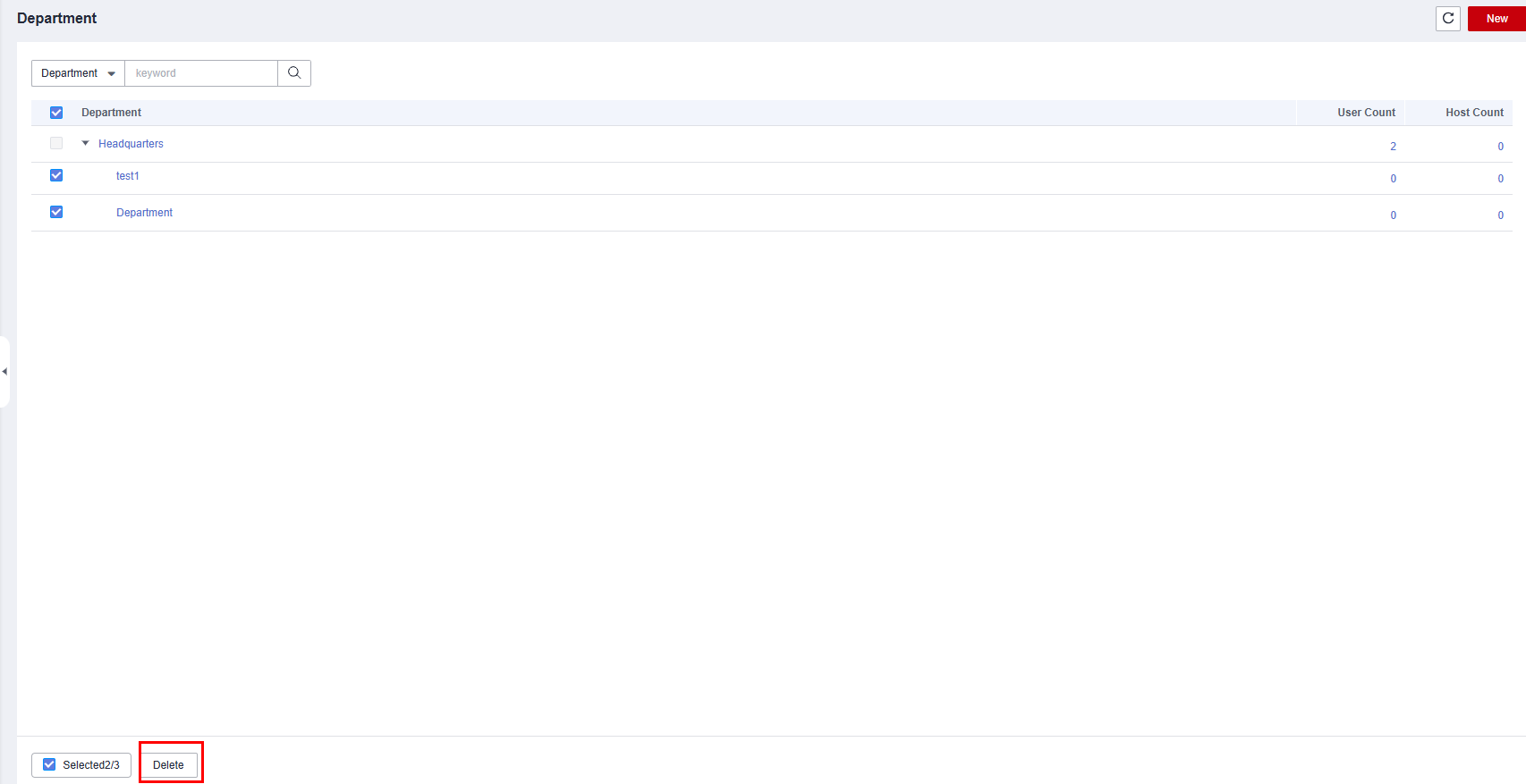
Select the ones you want and click Delete at the bottom of the list to delete all selected departments together.
Figure 2 Batch deleting departments