

Help Center/ KooGallery/ Seller Guide/ Product Release/ Common Product Release/ Image Release Guide/ Process Overview
Updated on 2025-03-21 GMT+08:00
Process Overview
Release Flow
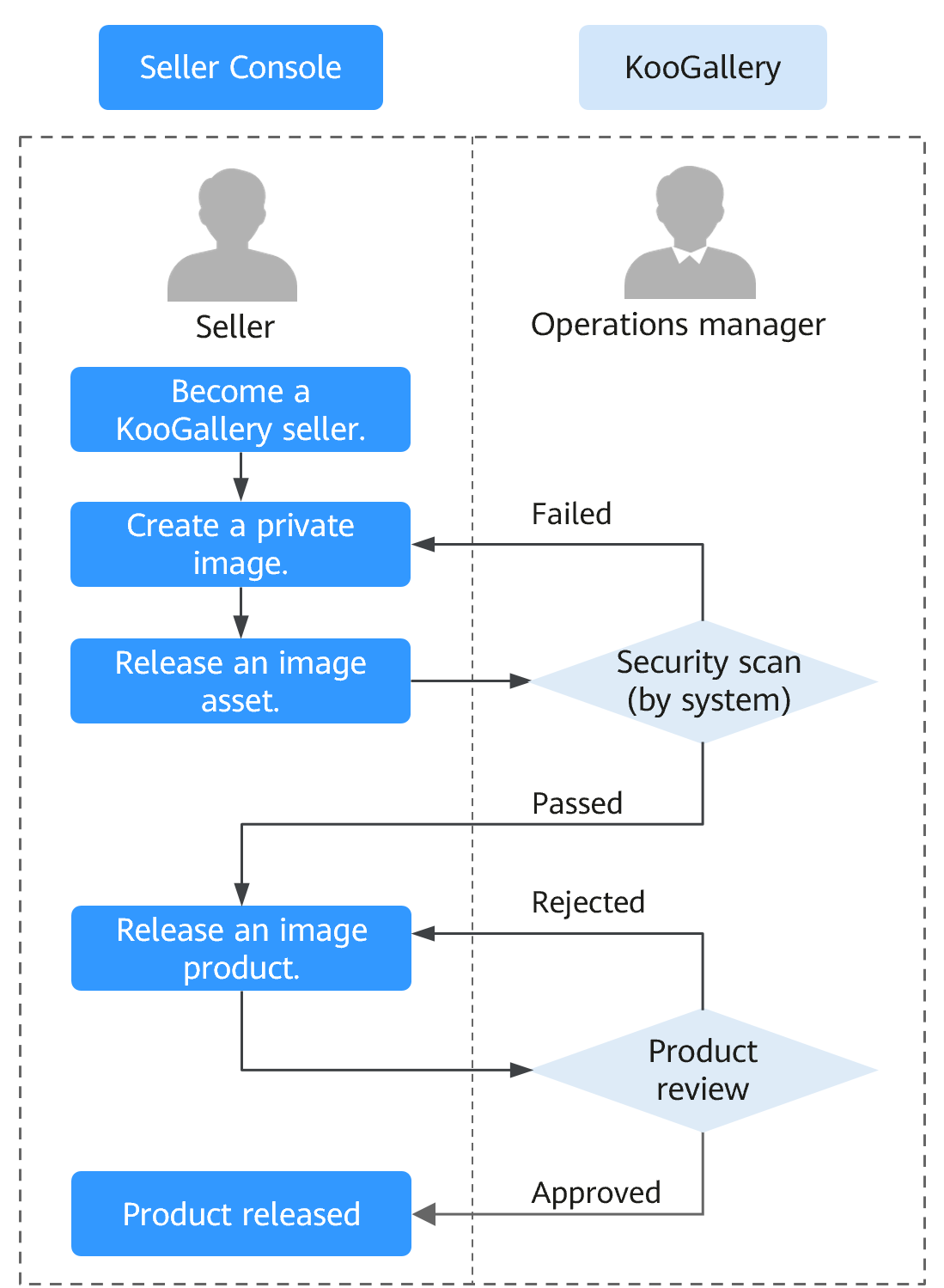
- Become a KooGallery seller.
- Create a private image. For details, see Creating Images.
- Release an image asset. For details, see Adding an Asset.
- Wait for KooGallery to automatically perform a security scan on the image asset. For details, see Image Security Standards.
- After the image asset passes the scan, release it as an image product. For details, see Releasing Images.
- Wait for the KooGallery operations manager to review the product. For details, see Product Release Description.
- The product is released.
Parent topic: Image Release Guide
What is your overall rating for this page?
0
1
2
3
4
5
6
7
8
9
10
Very dissatisfiedVery satisfied
Thank you very much for your feedback. We will continue working to improve the documentation.
The system is busy. Please try again later.


