

Help Center/ Partner Center/ User Guide/ Partner Organization Management/ Member Management/ Personnel Management/ Managing Organization Member Information
Updated on 2026-04-20 GMT+08:00
Managing Organization Member Information
You can view details about a created user, change its password, and perform other operations.
Procedure
- Viewing details about a user
- Use your account to sign in to Huawei Cloud.
- Click Partner Center in the drop-down list of your account name in the upper right corner.
- Choose Organization > Member Management in the menu on the top.
- Query users by configuring filters, such as role, status, name, and account name, on the Users tab page.
- You can configure to display the information you want to see.
- Click the name to view the details.
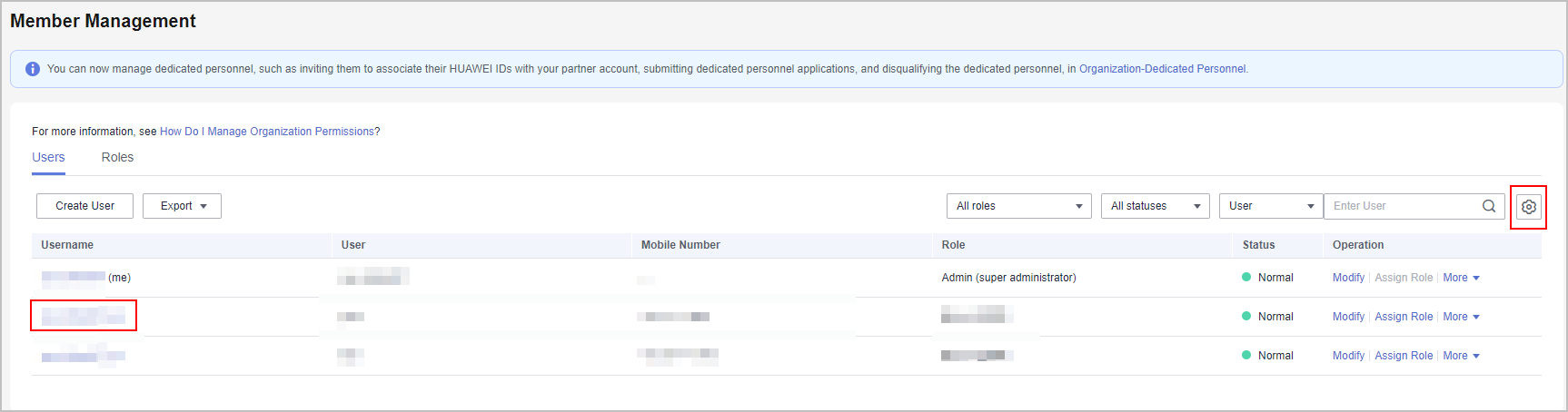
- View the user details on the displayed page.

Other Operations
- Modifying a user
- Query users by configuring filters, such as role, status, name, and account name, on the Users tab page.
- Click Modify in the row that contains the user you want to modify.
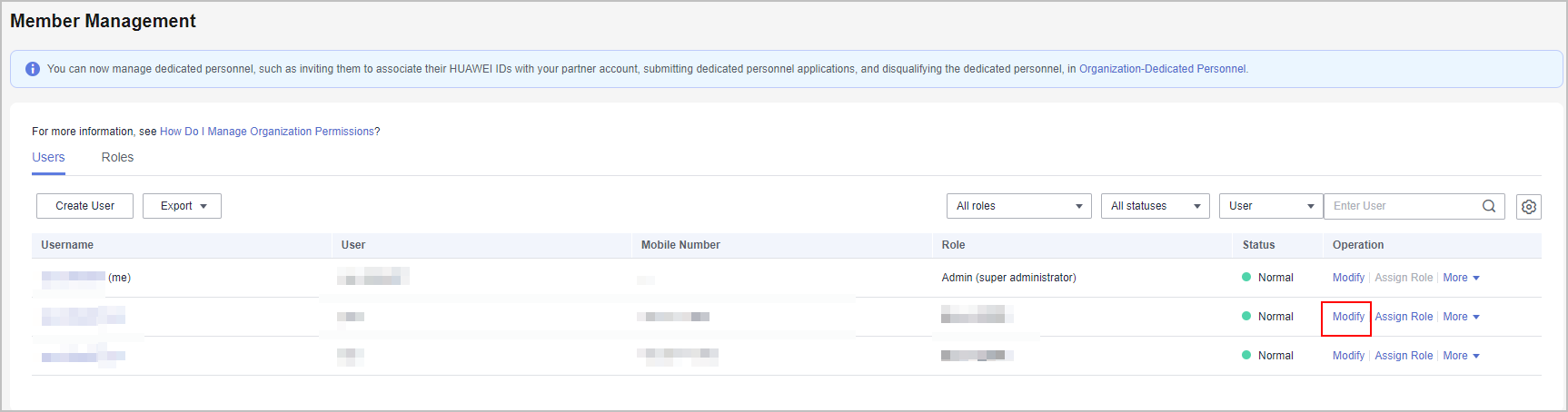
- Modify the required information in the displayed dialog box and click OK.
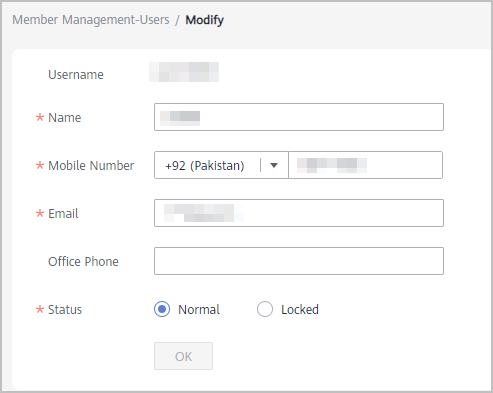
- A message is displayed indicating that the operation is successful.
- Changing the password of a user account
Click More > Reset Password in the Operation column. Enter a new password and confirm it on the displayed page.
- Deleting a user
Click More > Delete in the Operation column. In the Delete User dialog box that is displayed, click OK to confirm the deletion.
What is your overall rating for this page?
0
1
2
3
4
5
6
7
8
9
10
Very dissatisfiedVery satisfied
Thank you very much for your feedback. We will continue working to improve the documentation.
The system is busy. Please try again later.


