

Updated on 2025-09-04 GMT+08:00
Tasks
The task center is the task management center that displays the task receiving status.
- Task types: importing a user, host, cloud server, application, application server, and an account, changing the password of an account, synchronizing users from the AD Domain server, system maintenance (including upgrade and restoration), generating an O&M video, account synchronization, account verification, configuring backup mechanism, automatic O&M, importing dynamical OTPs, and installing Agent.
- The task status can be Executing, Finished, or Stop.
Procedure
- Log in to your bastion host.
- Click
 in the upper right corner of the page to show the small task center window. You can view the latest three tasks that are being executed.Figure 1 Small task center window
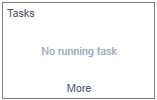
- Click More to go to the Tasks page. Figure 2 Viewing a task list

- Query tasks.
Enter a keyword in the search box and search for tasks by title.
- View the tasks.
On the Tasks page, you can view all running tasks, finished tasks, and stopped tasks.
- View task details.
- Click the name of a task.
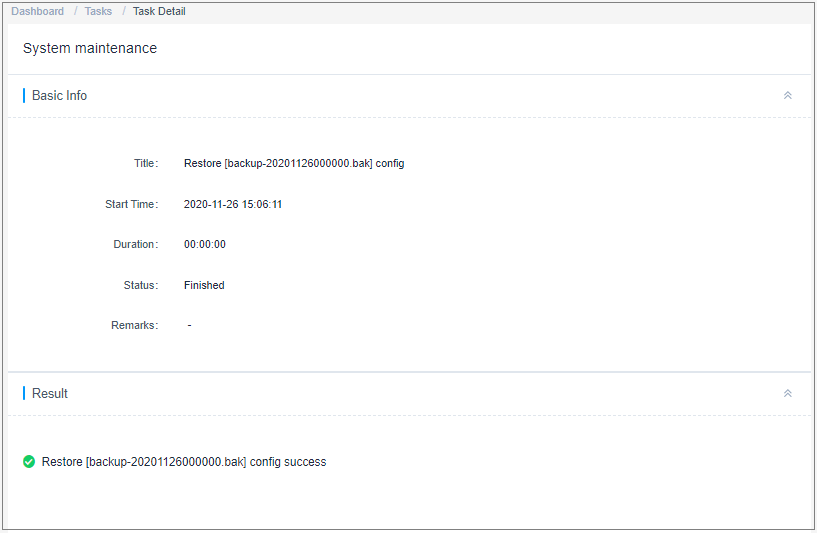
- View the basic information and execution result of the task. Figure 3 View task details.
Parent topic: Basic Instance Information Management
What is your overall rating for this page?
0
1
2
3
4
5
6
7
8
9
10
Very dissatisfiedVery satisfied
Thank you very much for your feedback. We will continue working to improve the documentation.
The system is busy. Please try again later.


