

Help Center/ Cloud Container Engine/ User Guide/ Storage/ EVS/ Expanding the Capacity of an EVS Disk
Updated on 2026-08-29 GMT+08:00
Expanding the Capacity of an EVS Disk
If the EVS disk attached to a workload does not have enough space, you can increase its capacity by expanding it. This section describes how to expand the capacity of an EVS disk through the console.
Prerequisites
- You have created a cluster and installed the CCE Container Storage (Everest) add-on in the cluster.
- An EVS volume has been created in the cluster.
Procedure
- Log in to the CCE console and click the cluster name to access the cluster console.
- Choose Storage in the navigation pane. In the right pane, click the PVCs tab. Locate the target PVC and choose More > Scale-out in the Operation column. Figure 1 Expanding an EVS disk capacity

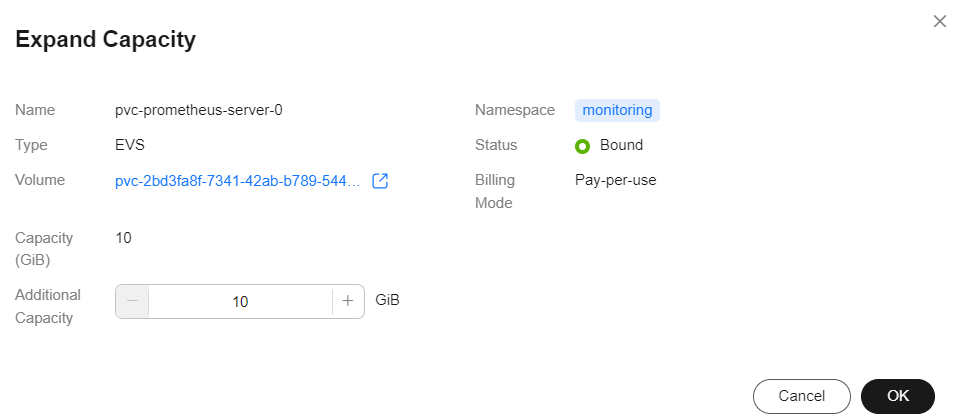
- Enter the capacity to be added and click OK.

Disk sizes can only be increased, not decreased.
Figure 2 Configuring the capacity to be expanded
- Wait until the scale-out is complete and verify that the total capacity of the PVC has been expanded.
What is your overall rating for this page?
0
1
2
3
4
5
6
7
8
9
10
Very dissatisfiedVery satisfied
Thank you very much for your feedback. We will continue working to improve the documentation.
The system is busy. Please try again later.


