

Help Center/ Server Migration Service/ FAQs/ Disk Management/ How Do I Migrate a Server with a System Disk Larger Than 1 TB?
Updated on 2025-11-06 GMT+08:00
How Do I Migrate a Server with a System Disk Larger Than 1 TB?
Background
SMS is restricted by an IMS limitation on the system disk size. When you use an image to create an ECS, the system disk cannot be larger than 1 TB. If the system disk of the source server to be migrated is larger than 1 TB, the migration can only be performed when certain conditions are met and the disk is resized.
Linux File-Level Migration
If the source system disk is larger than 1 TB but the disk usage is low (less than I TB of space used), you can resize the system disk and system partition of the target server before migration.
- Install the SMS-Agent on the source server. For more information, see Installing the SMS-Agent.
- Start the SMS-Agent. After the Agent is started, configure the target server. When you configure the basic settings, select Yes for Partition Resize to resize the disks and partitions for the target server.
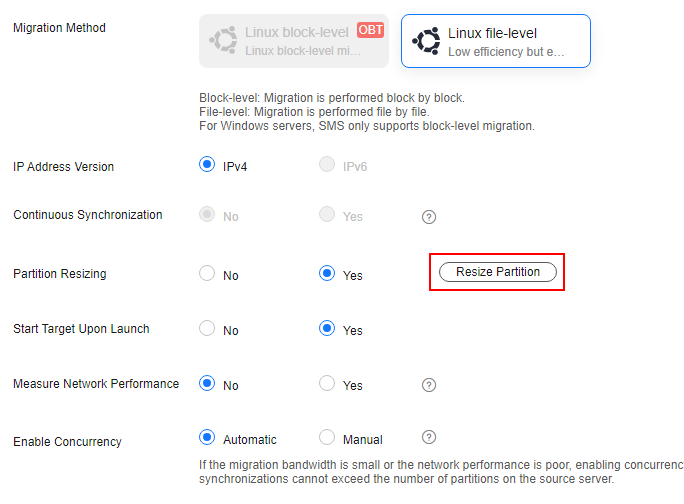
- In the Resize Partition window, set a new size for the system disk and partition as needed.
- Click Next: Configure Target to complete the migration configuration and start the migration.
What is your overall rating for this page?
0
1
2
3
4
5
6
7
8
9
10
Very dissatisfiedVery satisfied
Thank you very much for your feedback. We will continue working to improve the documentation.
The system is busy. Please try again later.


