
Eclipse Plug-in
Currently, FunctionGraph does not provide Java function templates and only allows you to upload Java function packages through OBS. With the Eclipse plug-in, you can quickly create Java function templates, package function project files, upload function packages to OBS, and deploy functions.
- Download the Eclipse plug-in.
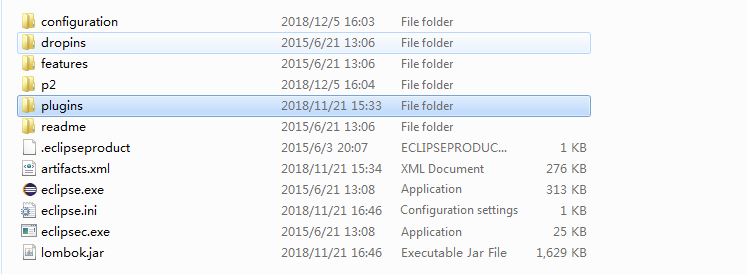
- Put the Eclipse plug-in package (.jar or .zip) in the plugins folder under the Eclipse installation directory. Then restart Eclipse. Figure 1 shows the Eclipse installation directory.
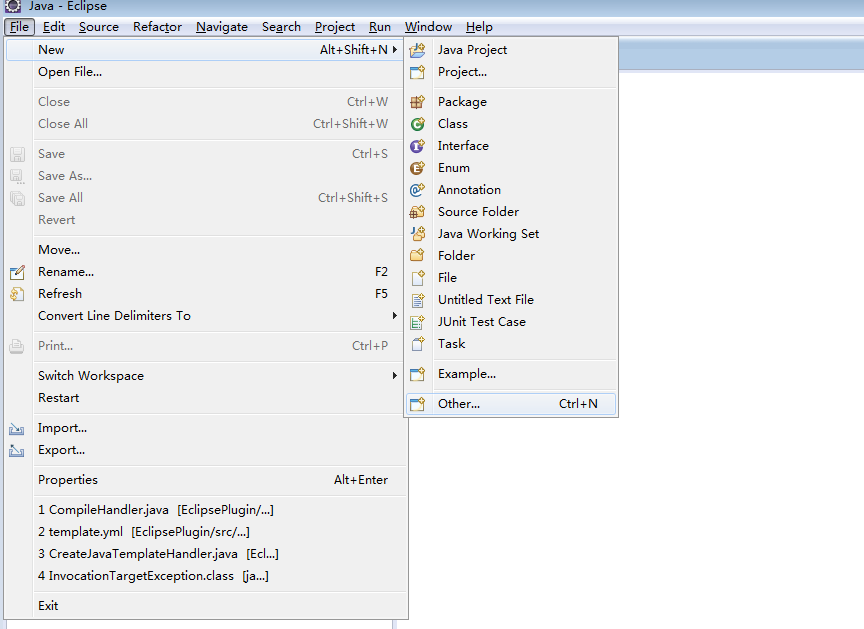
- Open Eclipse and choose File > New > Other, as shown in Figure 2.
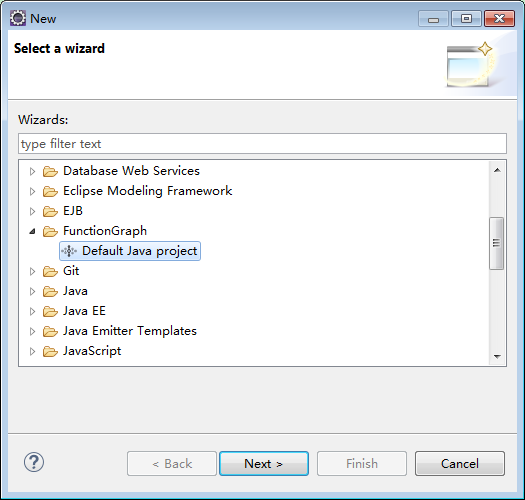
- Choose FunctionGraph > Default Java project, as shown in Figure 3.
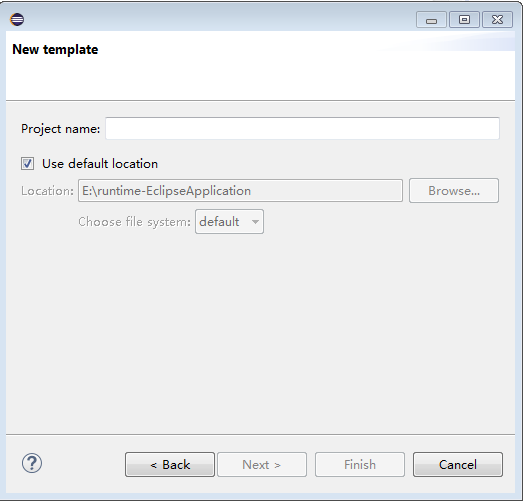
- Enter a project name, specify a project directory (or use the default directory), and click Finish, as shown in Figure 4.
Parent topic: Developing Functions with Plug-ins
Last Article: Visual Studio Code Plug-in
Next Article: PyCharm Plug-in

Did this article solve your problem?
Thank you for your score!Your feedback would help us improve the website.