
Help Center> FunctionGraph> Developer Guide> Developing Functions with Plug-ins> Visual Studio Code Plug-in
Visual Studio Code Plug-in
- Download the Visual Studio Code plug-in.
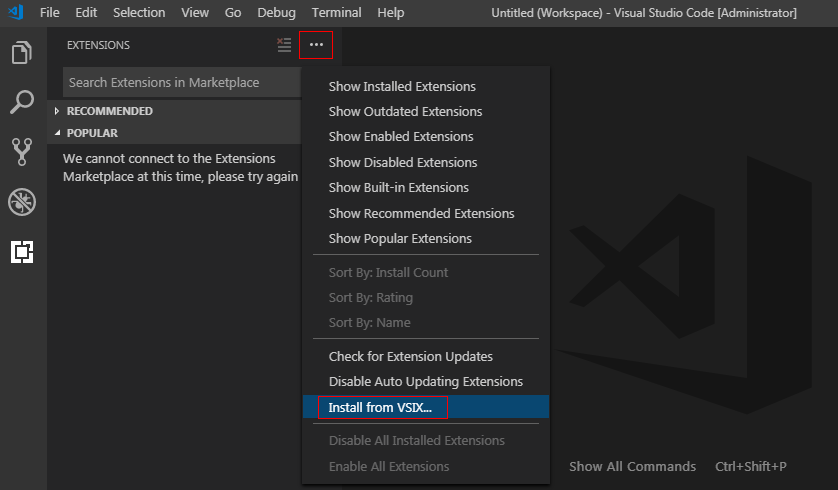
- Manually install funcitongraph-tools, as shown in Figure 1.
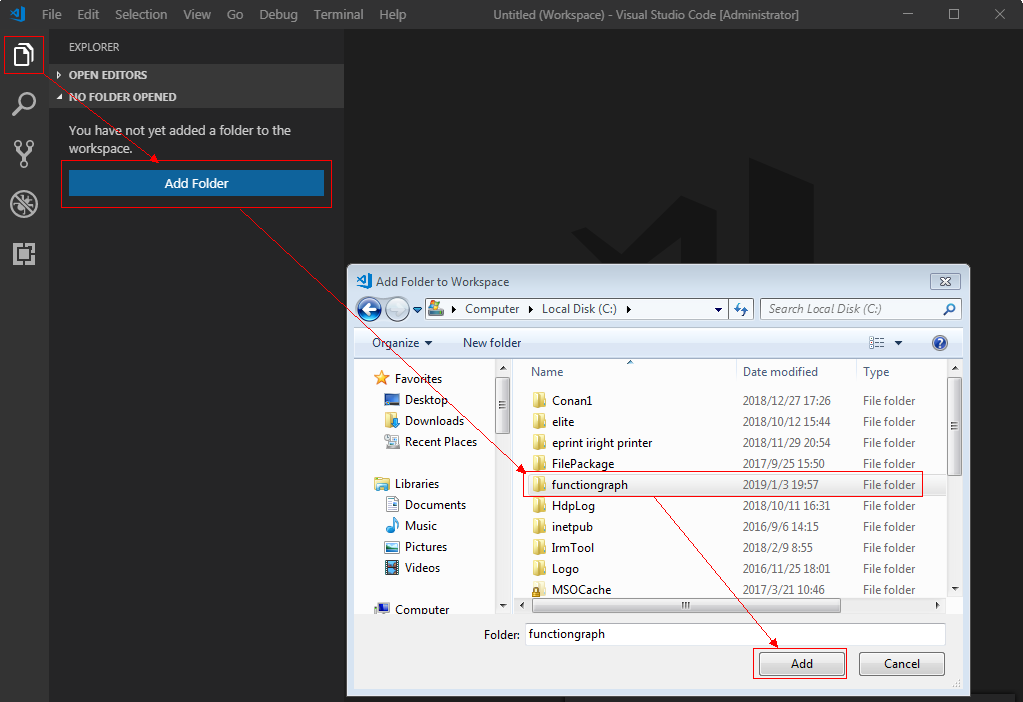
- Add the folder in which the installation file is located, as shown in Figure 2.
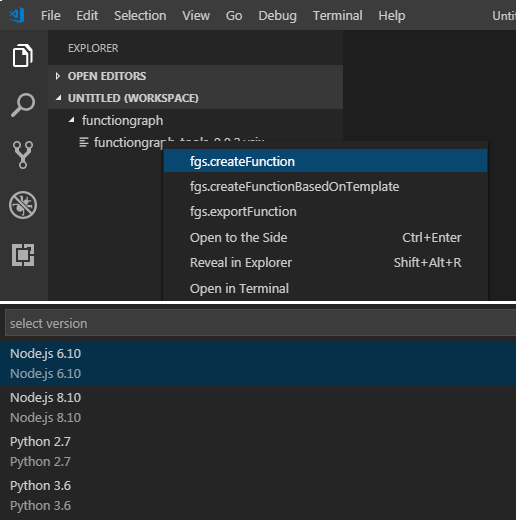
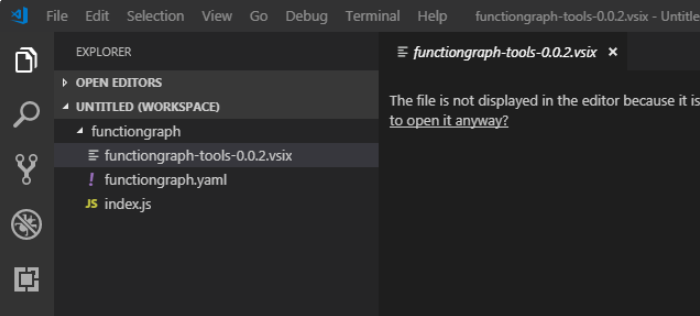
- Right-click, choose fgs.createFunction from the shortcut menu, and select a runtime to create a function, as shown in Figure 3. After a function is created, the functiongraph.yaml and index.js files are automatically generated, as shown in Figure 4.
- Right-click and choose fgs.createFunctionBasedOnTemplate from the shortcut menu to create a function template.
- Right-click and choose fgs.exportFunction from the shortcut menu to export a function. Then you can upload the function to FunctionGraph.
Parent topic: Developing Functions with Plug-ins
Last Article: Developing Functions with Plug-ins
Next Article: Eclipse Plug-in

Did this article solve your problem?
Thank you for your score!Your feedback would help us improve the website.