

Help Center/ Customer Engagement Center/ User Guide/ Tenant Administrator Guide/ Robot Management and Configuration Guide/ Configuring an Intelligent Robot/ Configuring an Appointment Chatbot (Task-oriented Robot)/ Commissioning a Flow
Updated on 2025-11-07 GMT+08:00
Commissioning a Flow
You can test an adjusted flow to ensure that it can be executed normally after being referenced.
Prerequisites
The flow has been bound to an intelligent robot. For details about how to bind an intelligent robot, see Configuring a Robot.
Procedure
- Choose .
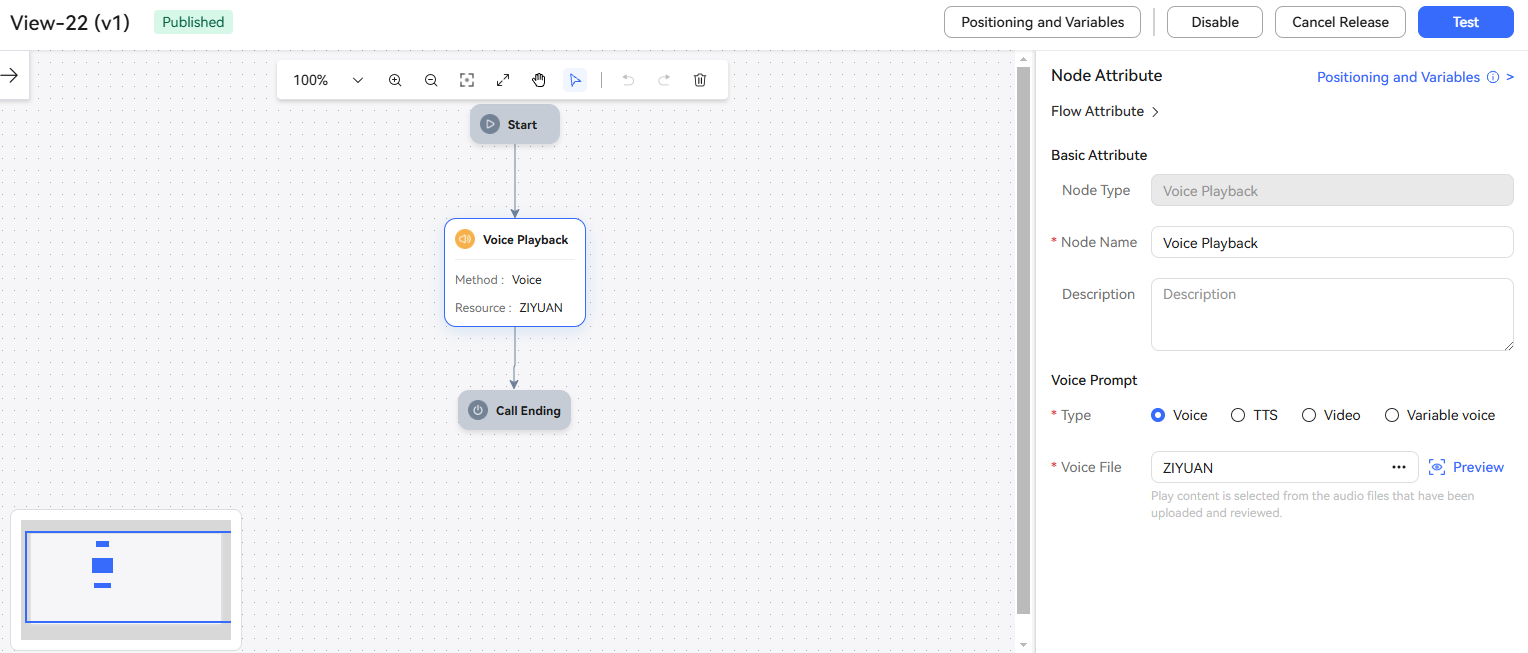
- Select a released flow and click the blue version number hyperlink. The flow details page is displayed.
- Click
 in the upper right corner. The Test Call page is displayed. Figure 1 Test Call page
- Click
 . If the dialog is normal, the flow is normal.
Parent topic: Configuring an Appointment Chatbot (Task-oriented Robot)
What is your overall rating for this page?
0
1
2
3
4
5
6
7
8
9
10
Very dissatisfiedVery satisfied
Thank you very much for your feedback. We will continue working to improve the documentation.See the reply and handling status in My Cloud VOC.
The system is busy. Please try again later.
For any further questions, feel free to contact us through the chatbot.
Chatbot


