

Help Center/ IoT Device Access/ SDK Reference/ Device-side SDKs/ IoT Device Java SDK/ Code Generator
Updated on 2025-12-04 GMT+08:00
Code Generator
Introduction
The SDK provides a device code generator that requires downloading the SDK source code. Simply provide the product model file to automatically generate the device code framework. The code generator parses the device model file, generates service classes for each defined service, creates a device main class, instantiates a device in the main function, and registers the device service instance.
Procedure
- Generate the product model code.
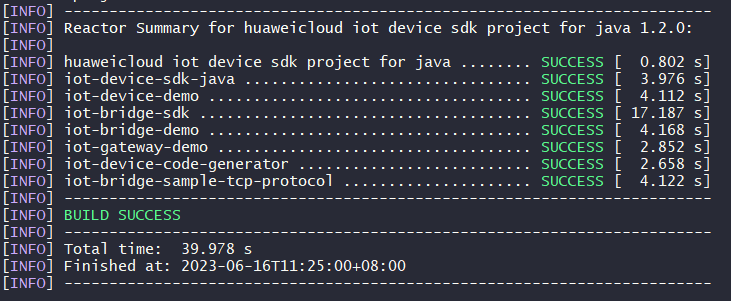
- Download the huaweicloud-iot-device-sdk-java project, decompress it, go to the huaweicloud-iot-device-sdk-java directory, and run the mvn install command. Figure 1 Running the compilation command
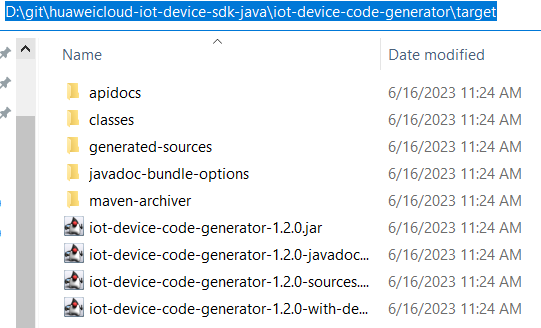
- Check whether an executable JAR package is generated in the target folder of iot-device-code-generator. Figure 2 Generating an executable JAR package
- Save the product model to a local directory. For example, save the smokeDetector.zip file to disk D.
- Access the SDK root directory and run the java -jar .\iot-device-code-generator\target\iot-device-code-generator-1.2.0-with-deps.jar D:\smokeDetector.zip command. Figure 3 Running the code generation command

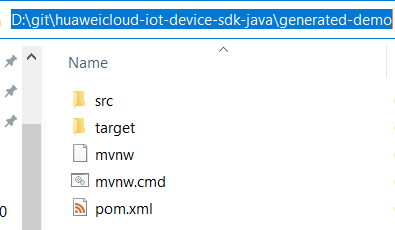
- Check whether the generated-demo package is generated in the huaweicloud-iot-device-sdk-java directory. If yes, the device code is generated successfully. Figure 4 Code generated
- Download the huaweicloud-iot-device-sdk-java project, decompress it, go to the huaweicloud-iot-device-sdk-java directory, and run the mvn install command.
- Write and run the product model code.
- Access huaweicloud-iot-device-sdk-java\generated-demo and run the mvn install command.

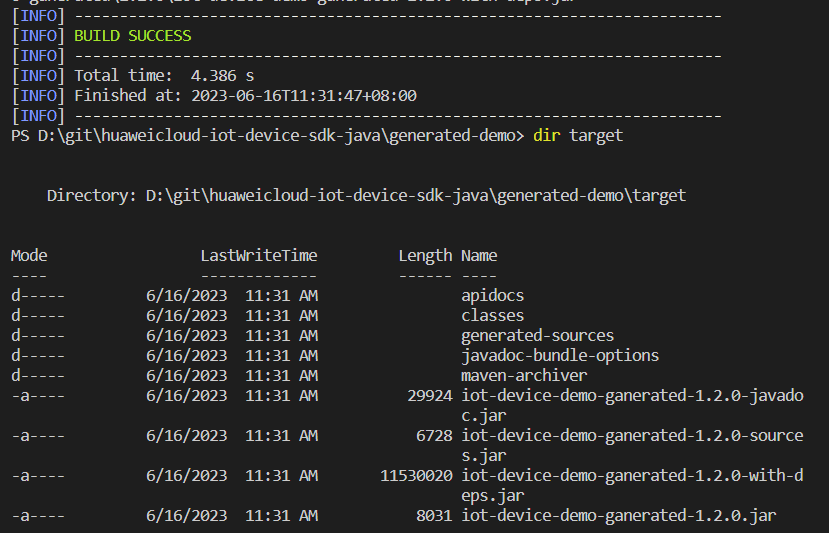
- Run the java -jar .\target\iot-device-demo-ganerated-1.2.0-with-deps.jar ssl://Domain name:8883 device_id secret command. The three parameters are the device access address, device ID, and password, respectively. Run the generated demo.
D:\git\huaweicloud-iot-device-sdk-java\generated-demo> java -jar .\target\iot-device-demo-ganerated-1.2.0-with-deps.jar ssl://Domain name:8883 5e06bfee334dd4f33759f5b3_demo secret
2024-04-17 15:50:53  INFO AbstractService:73 - create device, the deviceId is 5e06bfee334dd4f33759f5b3_demo
2024-04-17 15:50:54 INFO MqttConnection:204 - try to connect to ssl://Domain name: 8883
2024-04-17 15:50:55 INFO MqttConnection:228 - connect success, the uri is ssl://Domain name: 8883
- Access huaweicloud-iot-device-sdk-java\generated-demo and run the mvn install command.
- Modify the product model code. Service definition and registration have already been completed through the generated code. You only need to make small changes to the code.
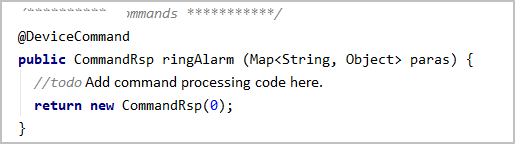
- Command API: Add specific implementation logic.
- getter method: Change the value return mode of the generated code from returning a random value to reading from the sensor.
- setter method: Add specific processing logic, such as delivering instructions to the sensor, because the generated code only modifies and saves the properties.
Parent topic: IoT Device Java SDK
What is your overall rating for this page?
0
1
2
3
4
5
6
7
8
9
10
Very dissatisfiedVery satisfied
Thank you very much for your feedback. We will continue working to improve the documentation.See the reply and handling status in My Cloud VOC.
The system is busy. Please try again later.
For any further questions, feel free to contact us through the chatbot.
Chatbot


