

Help Center/ CodeArts/ FAQs/ General/ Why Am I Seeing "Thank you for joining our project! Once your inviter authorizes your account, simply accept the authorization on the CodeArts console." When Accepting a Project Invitation?
Updated on 2025-12-22 GMT+08:00
Why Am I Seeing "Thank you for joining our project! Once your inviter authorizes your account, simply accept the authorization on the CodeArts console." When Accepting a Project Invitation?
Scenario
When you open a project invitation link, you see the message "Thank you for joining our project! Once your inviter authorizes your account, simply accept the authorization on the CodeArts console."
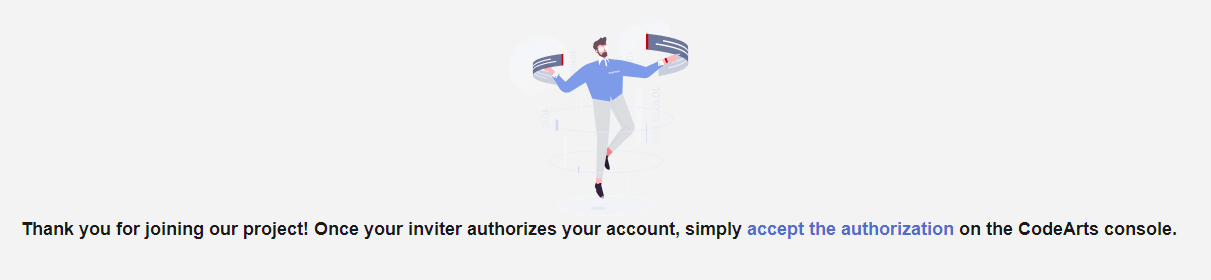
Cause Analysis
You and the inviter belong to different accounts. You need to accept the inviter's authorization before joining their project.
Solution
- Click accept the authorization to go to the CodeArts console.
- On the Enterprise Account Authorization page, click the Received Authorizations tab, and check whether there is an authorization record from the inviter's account.
- If there is one, click Accept in the Operation column.
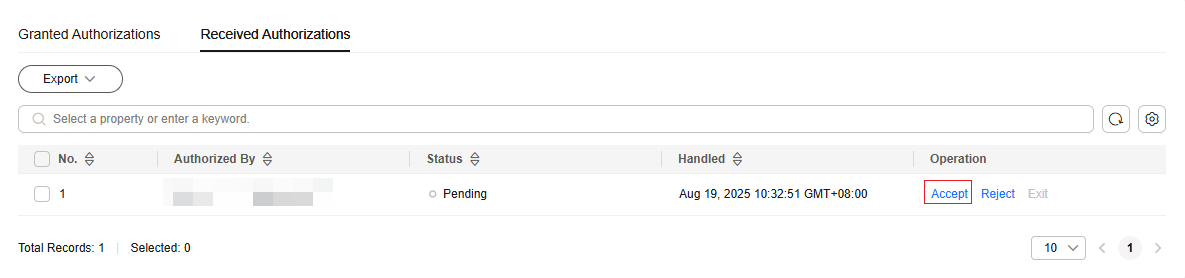
- If there is none, first contact the inviter to authorize your account. For details, see Authorizing an Enterprise Account on the CodeArts Console. After receiving the authorization, click Accept in the Operation column.
Then, the status of the authorization record changes to Enabled.
- If there is one, click Accept in the Operation column.
- Open the project invitation link again and verify that no error message appears. Complete the subsequent operations by referring to the onscreen prompts.
Parent topic: General
What is your overall rating for this page?
0
1
2
3
4
5
6
7
8
9
10
Very dissatisfiedVery satisfied
Thank you very much for your feedback. We will continue working to improve the documentation.See the reply and handling status in My Cloud VOC.
The system is busy. Please try again later.
For any further questions, feel free to contact us through the chatbot.
Chatbot


