

Updated on 2026-04-09 GMT+08:00
Enterprise SSO
If your enterprise has an authentication system, enable single sign-on (SSO) to allow enterprise members to log in to the Huawei Cloud Meeting client using their existing credentials.

- Open the Huawei Cloud Meeting desktop client.
- Click SSO at the bottom.
- Enter the enterprise domain name, or click Enterprise email in the upper right corner and enter the enterprise email address.
- Click Log in to redirect to the authentication page in a browser. Figure 1 Enterprise SSO

- Enter the account and password. After enterprise authentication is successful, Huawei Cloud Meeting Management Platform is displayed. The platform then starts the Huawei Cloud Meeting desktop client.
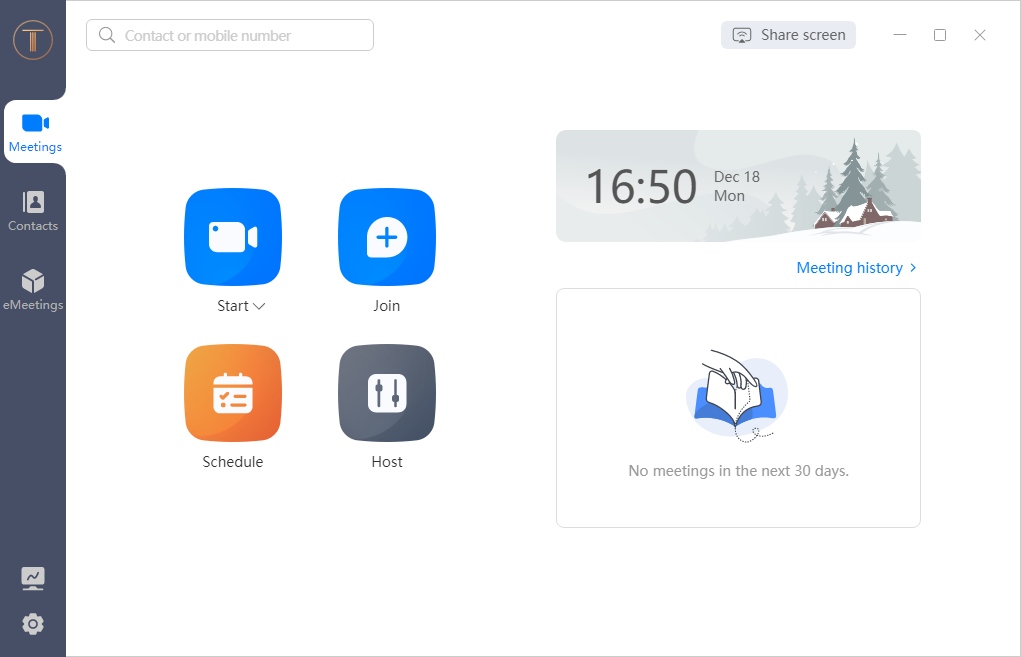
The client home screen is displayed.
Figure 2 Client home screen
Parent topic: Desktop Client
What is your overall rating for this page?
0
1
2
3
4
5
6
7
8
9
10
Very dissatisfiedVery satisfied
Thank you very much for your feedback. We will continue working to improve the documentation.See the reply and handling status in My Cloud VOC.
The system is busy. Please try again later.
For any further questions, feel free to contact us through the chatbot.
Chatbot


