

Help Center/ CodeArts Repo/ User Guide/ Migrating Code and Syncing a Repository/ Migrating a Third-Party Git Repository to CodeArts Repo/ Migrating a Self-Built GitLab Repository
Updated on 2026-06-24 GMT+08:00
Migrating a Self-Built GitLab Repository
Prerequisites
- Currently, only self-hosted repositories of GitLab 11.0 or later can be imported.
- Configure the personal access token for self-hosted GitLab repositories.
Steps
- Go to the CodeArts Repo homepage, click New Repository, and select an existing project from the Project drop-down list box or create a project.
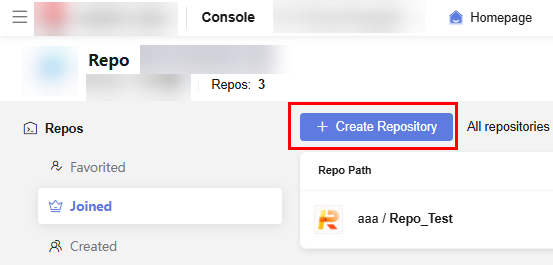
- Set the repository type to Imported, import from Self-hosted GitLab, and select By personal access token for Authorization. Click Next. The Select Repo to Import page is displayed.
- Select repositories to be imported and click Next. The Basic Information page is displayed. Enter the Basic Information and Repo Sync Settings of the repositories by referring to Enter Basic Information for Imported Repositories and Table 1 Parameters for syncing repo settings.
Parent topic: Migrating a Third-Party Git Repository to CodeArts Repo
What is your overall rating for this page?
0
1
2
3
4
5
6
7
8
9
10
Very dissatisfiedVery satisfied
Thank you very much for your feedback. We will continue working to improve the documentation.See the reply and handling status in My Cloud VOC.
The system is busy. Please try again later.
For any further questions, feel free to contact us through the chatbot.
Chatbot


