

Changing the Read/Write Splitting Address
Scenarios
After database proxy is enabled, applications access the database through the read/write splitting address. This section describes how to change the read/write splitting address, if needed.
Precautions
Changing the read/write splitting address will interrupt database connections and services. Therefore, change the read/write splitting address during off-peak hours or when services are stopped.
Constraints
The new IP address is not in use and must be in the same subnet as the RDS for MySQL instance.
Procedure
You can change the read/write splitting address for DB instances with read/write splitting enabled.
- Click
 in the upper left corner and select a region.
 - Click
 in the upper left corner of the page and choose Databases > Relational Database Service.
 - On the Instances page, click the instance name to go to the Summary page.
- Click Database Proxy in the navigation pane on the left. On the displayed page, click Modify next to the Read/Write Splitting Address field.
Figure 1 Read/write splitting area (single-proxy)
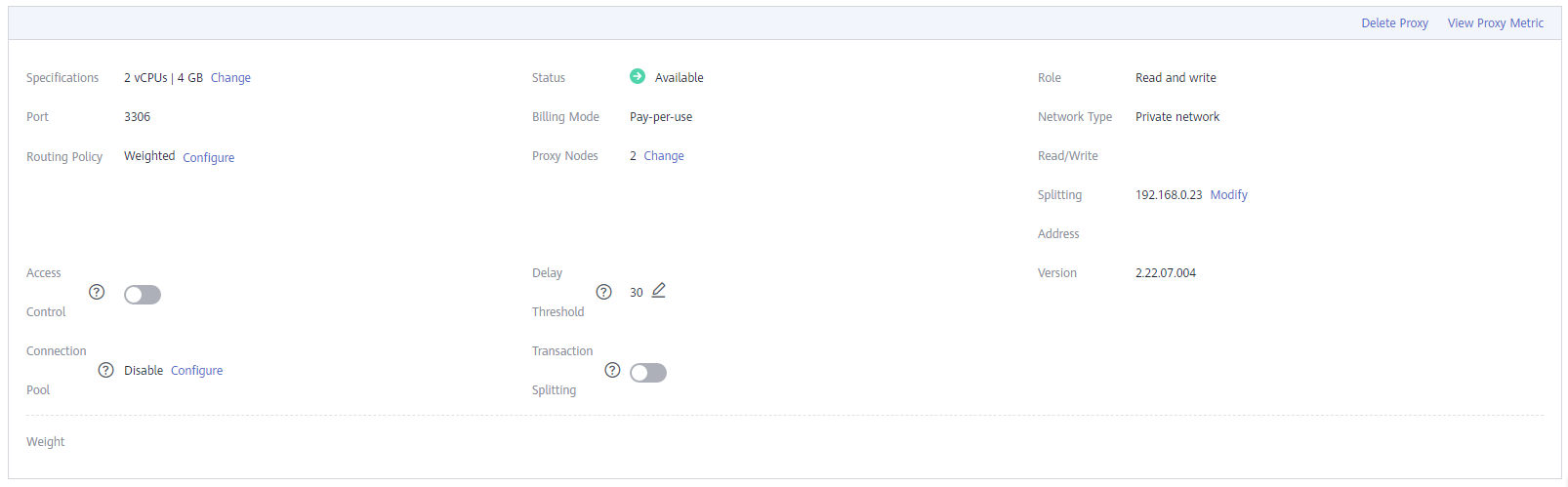 Figure 2 Read/write splitting area (multi-proxy)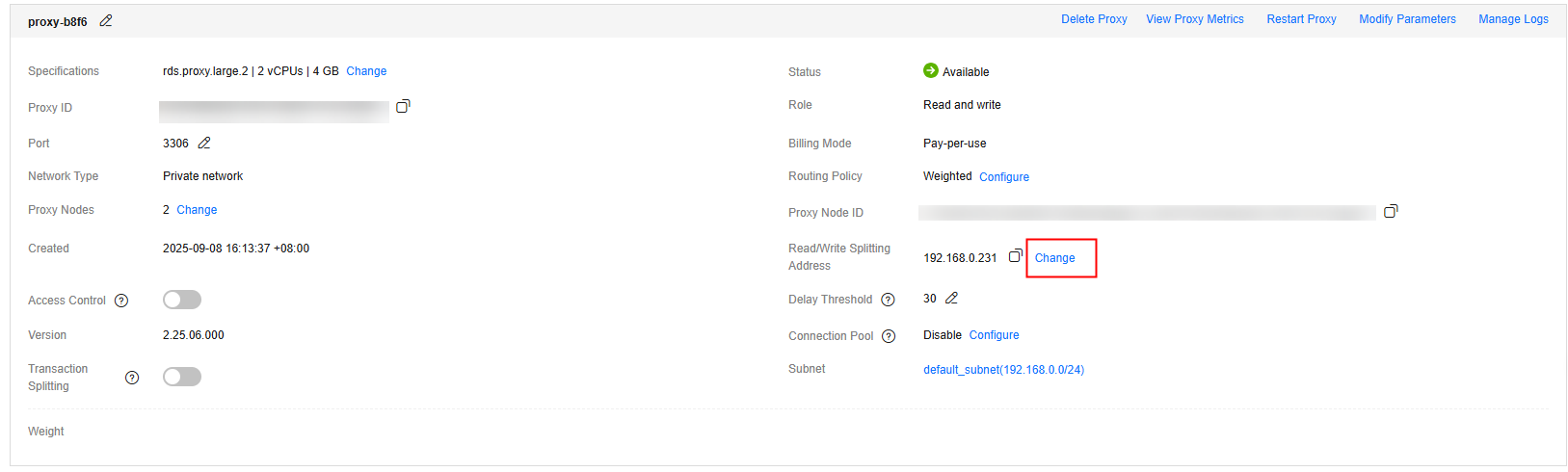
- In the displayed dialog box, enter a new address. Click OK.
In-use IP addresses cannot be used as read/write splitting addresses.
Figure 3 Changing the read/write splitting address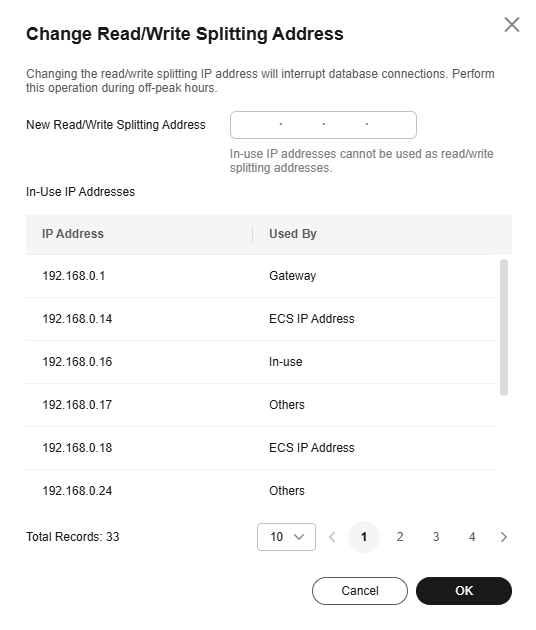
Feedback
Was this page helpful?
Provide feedbackThank you very much for your feedback. We will continue working to improve the documentation.See the reply and handling status in My Cloud VOC.
For any further questions, feel free to contact us through the chatbot.
Chatbot


