

Help Center/ IoT Device Access/ SDK Reference/ Device-side SDKs/ IoT Device Android SDK/ Code Compilation and Project Settings
Updated on 2025-12-04 GMT+08:00
Code Compilation and Project Settings
Compiling the SDK
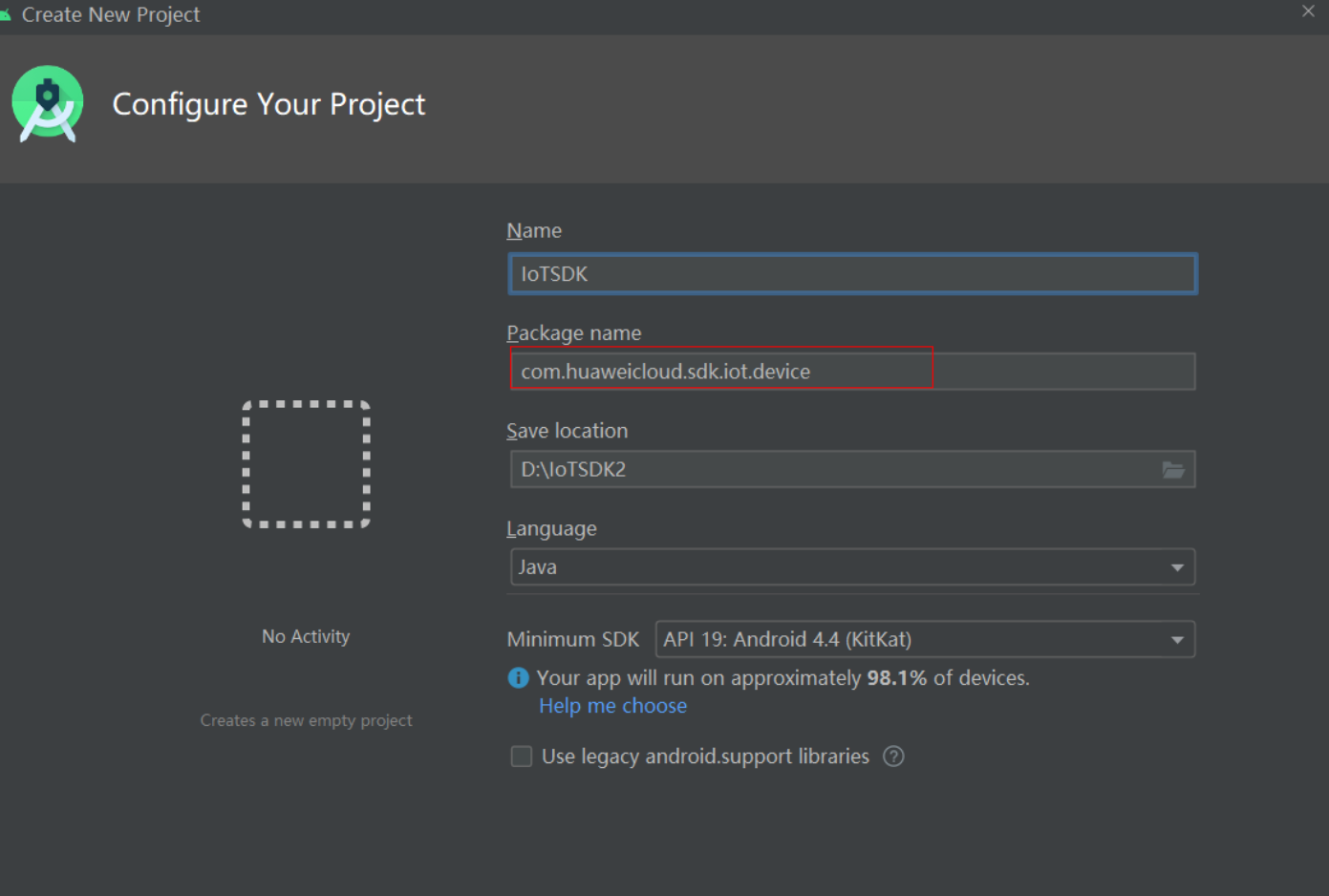
- Use Android Studio to create an Android project and set the package name to com.huaweicloud.sdk.iot.device. Figure 1 Creating an Android project using Android Studio
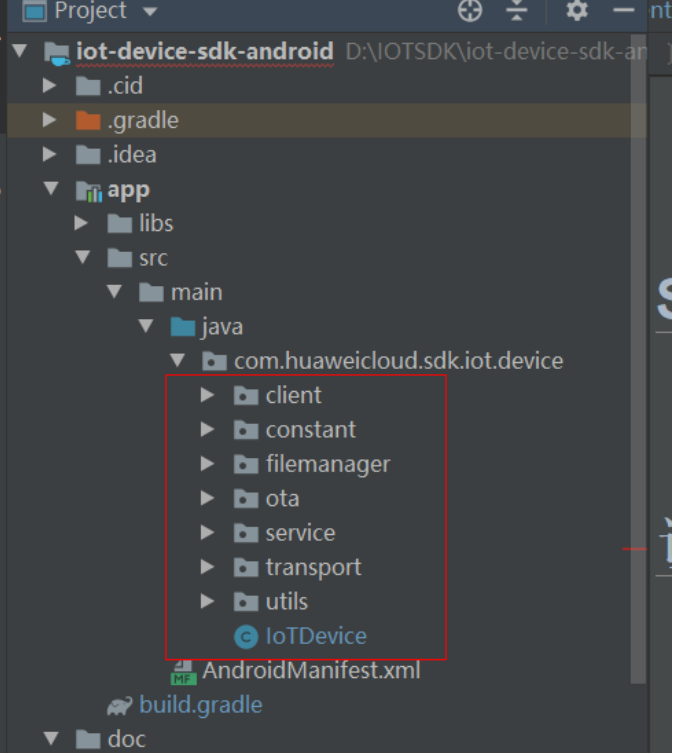
- Copy the Java source code of the iot-device-sdk-android project to the com.huaweicloud.sdk.iot.device package. Figure 2 Copying the Java source code to the package
- Configure the build.gradle file in the app directory.
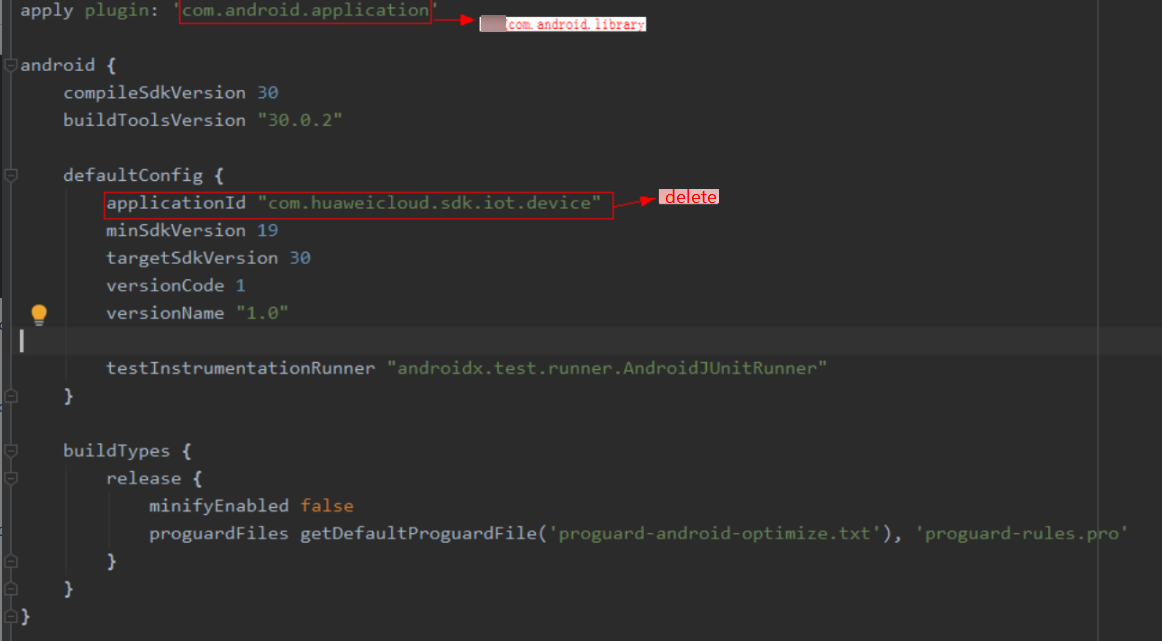
- Modify the code in the build.gradle file. Figure 3 Deleting configuration data from the Android SDK
- Add the following compilation scripts to the build.gradle file.
task cleanJar(type: Delete){ // Delete the existing data. delete 'build/libs/com.huaweicloud.sdk.iot.device-1.0.0.jar' delete 'build/libs/classes/' } task copyJavaclasses(type: Copy) { // Set the file to be copied. from('build/intermediates/javac/release/classes') // Store the JAR package. into('build/libs/') } task makeJar(type: Exec){ workingDir 'build/libs/' commandLine 'cmd', '/c', 'jar cvf com.huaweicloud.sdk.iot.device-1.0.0.jar -C ./ .' } cleanJar.dependsOn(build) copyJavaclasses.dependsOn(cleanJar) makeJar.dependsOn(copyJavaclasses) - Add the following three dependencies to the build.gradle file:
implementation 'com.google.code.gson:gson:2.8.6'
implementation 'org.eclipse.paho:org.eclipse.paho.client.mqttv3:1.2.5'
implementation 'androidx.localbroadcastmanager:localbroadcastmanager:1.0.0'
- After the Android project is configured, run task makeJar in the build.gradle file (ensure that the Java environment variable has been added) to generate a JAR package. Figure 4 Generating a JAR package using the Android SDK
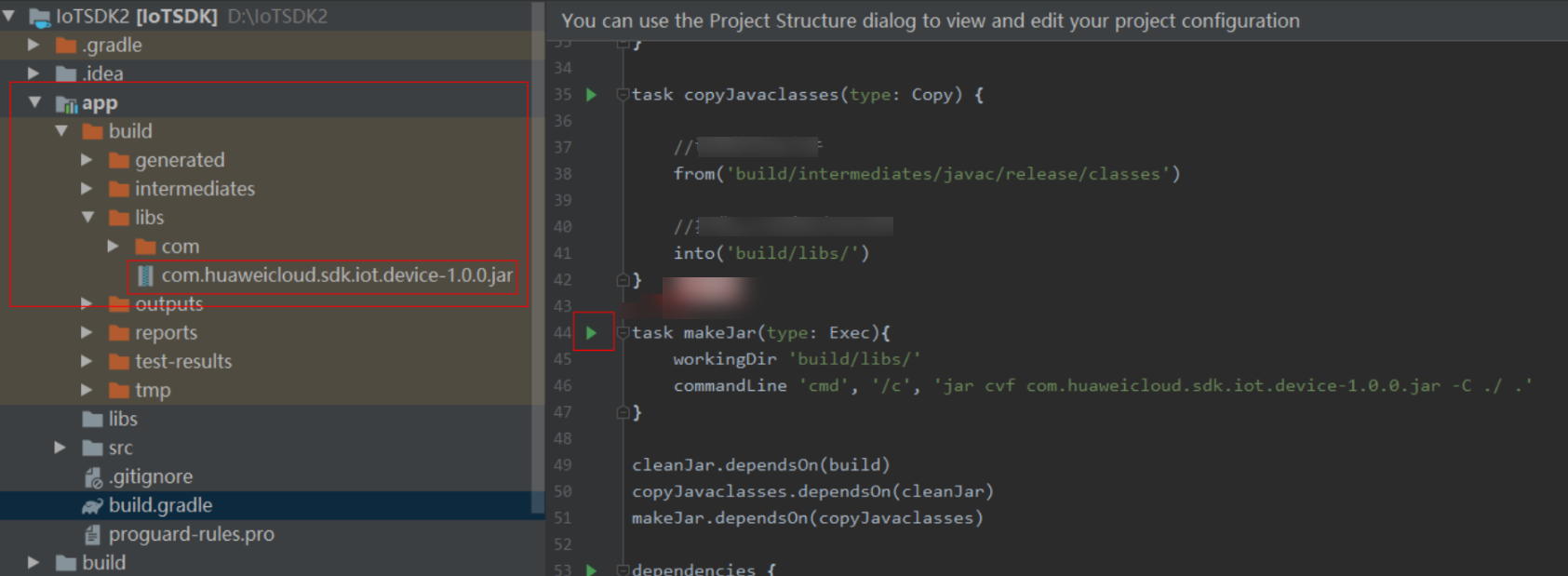
- Check whether the JAR package is stored in the app/build/libs directory. Figure 5 Obtaining the JAR package
- Modify the code in the build.gradle file.
Setting the Code Project
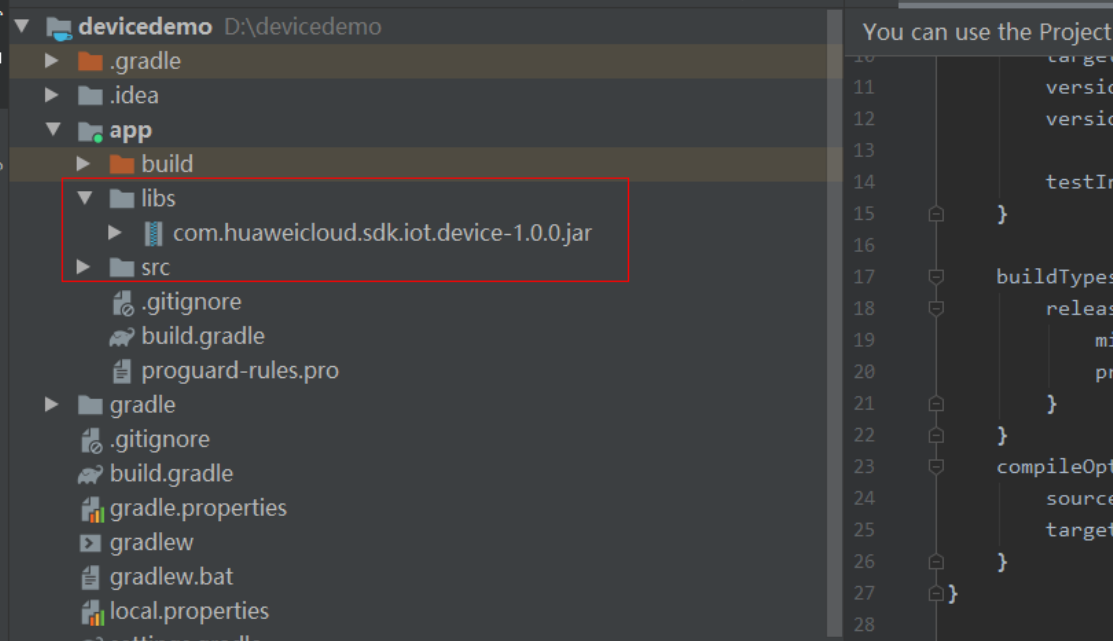
- Add the generated JAR package to the app/libs directory.
- Add the following dependencies to build.gradle:
implementation fileTree(dir: "libs", include: ["*.jar"])
implementation 'androidx.localbroadcastmanager:localbroadcastmanager:1.0.0'
implementation 'org.eclipse.paho:org.eclipse.paho.client.mqttv3:1.2.5'
implementation 'com.google.code.gson:gson:2.8.6'
implementation group: 'org.bouncycastle', name: 'bcpkix-jdk15to18', version: '1.68'
implementation group: 'org.bouncycastle', name: 'bcprov-jdk15to18', version: '1.68'
implementation group: 'com.squareup.okhttp3', name: 'okhttp', version: '4.9.1'
- Add the following network permissions to the AndroidManifest.xml file:
<uses-permission android:name="android.permission.INTERNET" />
Parent topic: IoT Device Android SDK
What is your overall rating for this page?
0
1
2
3
4
5
6
7
8
9
10
Very dissatisfiedVery satisfied
Thank you very much for your feedback. We will continue working to improve the documentation.See the reply and handling status in My Cloud VOC.
The system is busy. Please try again later.
For any further questions, feel free to contact us through the chatbot.
Chatbot


