

Help Center/ Relational Database Service_RDS for PostgreSQL/ User Guide/ Data Restoration/ Restoration to RDS for PostgreSQL/ Restoring Databases from Database-Level Backups
Updated on 2026-11-17 GMT+08:00
Restoring Databases from Database-Level Backups
Scenarios
You can restore a database to its original instance from a database-level backup. After the restoration is successful, a new database and tables are generated on the instance and they have timestamps appended to their names. You can rename the tables or manage the table data as required.
Constraints
- Any database or table whose name contains any Chinese characters cannot be restored.
- Database- or table-level restoration is not supported for databases or tables that contain JSON virtual columns.
- A maximum of 50 databases can be restored for an instance at a time.
Prerequisites
This operation creates new databases or tables containing the restored data in the original DB instance. Ensure that the instance has sufficient storage.
Procedure
- Log in to the RDS console.
- Click
 in the upper left corner and select a region.
- On the Instances page, click the target instance name to go to the Summary page.
- In the navigation pane on the left, choose Backups & Restorations.
- Click the Database Backups tab. Locate a backup and click Restore in the Operation column.
- Select the databases to be restored and click Next: Confirm. Figure 1 Database-level restoration
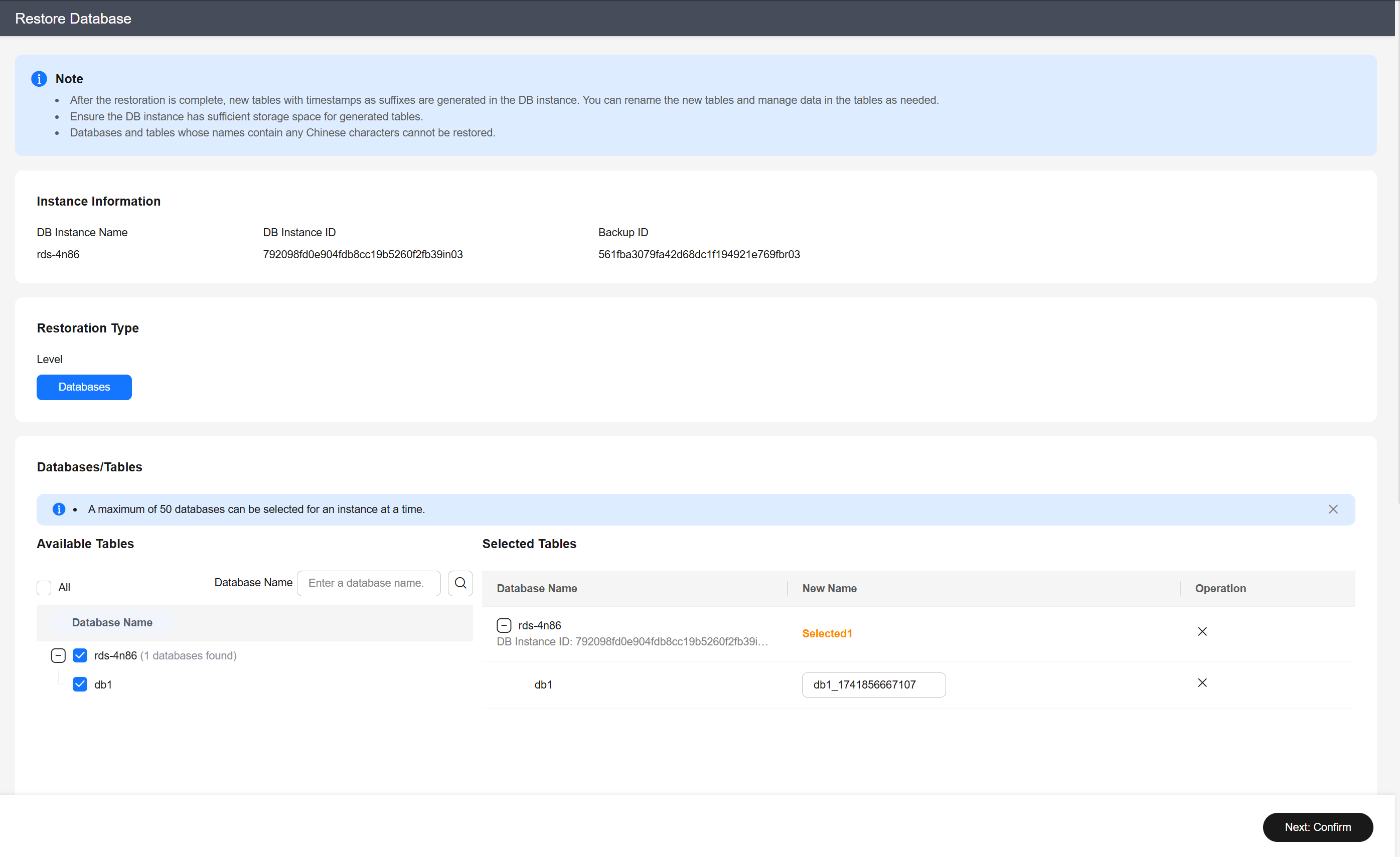
- On the displayed page, confirm the information and click Submit.
- On the Instances page, check that the DB instance status is Restoring. During the restoration, workloads are not interrupted.
- After the restoration is complete, new databases and tables with a timestamp appended to their names are created in the original DB instance. You can rename the tables or perform further data processing as required.
What is your overall rating for this page?
0
1
2
3
4
5
6
7
8
9
10
Very dissatisfiedVery satisfied
Thank you very much for your feedback. We will continue working to improve the documentation.See the reply and handling status in My Cloud VOC.
The system is busy. Please try again later.
For any further questions, feel free to contact us through the chatbot.
Chatbot


