

Why Did I Fail to Create an Object on the postgres Database as a Standard User?
Symptom
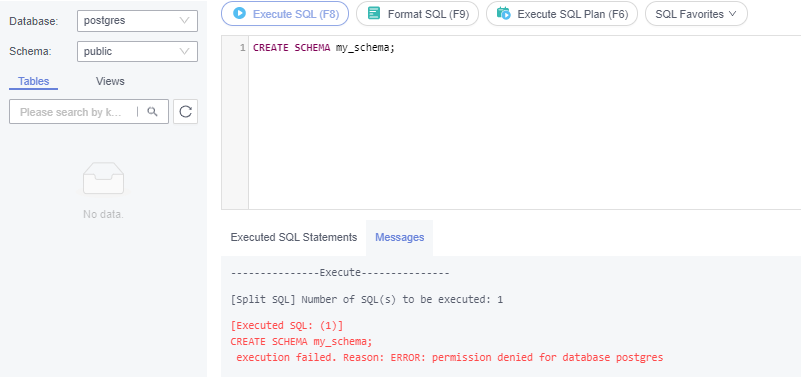
- Failed to Create a Schema as a Standard User
Command: CREATE SCHEMA my_schema;
Error: ERROR: permission denied for database postgres
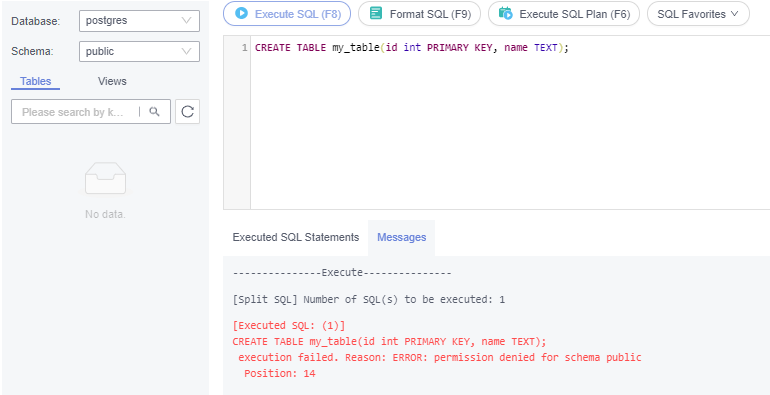
- Failed to Create a Table as a Standard User
Command: CREATE TABLE my_table(id int PRIMARY KEY,name VARCHAR(30));
ERROR: permission denied for schema public
Solution
Standard users cannot create objects in the postgres database, but you can use the root user to do so.

Switch to user root and ensure that your database kernel allows for root privilege escalation. For details, see Privileges of the Root User.
Privileges of the Root User
RDS for PostgreSQL grants privileges to the root user. To facilitate the use of RDS for PostgreSQL while ensuring no operational risks, privileges of the root user are escalated in specific scenarios.
The following table describes root privilege escalation details in different versions.
| Version | Whether to Escalate Privileges | Initial Version for Privilege Escalation |
|---|---|---|
| pgcore9 | No | N/A |
| pgcore10 | No | N/A |
| pgcore11 | Yes | 11.11 |
| pgcore12 | Yes | 12.6 |
| pgcore13 | Yes | 13.2 |
| pgcore14 | Yes | 14.4 |
| pgcore15 | Yes | 15.4 |
| pgcore16 | Yes | 16.2 |
| pgcore17 or later | Yes | N/A |
Root privilege escalation applies to the following scenarios:
- Creating an event trigger
- Creating a wrapper
- Creating a logical replication publication
- Creating a logical replication subscription
- Querying and maintaining replication sources
- Creating a replication user
- Creating a full-text index template and parser
- Running the vacuum command on a system table
- Running the analyze command on a system table
- Creating an extension
- Granting permissions on an object to a user
What is your overall rating for this page?
Thank you very much for your feedback. We will continue working to improve the documentation.See the reply and handling status in My Cloud VOC.
For any further questions, feel free to contact us through the chatbot.
Chatbot


