

Help Center/ Relational Database Service_RDS for MySQL/ FAQs/ Database Connection/ How Do I Check the Connections to an RDS for MySQL Instance?
Updated on 2026-10-08 GMT+08:00
How Do I Check the Connections to an RDS for MySQL Instance?
Use either of the following methods:
- Run the following command on the RDS for MySQL instance using the root administrator account to view the threads that are running on the instance:
show full processlist;

- Id: Thread ID, which can be used with kill id to terminate a statement.
- User: User used for connecting to the instance.
- Host: IP address and port of the host that connects to the instance.
- db: Database name.
- Command: Connection status, which is usually Sleep, Query, or Connect.
- Time: Connection duration, in seconds.
- State: Status of the SQL statement being executed.
- Info: SQL statement that is being executed.
- Memory_used: Memory usage of the current connection.
- Memory_used_by_query: Memory usage of the current query.
- CPU_time: Amount of time for which the current connection has been established. (This column has a value for the latest minor version of MySQL 5.6. But for MySQL 5.7 and 8.0, such information is not collected, so this column is left blank.)
- Trx_executed_time: Execution time of the current transaction.
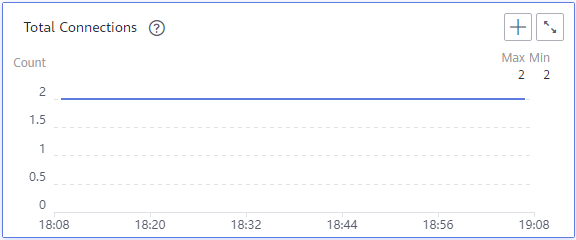
- On the Instances page, locate the instance and click View Metrics in the Operation column.

View Total Connections. Generally, the primary and standby DB instances occupy two connections. If there are more than two connections, the instance is being connected and used by other users.
What is your overall rating for this page?
0
1
2
3
4
5
6
7
8
9
10
Very dissatisfiedVery satisfied
Thank you very much for your feedback. We will continue working to improve the documentation.See the reply and handling status in My Cloud VOC.
The system is busy. Please try again later.
For any further questions, feel free to contact us through the chatbot.
Chatbot


