

Help Center/ Cloud Application Engine/ FAQs/ Component Configuration FAQs/ How Do I Obtain the IP Address Corresponding to a Nacos Engine Domain Name?
Updated on 2025-11-21 GMT+08:00
How Do I Obtain the IP Address Corresponding to a Nacos Engine Domain Name?
The private address of Nacos is a domain name and cannot be directly resolved by CAE. When registering an application deployed by CAE with the new Nacos, you need to obtain the IP address corresponding to the domain name of the Nacos engine and add environment variables.
Note: Ensure that CAE and Nacos are in the same VPC when registering an application deployed by CAE with Nacos.
Procedure
- Log in to CSE. Choose Registry/Configuration Center.
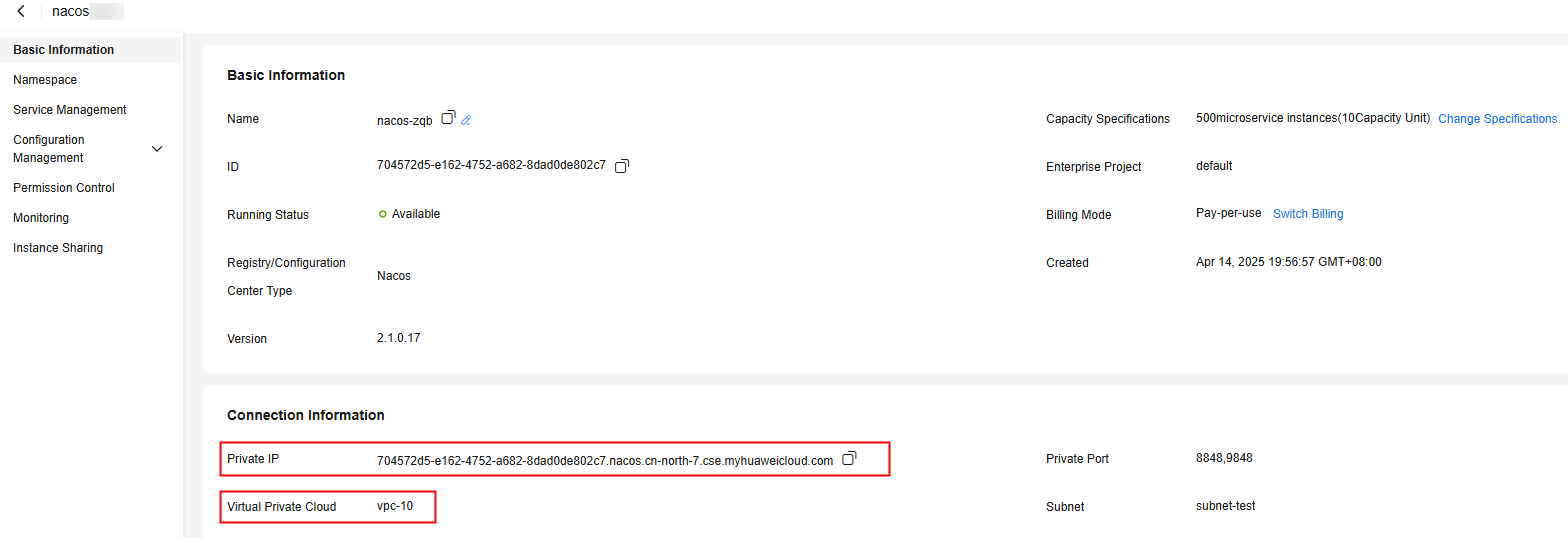
- Click the target Nacos instance. On the basic information page, obtain the Nacos Private IP and Virtual Private Cloud. Figure 1 Obtaining the private IP and VPC
- Log in to DNS. Choose Private Zones.
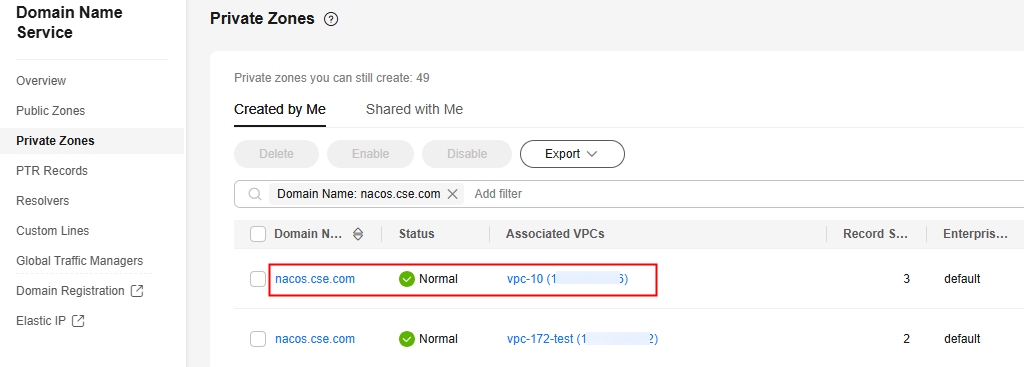
- In the private network domain name list, filter nacos.cse.com and click the domain name of the VPC obtained in 2. Figure 2 Nacos engine domain name
- On the Record Sets page, select the private IP address in 2 to obtain the IP address corresponding to the domain name.
- Log in to CAE.
- On the Component Configurations page, configure the environment variable. Figure 3 Configuring the environment variable
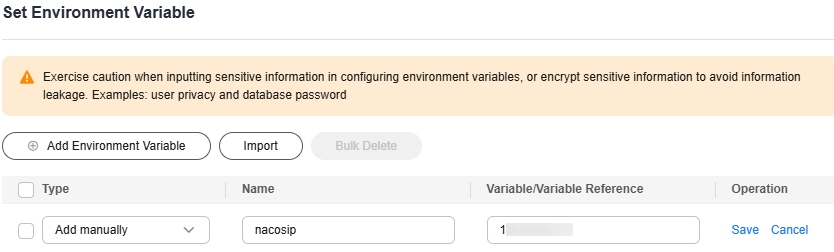

Set the variable name based on the actual code.
Parent topic: Component Configuration FAQs
What is your overall rating for this page?
0
1
2
3
4
5
6
7
8
9
10
Very dissatisfiedVery satisfied
Thank you very much for your feedback. We will continue working to improve the documentation.See the reply and handling status in My Cloud VOC.
The system is busy. Please try again later.
For any further questions, feel free to contact us through the chatbot.
Chatbot


