

Handling RDS for MySQL Long Transactions
What Is a Long-Running Transaction?
A long-running transaction refers to a transaction in which DDL or DML operations are being performed and are not committed for a long time. Long-running transactions may:
- Exhaust I/O resources.
- Occupy a large number of CPU resources.
- Occupy a large amount of memory.
- Cause table bloats.
- Lock resources and usually increase metadata locks and row locks. As a result, other transactions cannot access these resources, reducing the database concurrency.
- Cause too large log files and high storage usage.
Identifying Long Transactions
- Connect to your DB instance and check long transactions and their session IDs.
After connecting to the DB instance, run the following command to view the ID of any transaction that has been executing for more than 3,000s, the executed SQL statement, and the corresponding session ID.
mysql> SELECT trx_id, trx_state, trx_started, trx_mysql_thread_id, trx_query, trx_rows_modified FROM information_schema.innodb_trx WHERE TIME_TO_SEC(timediff(now(),trx_started)) >3000;
Table 1 Parameter description Parameter
Description
trx_id
Transaction ID.
trx_state
Transaction status, which can be RUNNING, LOCK WAIT, or ROLLING BACK.
trx_started
Time when the transaction was started.
trx_mysql_thread_id
ID of the MySQL session to which the transaction belongs.
trx_query
SQL statement executed by the transaction.
trx_rows_modified
Number of rows modified by the transaction.
- Check monitoring metrics for long transactions.
- Log in to the management console.
- Click
 in the upper left corner of the page and choose Databases > Relational Database Service.
 - On the Instances page, locate the target DB instance and click View Metrics in the Operation column.
- Check the long transaction metric rds_long_transaction. If the metric increases linearly to a large value, there are long transactions.
Killing Long Transactions
- Obtain the thread IDs corresponding to long transactions.
Run the SQL statement in Connect to your DB instance to check long transactions and their session IDs to obtain the session ID of the transaction whose execution time exceeds a certain period (for example, 3,000s).
mysql> SELECT trx_mysql_thread_id FROM information_schema.innodb_trx WHERE TIME_TO_SEC(timediff(now(),trx_started)) >3000;
- After obtaining the session ID, run the kill command to kill the transaction.
mysql> kill trx_mysql_thread_id

Killing a long transaction will cause the transaction to roll back. Evaluate the impact before running this command.
Configuring Long Transaction Alarms
- View the configured alarms.
- Log in to the management console.
- Click
 in the upper left corner of the page and choose Management & Governance > Cloud Eye.
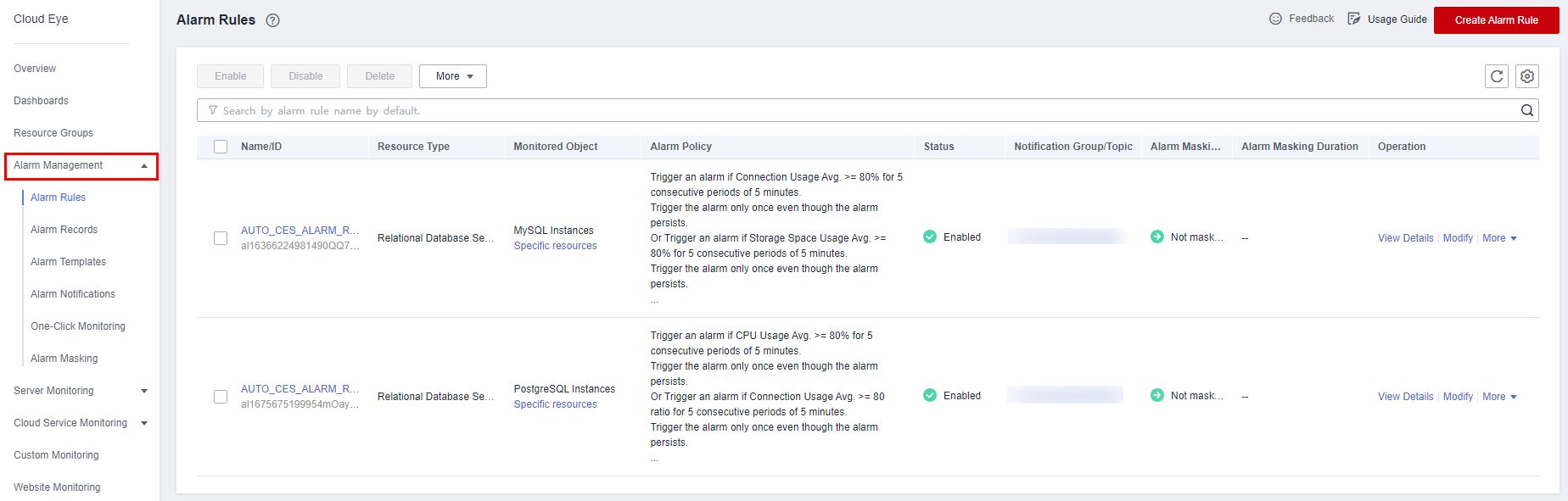
 - Choose Alarm Management > Alarm Rules.
Figure 1 Viewing alarm rules
- Configure long transaction alarms.
- Click
 in the upper left corner of the page and choose Databases > Relational Database Service.
 - On the Instances page, locate the target DB instance and click View Metrics in the Operation column.
- View the Long Transaction metric.
Figure 2 Viewing metrics

- Click + in the upper right corner of the Long Transaction metric.
Figure 3 Long Transaction

- On the displayed page, set parameters as required. For details about the parameters, see Creating an Alarm Rule.
- Click
Feedback
Was this page helpful?
Provide feedbackThank you very much for your feedback. We will continue working to improve the documentation.See the reply and handling status in My Cloud VOC.
For any further questions, feel free to contact us through the chatbot.
Chatbot


