

Help Center/ Relational Database Service_RDS for MySQL/ Best Practices/ Migrating MySQL Databases from Other Clouds to RDS for MySQL/ Creating an RDS for MySQL Instance
Updated on 2026-11-10 GMT+08:00
Creating an RDS for MySQL Instance
Create an RDS for MySQL instance, and select the VPC and security group you configured for the instance.
Creating an RDS for MySQL Instance
- Go to the Buy DB Instance page.
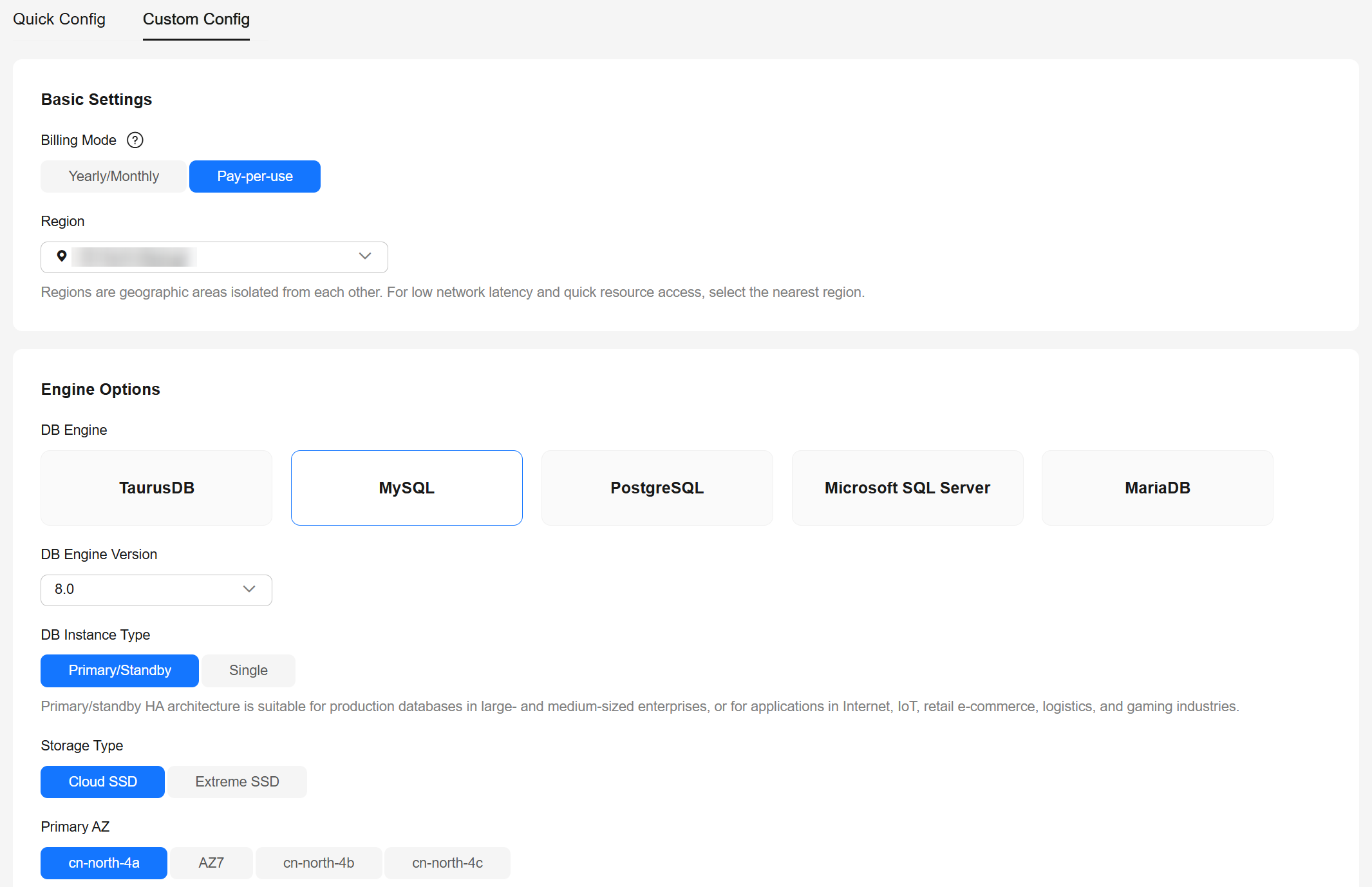
- Configure basic information for the instance. Select CN-Hong Kong for Region.
Configure the instance by referring to Resource Planning. For details, see Buying an RDS for MySQL Instance.
Figure 1 Basic information
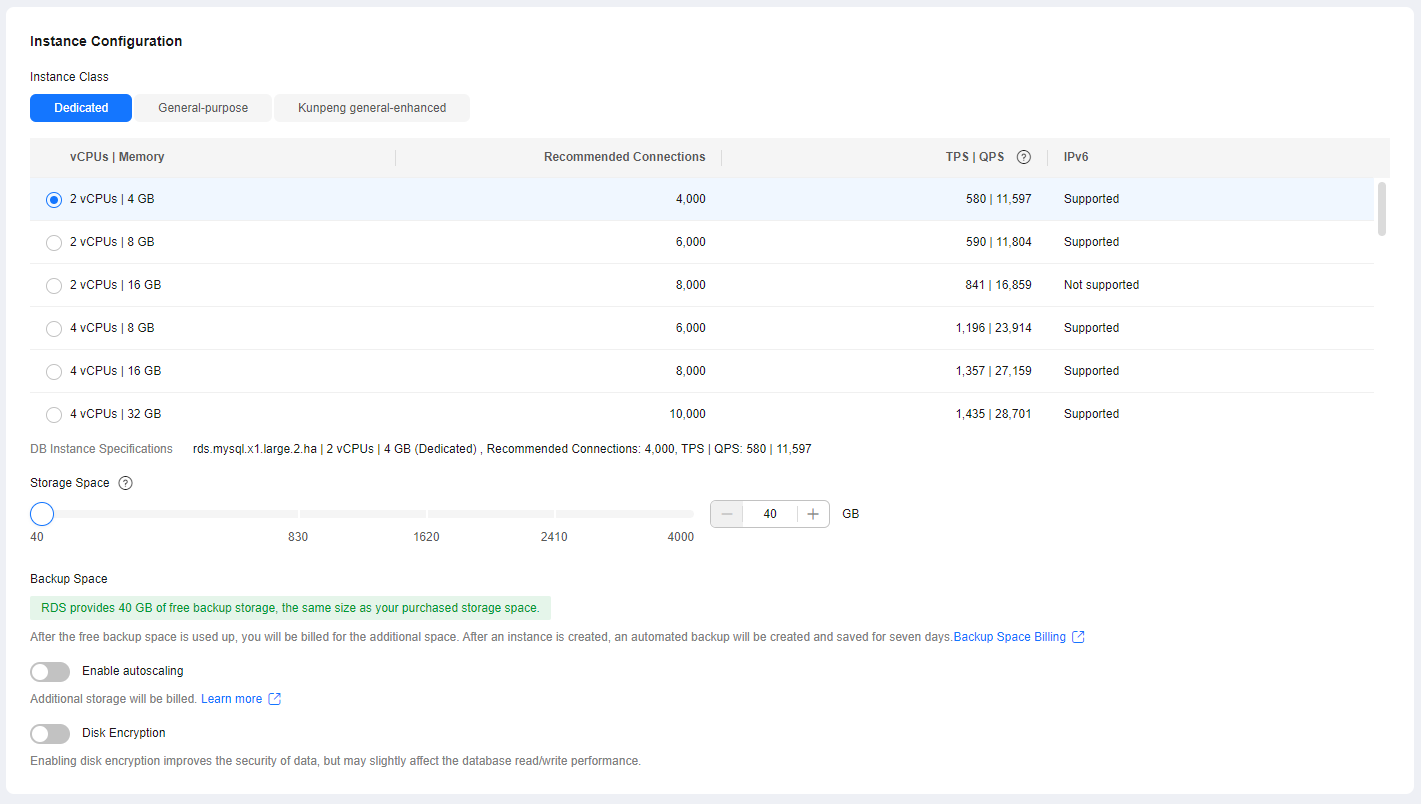
- Select an instance class. Figure 2 Instance class
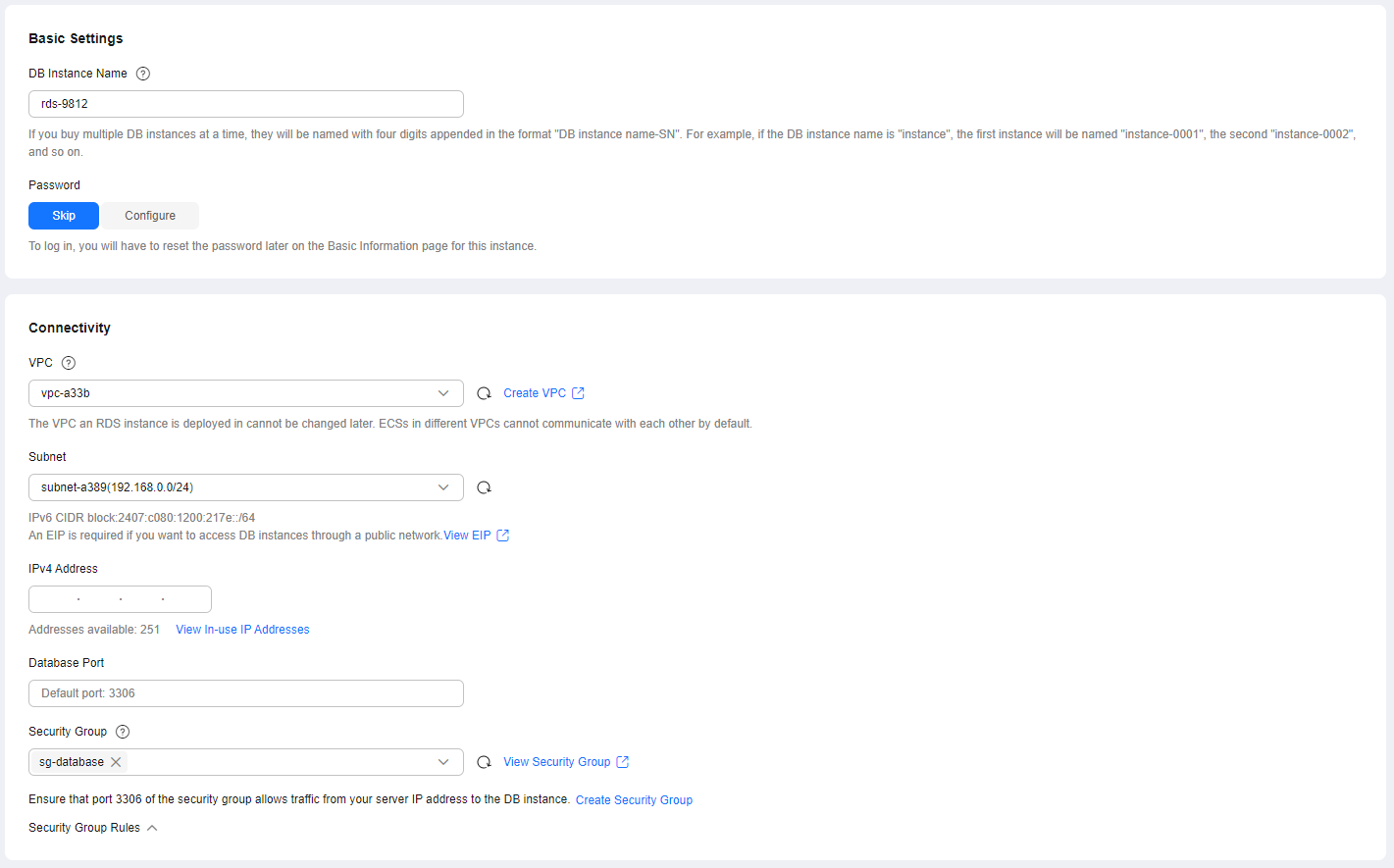
- Select a VPC and security group for the instance and configure the database port.
The VPC and security group have been created in Creating a VPC and Security Group.
Figure 3 Network configurations
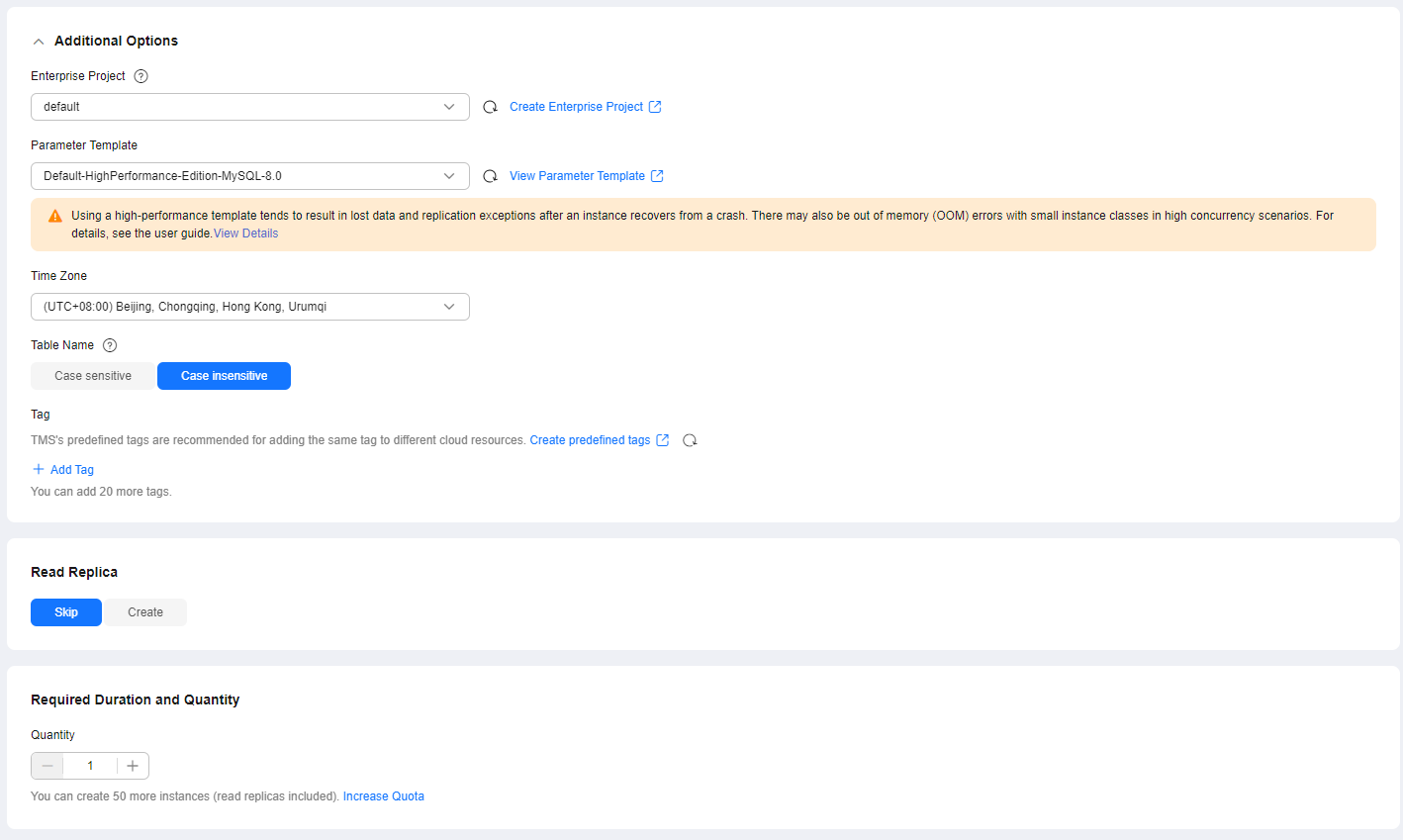
- Complete advanced settings. Figure 4 Additional options
- Click Next.
- Confirm the settings.
- To modify your settings, click Previous.
- If there is no need to modify your settings, click Submit.
- Return to the instance list. When the instance status becomes available, the instance has been created.
What is your overall rating for this page?
0
1
2
3
4
5
6
7
8
9
10
Very dissatisfiedVery satisfied
Thank you very much for your feedback. We will continue working to improve the documentation.See the reply and handling status in My Cloud VOC.
The system is busy. Please try again later.
For any further questions, feel free to contact us through the chatbot.
Chatbot


