

Help Center/
Elastic Cloud Server/
Best Practices/
Setting Up an Application/
Building Microsoft SharePoint Server 2016/
Purchasing and Logging In to an ECS
Updated on 2025-11-26 GMT+08:00
Purchasing and Logging In to an ECS
Purchase an ECS on Huawei Cloud with specified specifications and OS.
- Log in to the ECS console and open the Buy ECS page.
- Configure ECS parameters.
For details, see Purchasing an ECS in Custom Config Mode.
Figure 1 Setting ECS specifications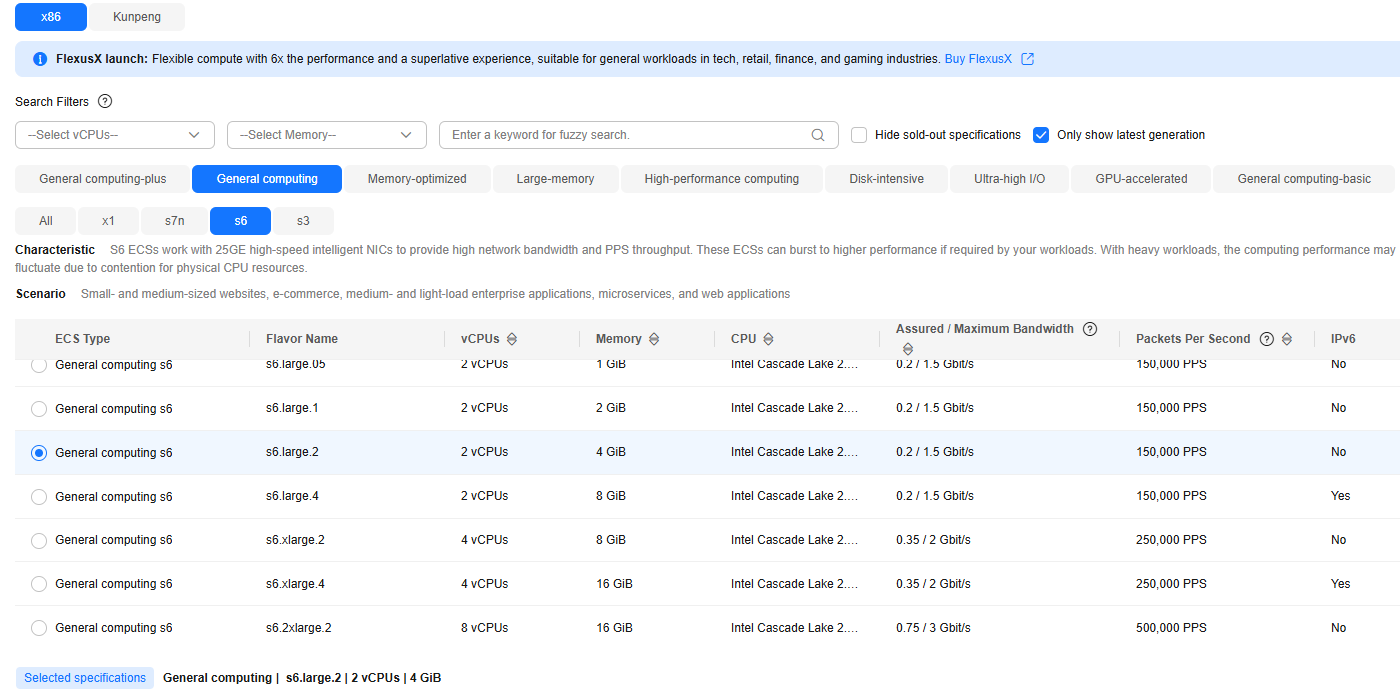 Figure 2 Configuring the disks and network
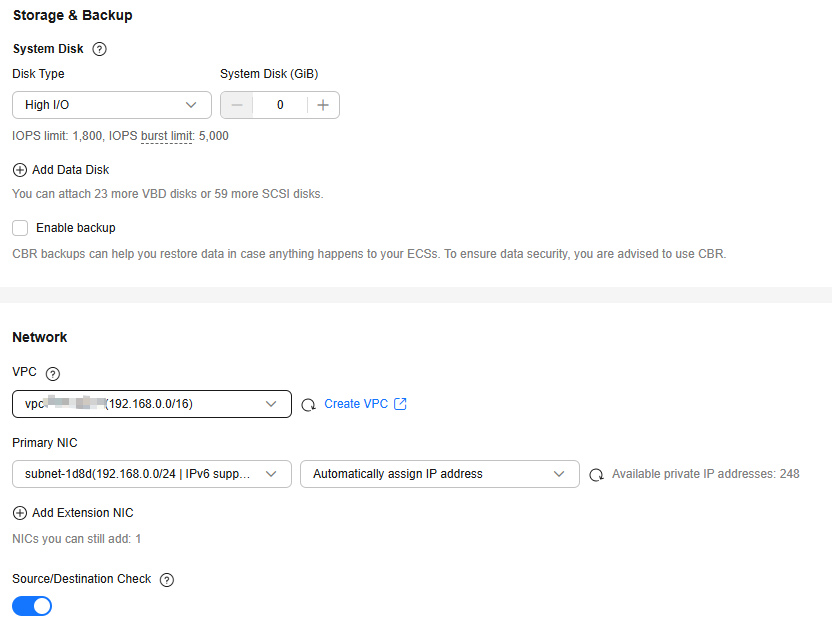 Figure 3 Configuring a security group and public network access
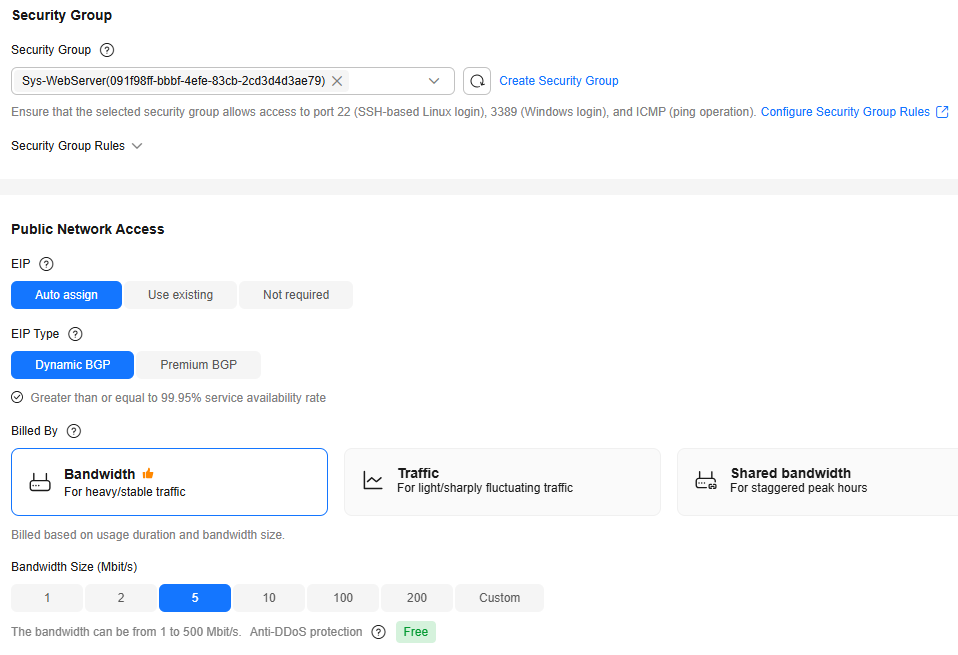 Figure 4 Setting the ECS name and login mode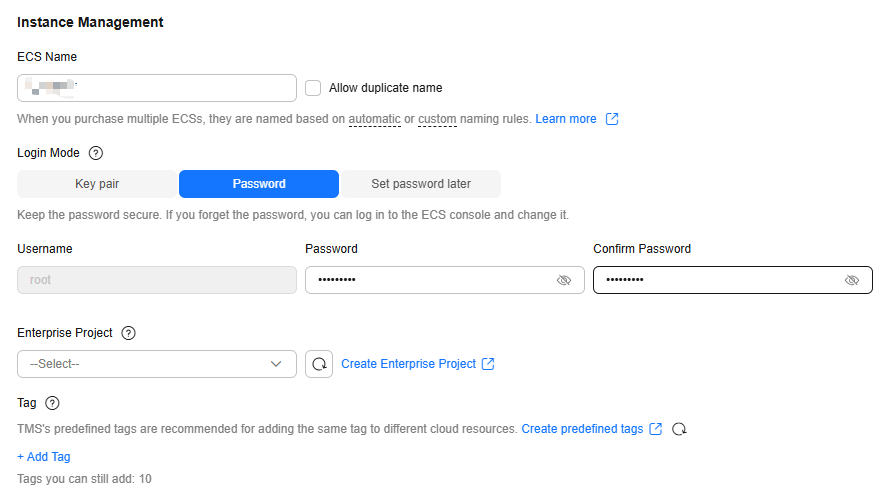
- Confirm the ECS configuration, and read and agree to the agreement.
- Click Submit and wait for the ECS creation to complete.
- In the ECS list, locate the ECS you created and click Remote Login in the Operation column.
- Enter the password of the ECS to log in.
Parent topic: Building Microsoft SharePoint Server 2016
Feedback
Was this page helpful?
Provide feedbackThank you very much for your feedback. We will continue working to improve the documentation.See the reply and handling status in My Cloud VOC.
The system is busy. Please try again later.
For any further questions, feel free to contact us through the chatbot.
Chatbot


