

How Do I Create an Agency for Cross-Account Operations?
Background
If your enterprise has multiple tenant accounts, you can use the cross-account capability of COC to configure and deliver O&M tasks for multiple accounts and regions in scenarios such as creating patch scanning or repair tasks and executing jobs. During this process, you need to create and use the corresponding agency.

Agency Functions
To use the cross-account function, you need to create two agencies: organization administrator agency and execution account agency.
- Organization administrator agency: This is an agency created and trusted by the organization administrator or the delegated COC administrator (here both referred to as the "administrator") within the organization. This agency is used to allow a COC account to switch to the administrator role, that is, to allow a non-administrator user of COC to perform necessary management tasks as an administrator.
- Execution account agency: This is an agency where the execution account (a member tenant within the organization) trusts both the COC service and the administrator. The agency must be a trust agency of IAM 5.0. This agency is used to allow the administrator to switch to the execution account role to create service tickets and perform operations across accounts.
Assume that you need to perform a cross-account operation on COC. You need to create an execution account agency so that you can perform the following operations on COC as the administrator:
- Create an SMN topic using the execution account.
- Add a subscription to the SMN topic to receive alarm notifications.
- Create a Cloud Eye alarm rule in the execution account to monitor and trigger alarms.
In addition, the agency should allow the administrator to switch to the execution account to create a job service ticket. This ensures that the administrator can perform necessary management tasks using the execution account while maintaining flexibility and security.
Agency trust policies for an execution account:{ "Version": "5.0", "Statement": [ { "Effect": "Allow", "Action": [ "ces:alarms:create" ] }, { "Effect": "Allow", "Action": [ "smn:topic:create", "smn:topic:subscribe" ] }, { "Effect": "Allow", "Action": [ "sts:agencies:assume", "sts::setSourceIdentity", "sts::tagSession" ] }, { "Effect": "Allow", "Action": [ "coc:instance:executeDocument", "coc:job:action", "coc:job:get", "coc:job:list" ] }, { "Effect": "Allow", "Action": [ "iam:projects:list" ] } ]}
The operations supported by an agency represent the authorization scope of the agency.
Precautions
An organization administrator and an execution account agencies can be created only when the two tenants (grantor and grantee) involved in cross-account operations belong to the same organization.
Organization Administrator Agency
- Log in to the IAM console as an organization administrator tenant.
- Click Go to New Console.
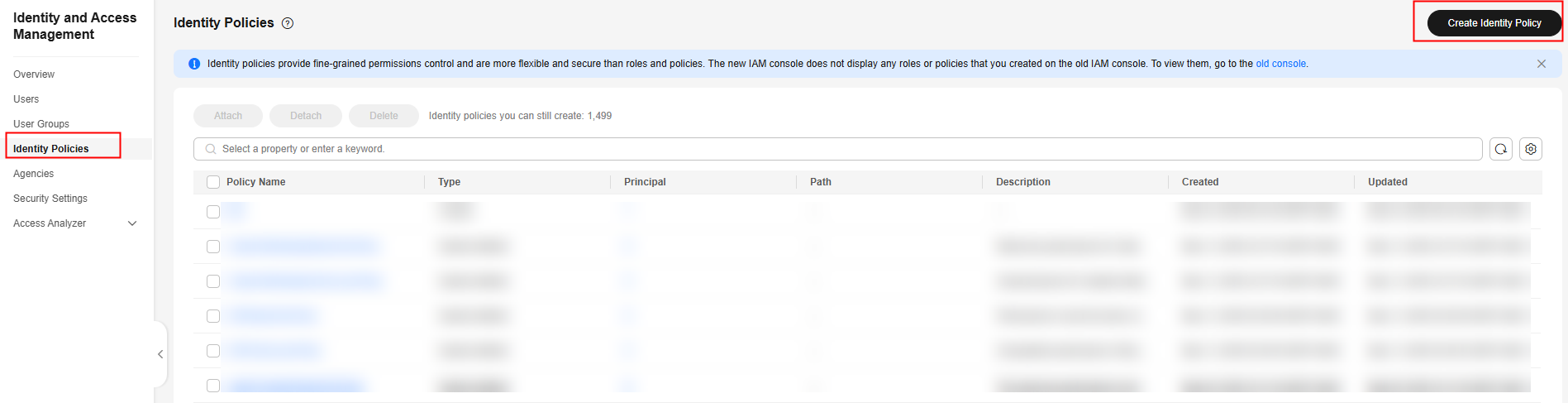
- In the navigation pane, choose Identity Policies. On the displayed page, click Create Identity Policy to create an agency policy. Figure 2 Creating an agency policy
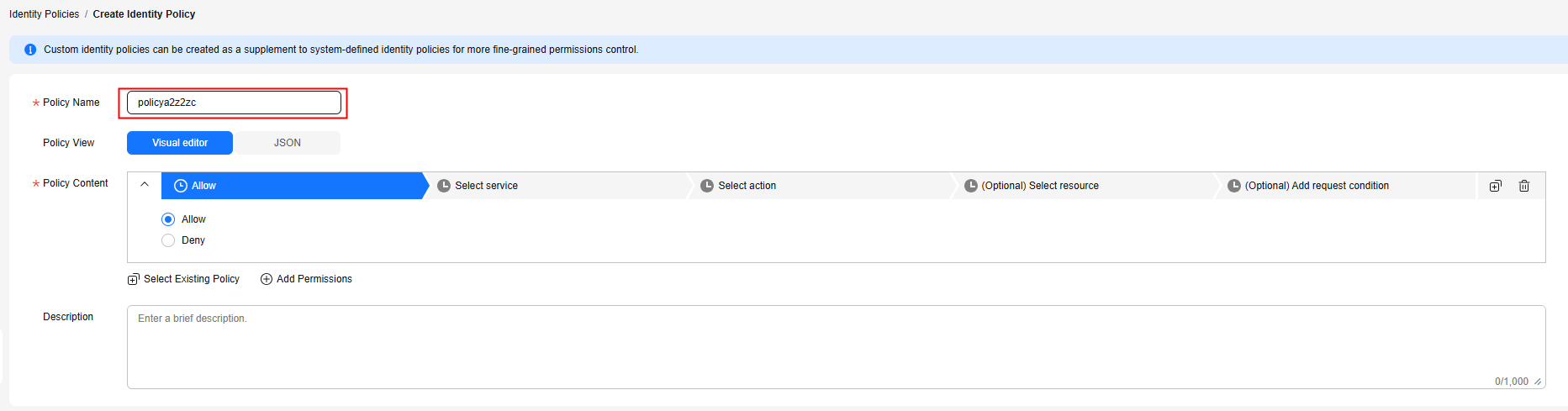
- On the displayed page, specify Policy Name. Figure 3 Customizing an identity policy name
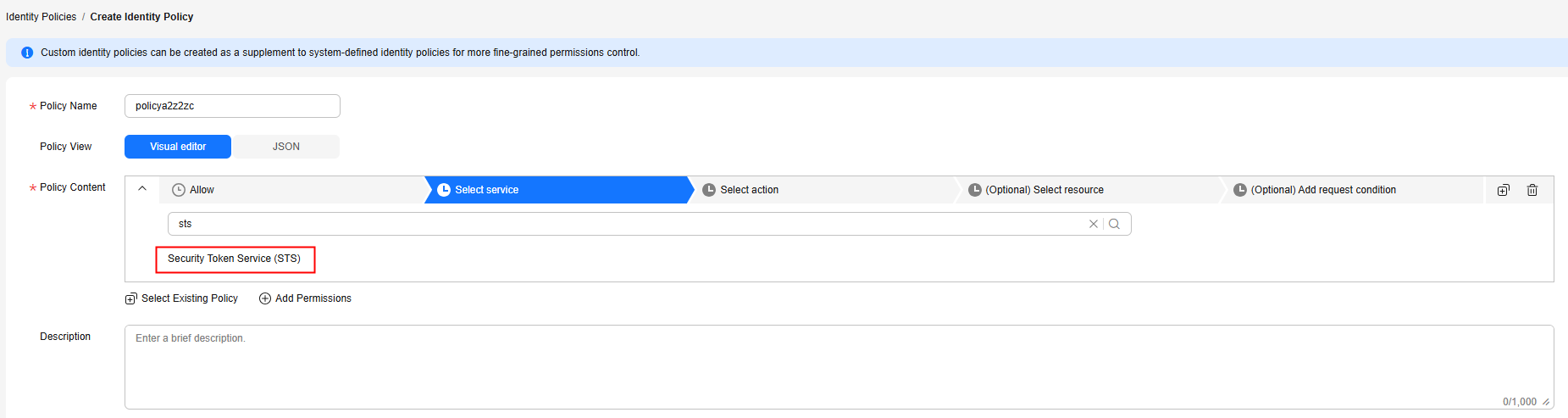
- In the Policy Content area, click Select service, search for Security Token Service (STS), and select it. Then, go to Actions. Figure 4 Selecting a cloud service
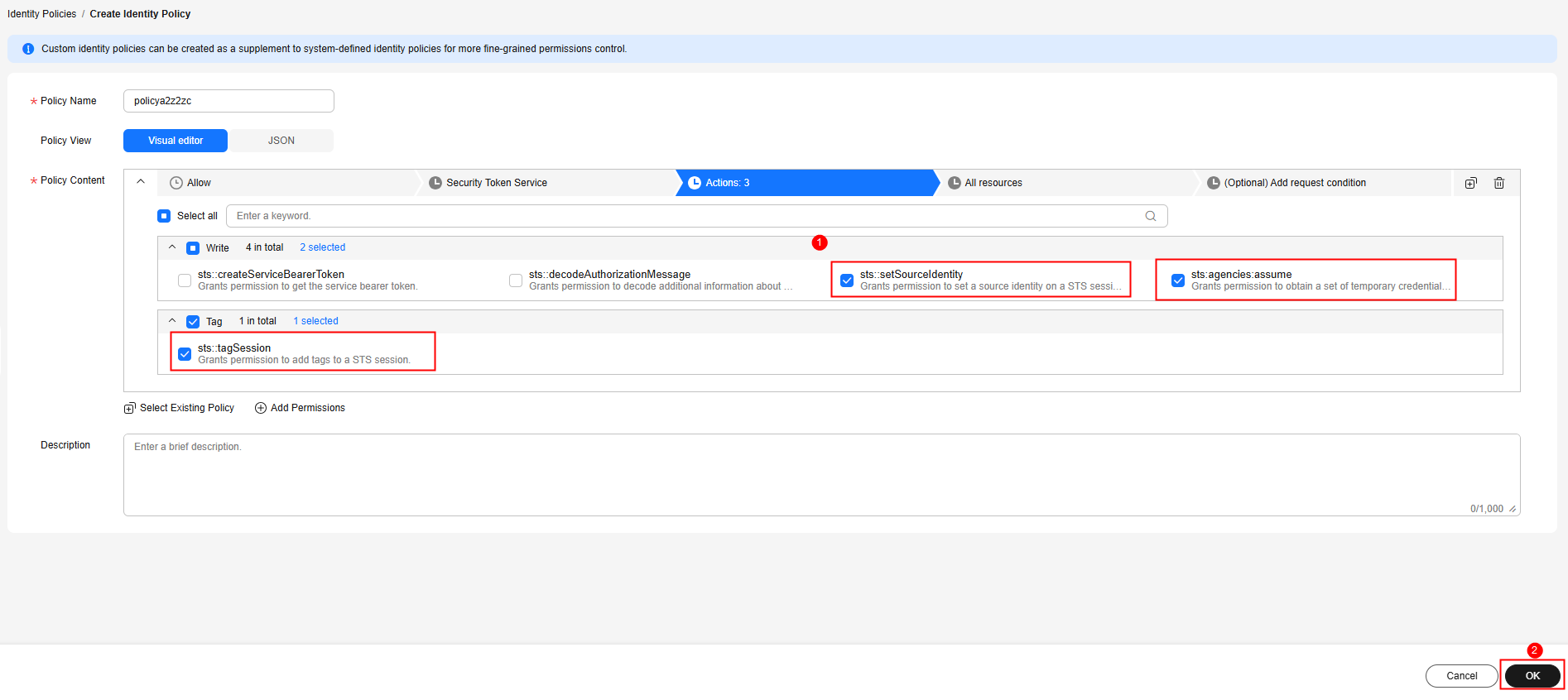
- Search for the actions sts:agencies:assume, sts::tagSession, and sts::setSourceIdentity, select them, and click OK. The policy for identity switching is created successfully. Figure 5 Creating an identity policy for identity switching
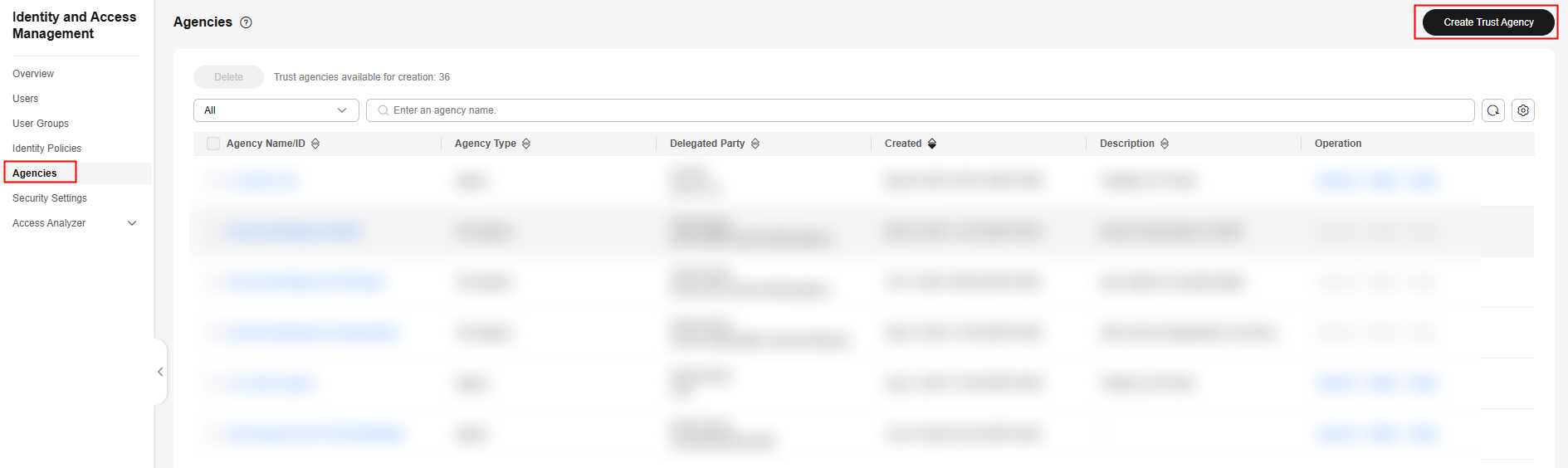
- In the navigation pane, choose Agencies.
- On the displayed page, click Create Trust Agency. Figure 6 Creating a trust agency
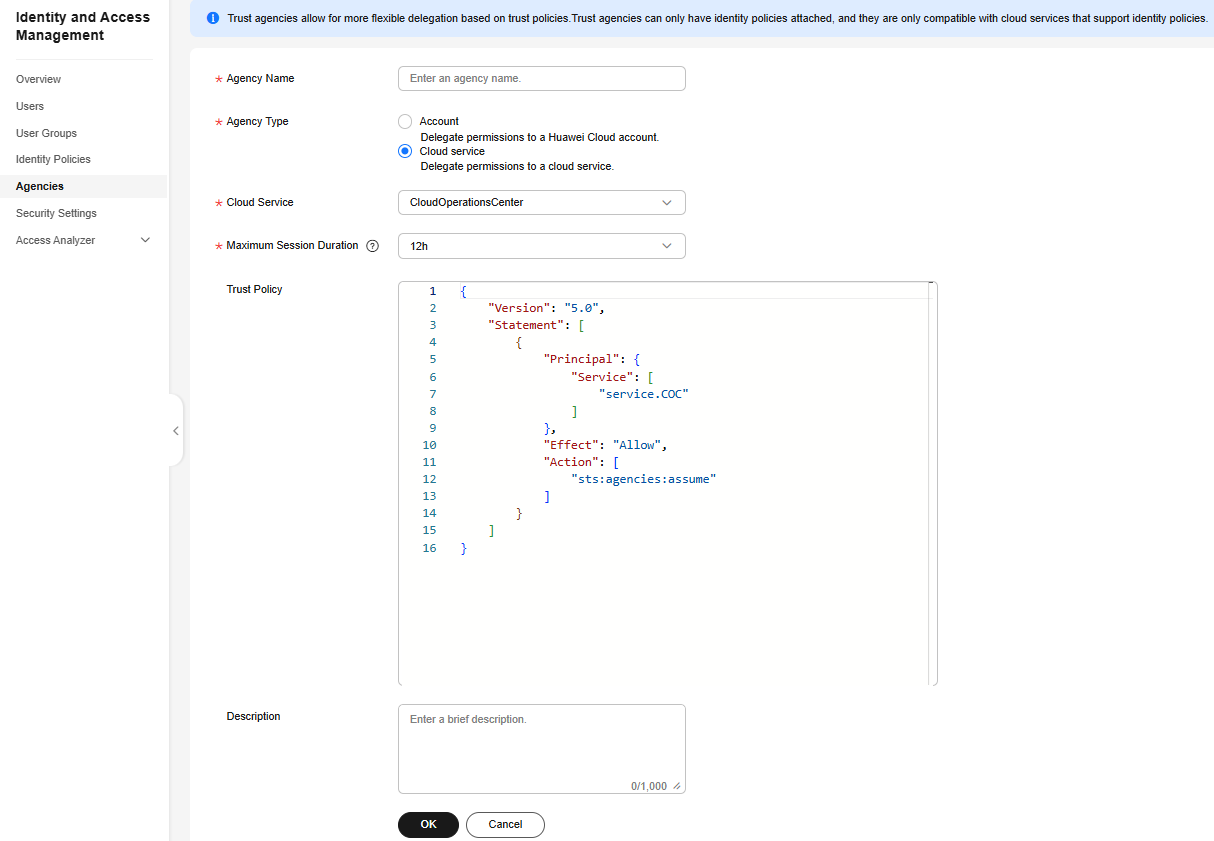
- On the displayed page, specify Agency Name. Set Agency Type to Cloud service, Cloud Service to CloudOperationsCenter, and Maximum Session Duration to 12h.
- Click OK. Then click Authorize in the displayed dialog box. Figure 7 Completing the trust agency creation
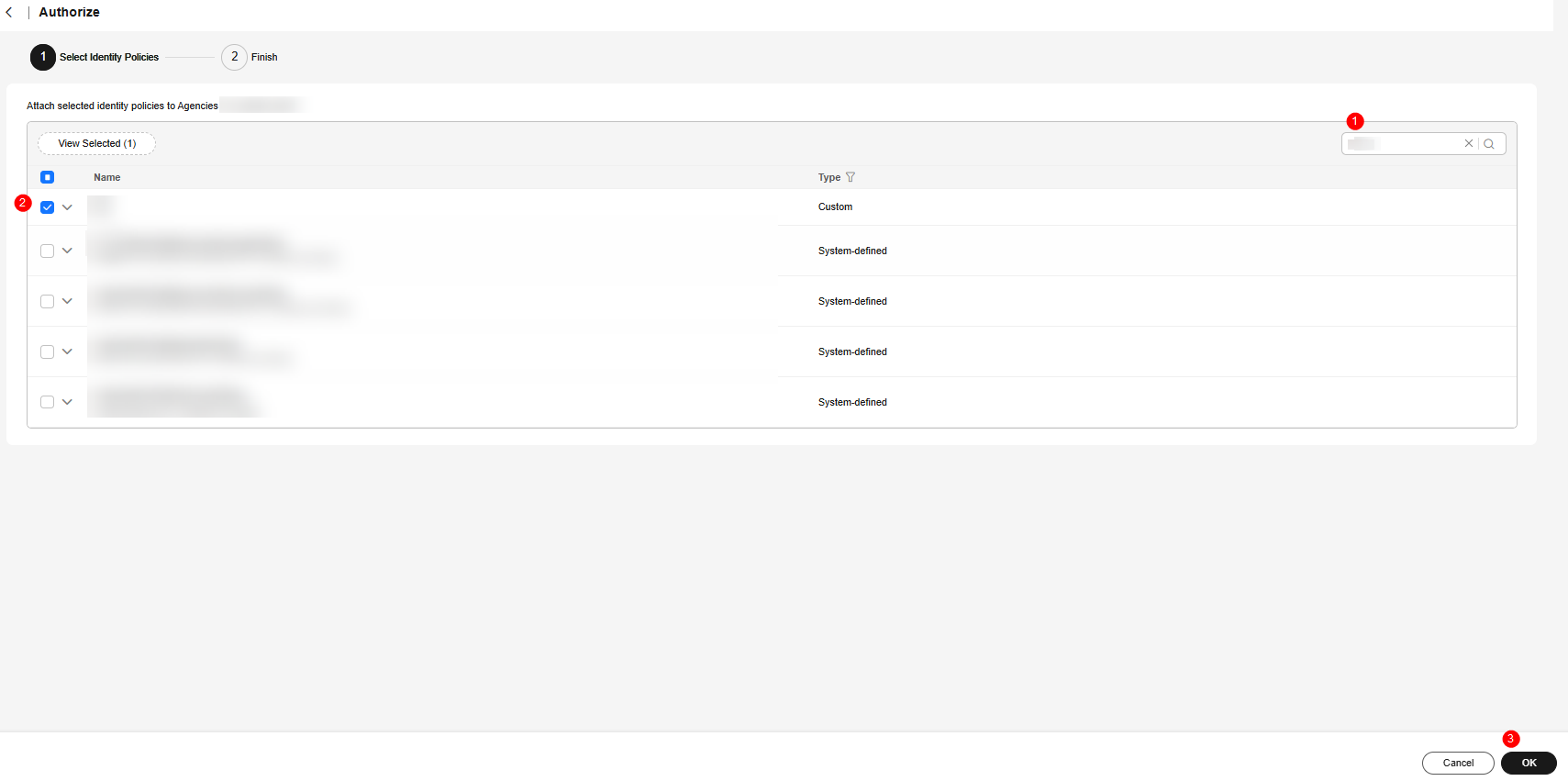
- On the displayed page, search for the policy name created in 4 and select it. Click OK. Figure 8 Agency authorization
Authorizing an Execution Account
- Log in to the IAM console as an organization member tenant (execution account).
- Click Go to New Console.
- In the navigation pane, choose Identity Policies.
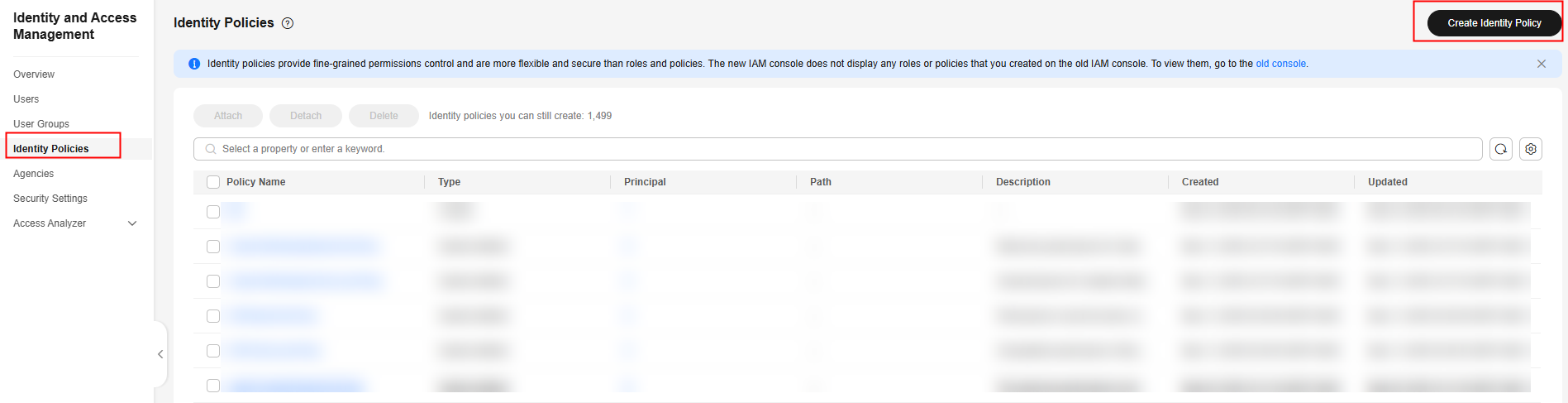
- On the displayed page, click Create Identity Policy. Figure 9 Creating an agency policy
- On the displayed page, specify Policy Name. Figure 10 Customizing an identity policy name
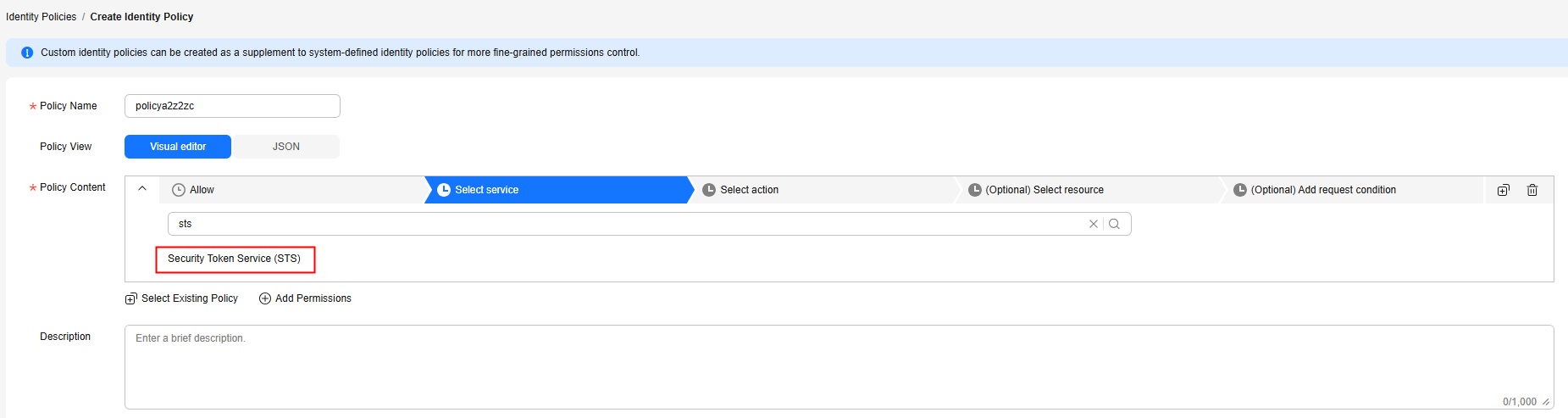
- Set Policy View to JSON and enter the following policy content in the text box. Figure 11 Customizing policy content
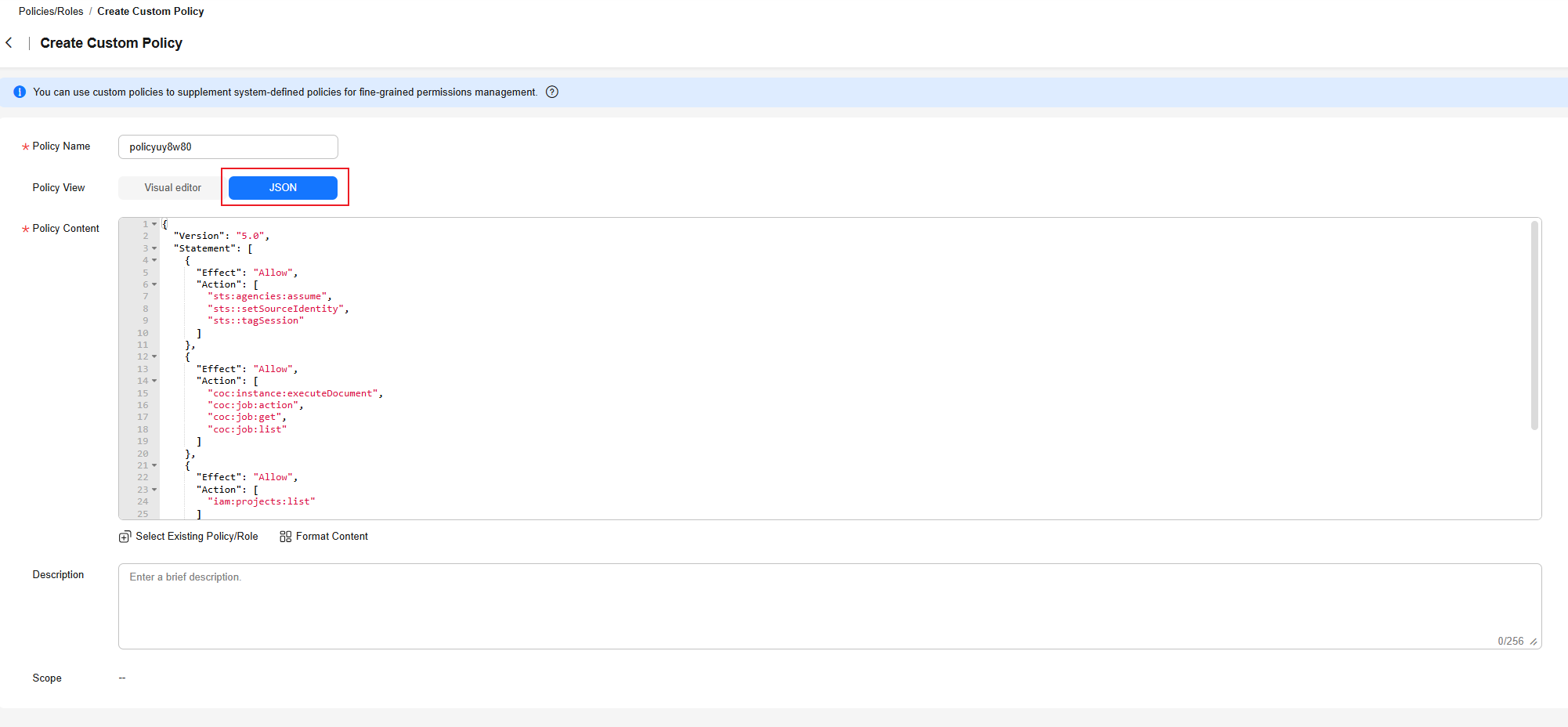
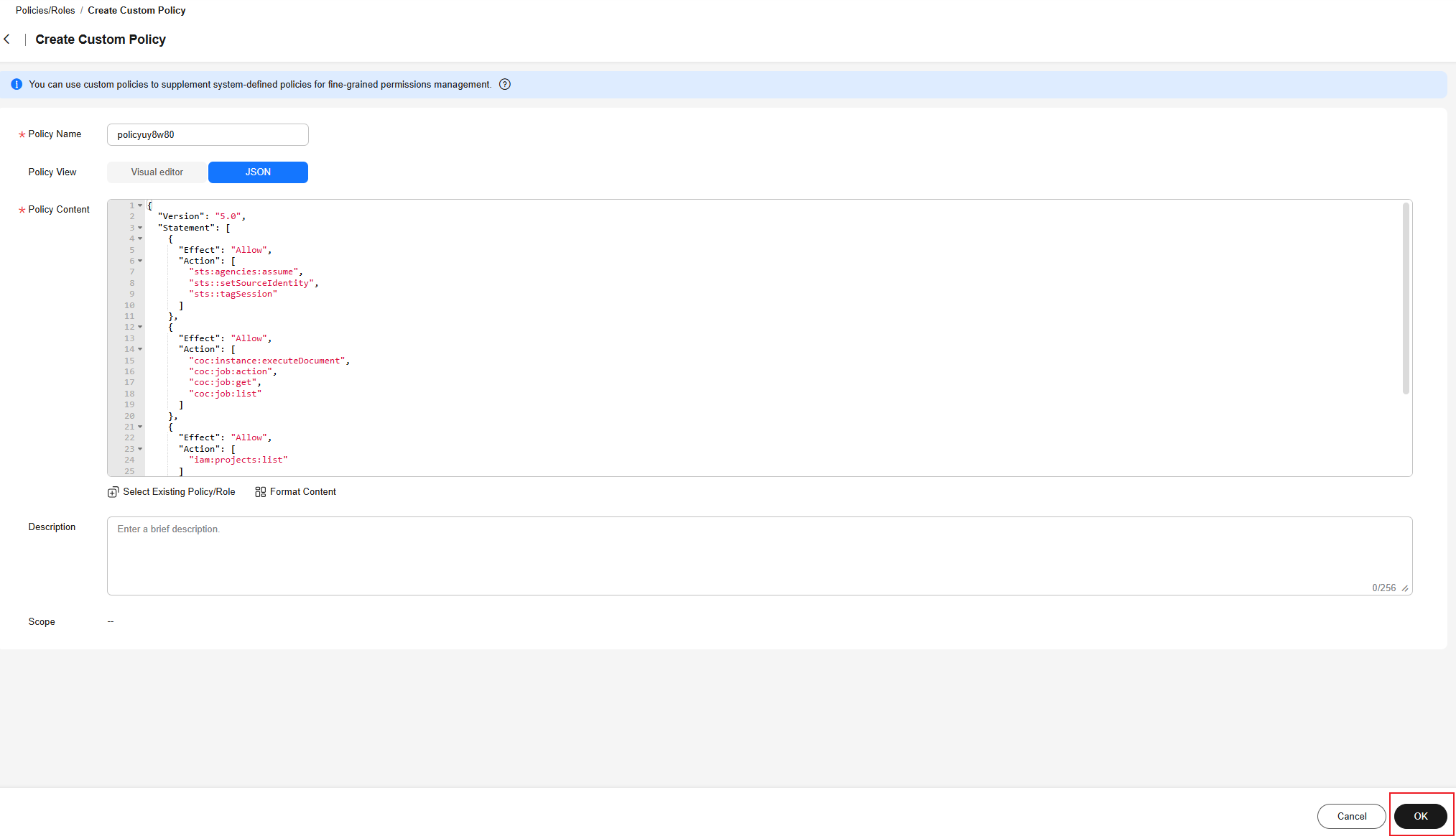
{ "Version": "5.0", "Statement": [ { "Effect": "Allow", "Action": [ "sts:agencies:assume", "sts::setSourceIdentity", "sts::tagSession" ] }, { "Effect": "Allow", "Action": [ "coc:instance:executeDocument", "coc:job:action", "coc:job:get", "coc:job:list" ] }, { "Effect": "Allow", "Action": [ "iam:projects:list" ] }, { "Effect": "Allow", "Action": [ "smn:topic:create", "smn:topic:subscribe" ] } ] } - Click OK. The identity policy of the execution tenant is created. Figure 12 Creating an agency identity policy for the execution tenant
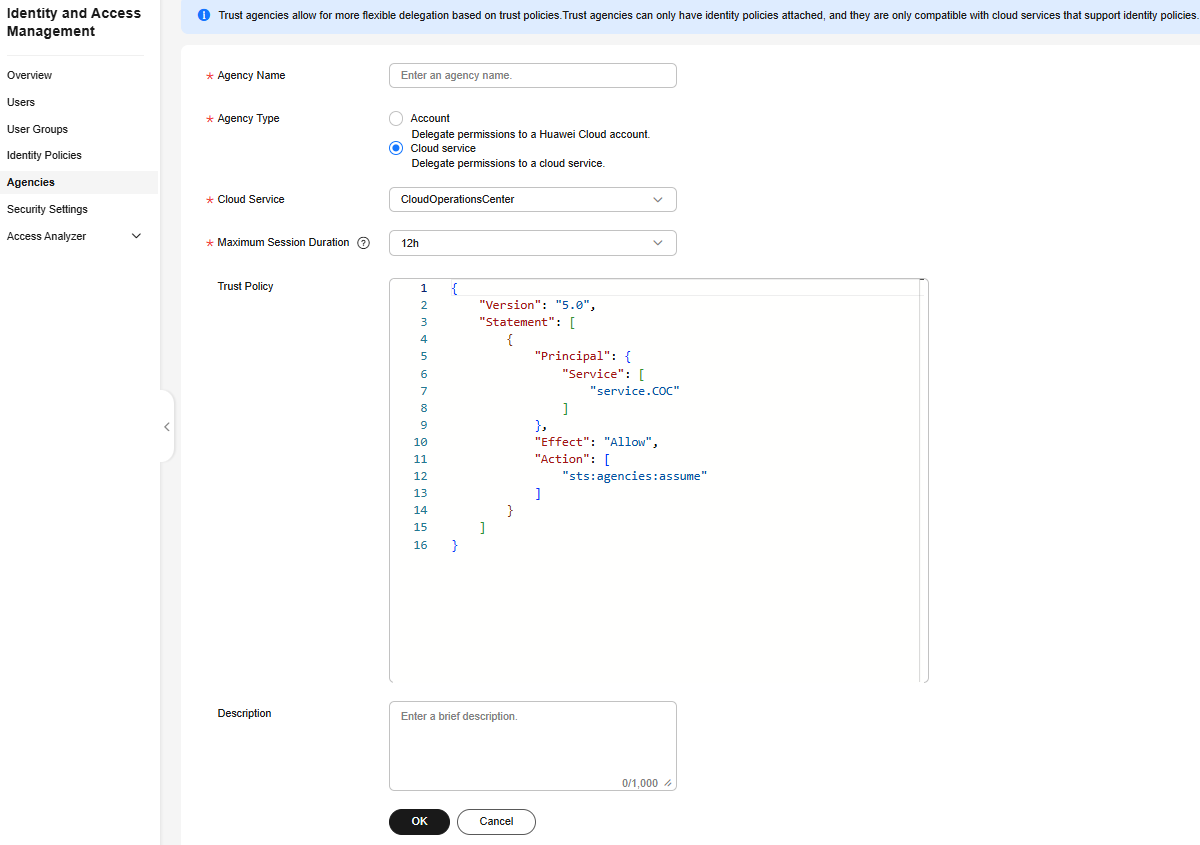
- In the navigation pane of the new IAM console, choose Agencies.
- Click Create Trust Agency to create an agency that grants the organization administrator permissions to the execution account.
- Specify Agency Name.
- Set Agency Type to Cloud service.
- Set Cloud Service to CloudOperationsCenter.
- Set Maximum Session Duration to 12h.
- Click OK. The agency is created. Figure 13 Creating an agency
- Click Authorize.
- On the displayed page, search for the policy name created in 5 and select it. Click OK. Figure 14 Agency authorization
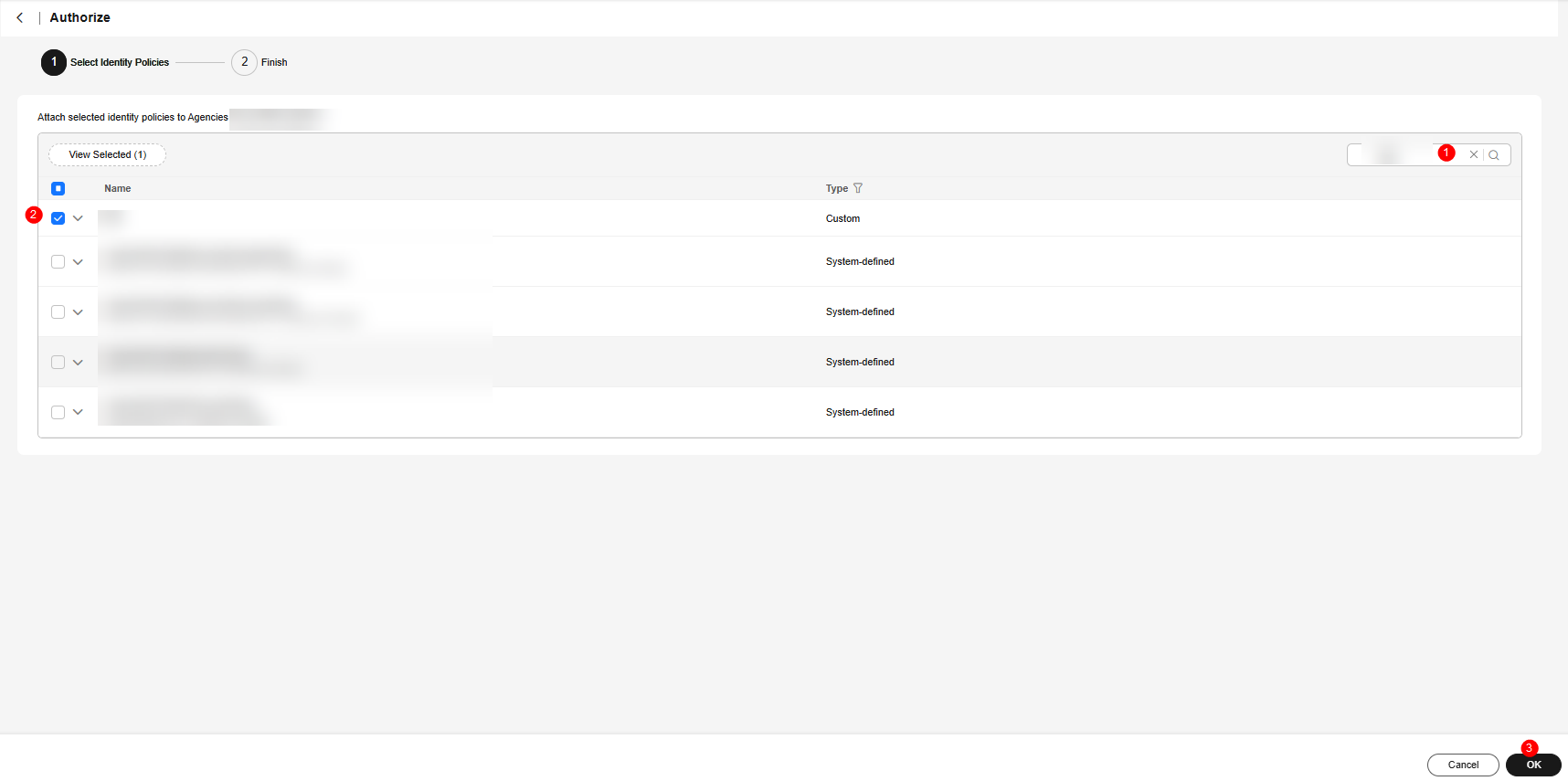
- On the Agencies page, locate the agency created in 9 to 12 and click Edit in the Operation column. Figure 15 Editing the trust policy 1 for executing the tenant agency
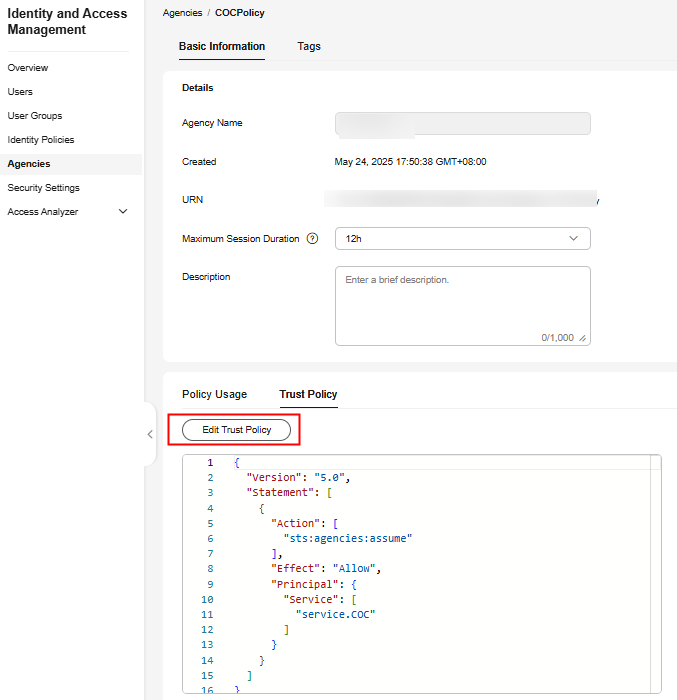
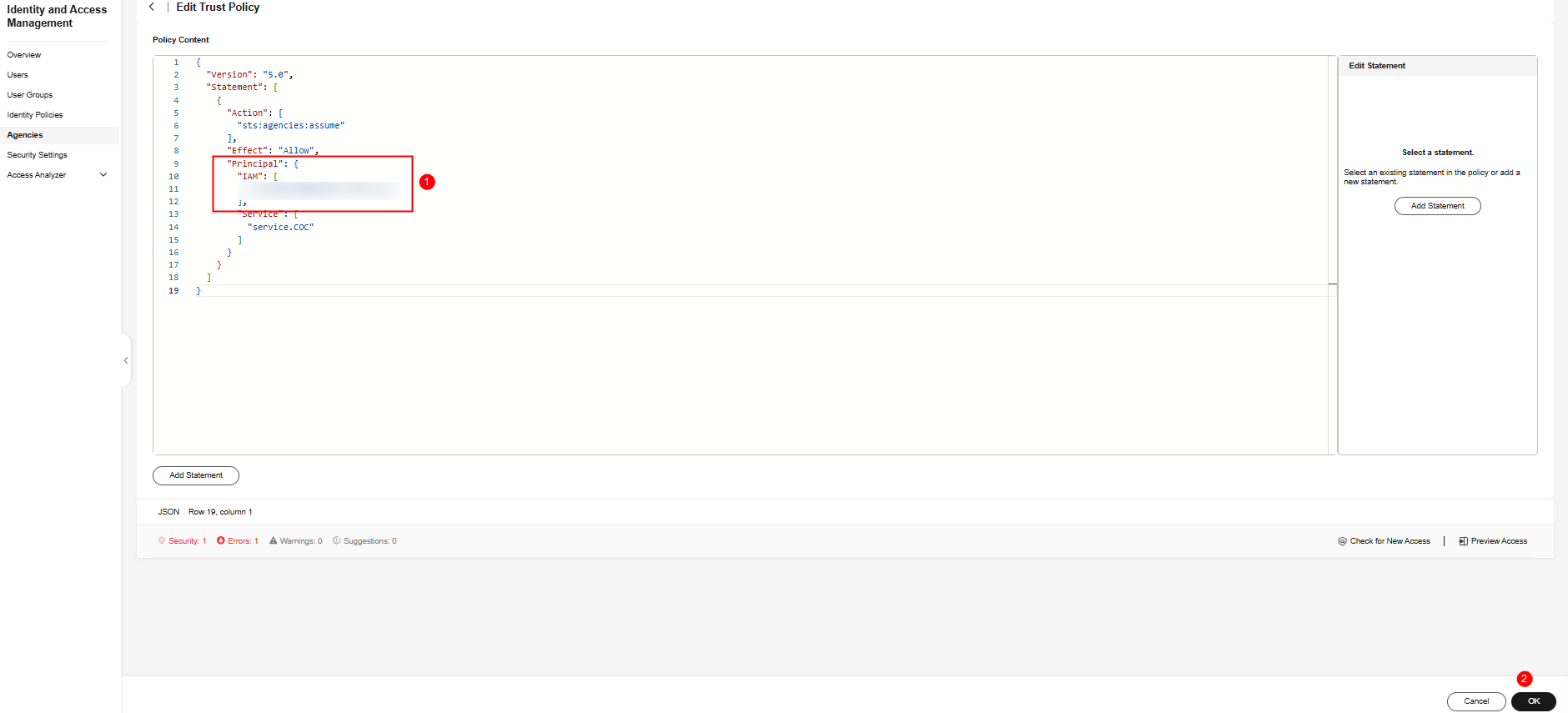
- On the Trust Policy tab page, click Edit Trust Policy and add the following JSON data to Principal:
"IAM": [ "${Tenant ID of the target organization administrator tenant}" ], - Click OK. The trust policy is edited. Click OK. The execution account trusts the COC and the organization administrator agency. The account trust policy is created. Figure 16 Editing the trust policy 2 for executing the tenant agency
What is your overall rating for this page?
Thank you very much for your feedback. We will continue working to improve the documentation.See the reply and handling status in My Cloud VOC.
For any further questions, feel free to contact us through the chatbot.
Chatbot


