

Help Center/ Cloud Container Instance (CCI)/ User Guide/ Using CCI Through the Console/ Workload Management/ Web Terminal
Updated on 2025-11-13 GMT+08:00
Web Terminal
A web terminal allows you to connect to the containers for debugging.
Constraints
- By default, sh is used for login so containers must support sh.
- You can only log in to running containers using the terminal.
- To exit the terminal, you need to enter exit, or the sh process will not be terminated.
Connecting to the Container Using the Terminal
- In the navigation pane, choose Workloads. Then click the Pods tab.
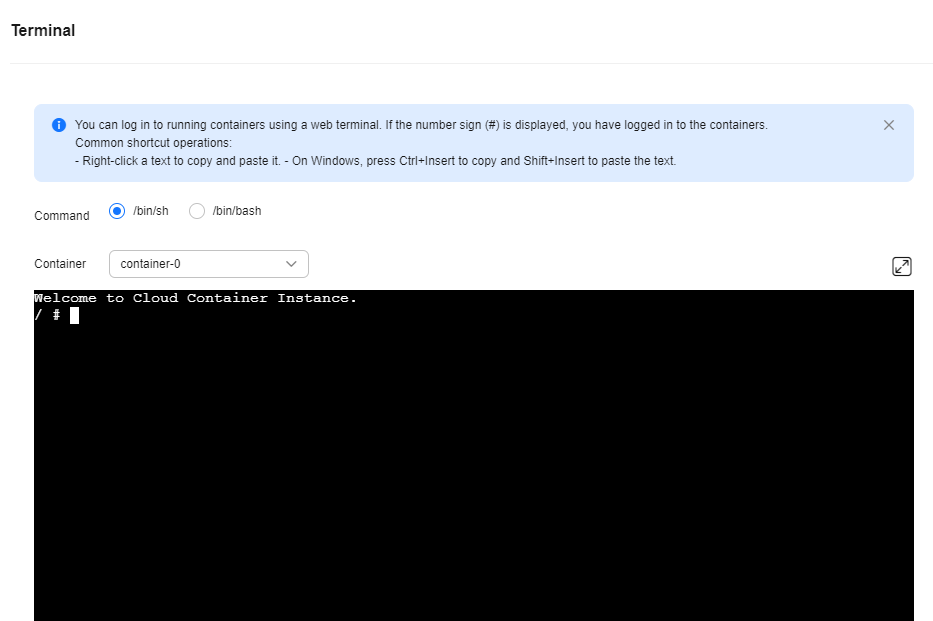
- Locate the target pod and click View Terminal in the Operation column.
If # is displayed, the login is successful.
Figure 1 Terminal
What is your overall rating for this page?
0
1
2
3
4
5
6
7
8
9
10
Very dissatisfiedVery satisfied
Thank you very much for your feedback. We will continue working to improve the documentation.
The system is busy. Please try again later.


