

Help Center/ Partner Center/ FAQs/ Partner Sales Management/ Cloud Solution Providers/ Other/ How Can I Check Expenditures in Partner Center After the Navigation upgrade?
Updated on 2026-03-09 GMT+08:00
How Can I Check Expenditures in Partner Center After the Navigation upgrade?
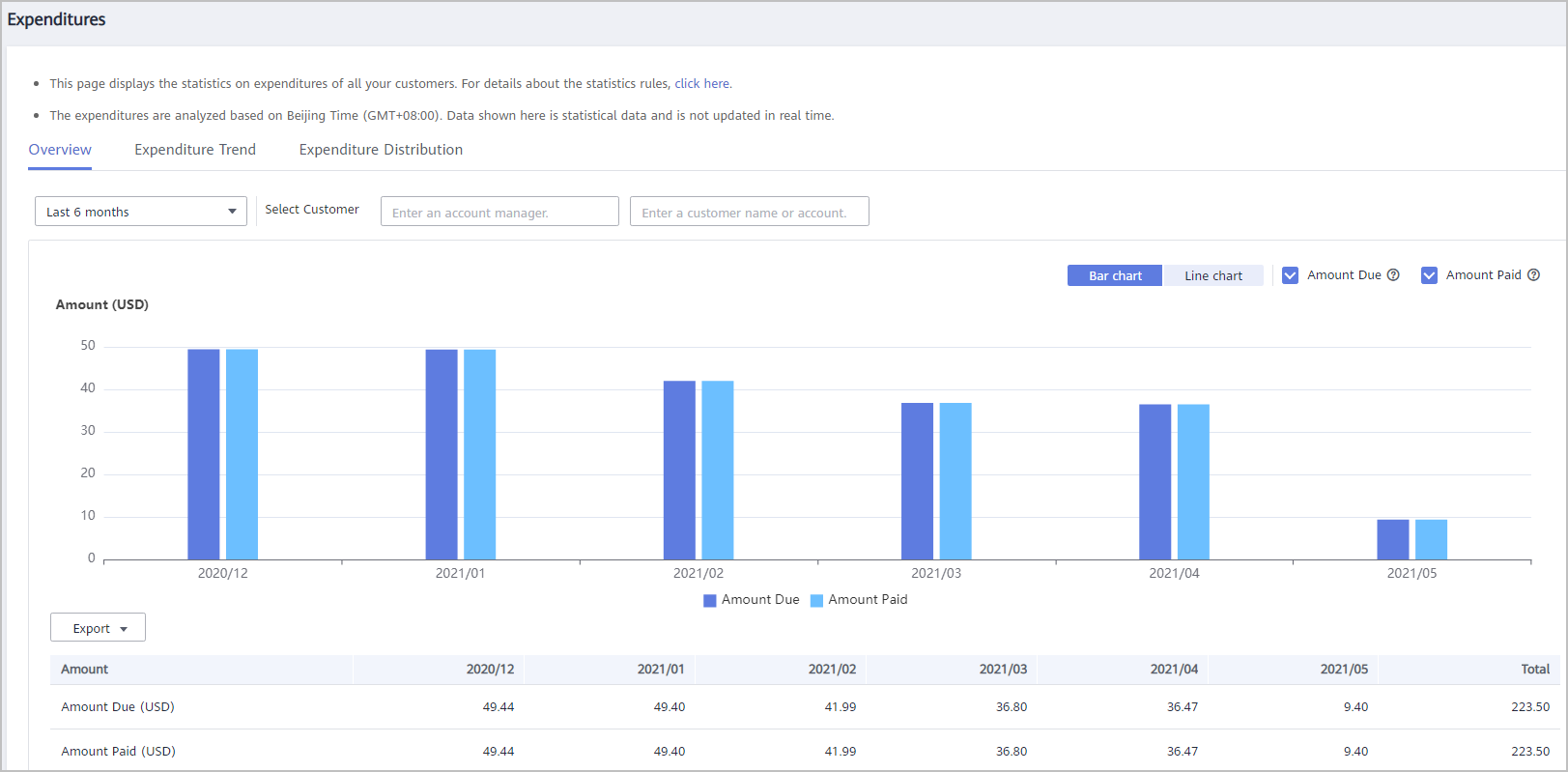
- You can view the amount due on the Overview tab of the Sales > Operations Statistics > Expenditures page.
- You can view more detailed expenditure data on the Expenditure Distribution tab of the Sales > Operations Statistics > Expenditures page. You can specify a time period and a customer to view expenditures.
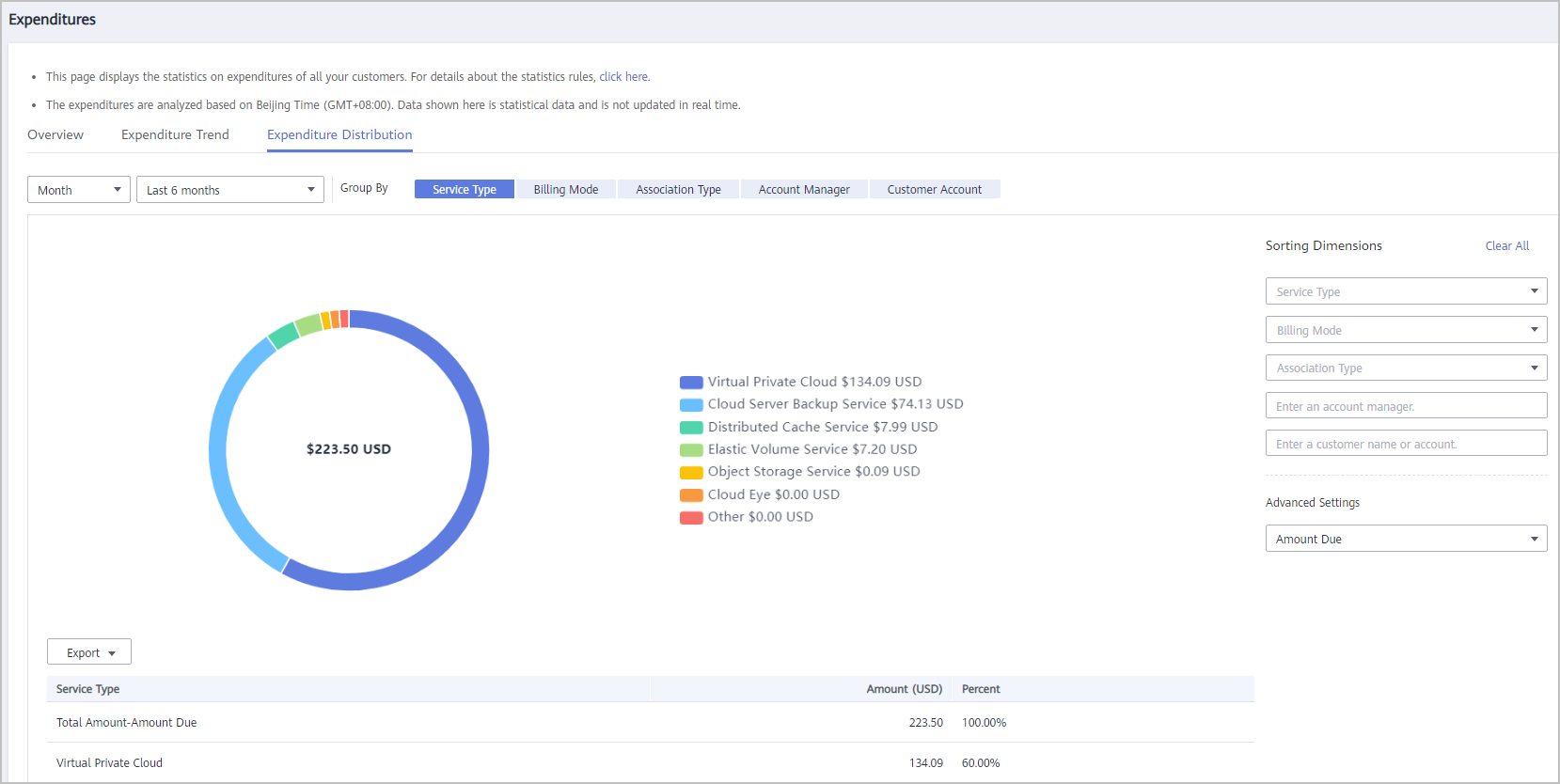
To learn more about the functions on the Expenditures page, visit here.
What is your overall rating for this page?
0
1
2
3
4
5
6
7
8
9
10
Very dissatisfiedVery satisfied
Thank you very much for your feedback. We will continue working to improve the documentation.
The system is busy. Please try again later.


