

Managing Application Resources
This topic describes how to manage applications through a bastion host.
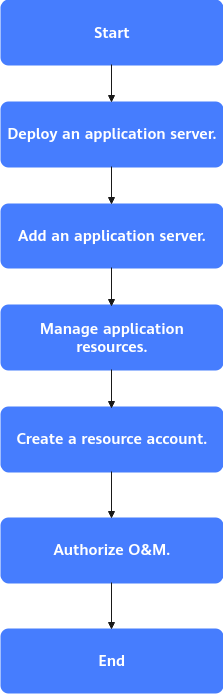
| Step | Description | Reference |
|---|---|---|
| Start |
| - |
| Deploy an application server. | Deploy related services or applications on the prepared application server. The following lists the services or applications that need to be deployed based on the application server OS. | Windows OSs Linux OSs |
| Add an application server. | Add or import the deployed application server to the bastion host instance to connect the application server to the bastion host instance. | |
| Manage application resources. | Add the prepared application resources (client applications or web applications) to the bastion host. | |
| Create a resource account. | Create a login account for the application. A resource account uniquely identifies an application resource managed in a bastion host. You need to create a resource account for each managed application resource and associate the resource with the account. O&M personnel can use the account to log in to the application resource for O&M operations. | Creating a Resource Account and Associating It with the Corresponding Resource |
| Authorize O&M. | You can configure access control policies and associate the policies with users and resource accounts to control O&M personnel, O&M resources, and O&M operations. | Creating an ACL Rule and Associating It with Users and Resource Accounts |
| End | Send the user account and bastion host login information to O&M personnel. O&M personnel can log in to application resources using a web browser for O&M. | Using a Web Browser to Log In to Application Resources for O&M |


