
Viewing Order Details
Order details include information about the order itself, resources included in the order, and order amount. If the order includes hardware products, the logistics information will also be displayed in the order details.
If you want to use an API to query orders, see Querying Order Details.
Procedure
- Go to the My Orders page.
- Search for the orders you want to view their details by creation time or order No. You can also filter such orders by order type or order status.

- Go to the Cloud Services page, and click Yearly/Monthly or Pay-per-Use tabs to view the details about your target orders.

- Go to the Hardware page to view the details about your hardware orders by order type or order status.

- Go to the Cloud Services page, and click Yearly/Monthly or Pay-per-Use tabs to view the details about your target orders.
- Click Details for the target order.
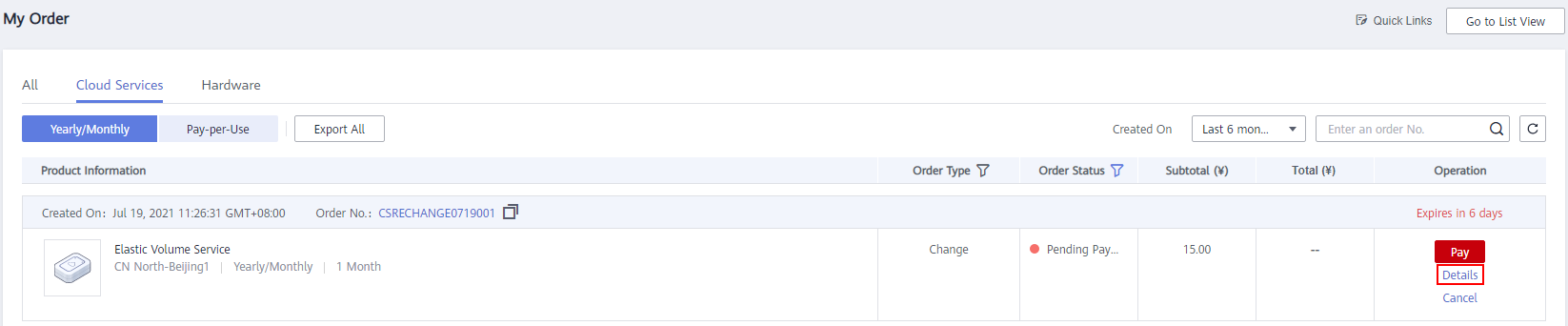

If the order status is Processing,
 indicates that resources are being created and
 indicates that the order contains a resource that failed to be created.
- The time it takes to process an order varies according to the specific cloud service product. Generally, it is within 10 minutes.
- If your cloud service order has any resources that fail to be provisioned, you will be automatically unsubscribed from the resources. You can view the refund information on the order details page.
- If an order is Pending Payment, you can pay for or cancel the order on the order details page.

When an account manager places an order on behalf of you in accordance with a contract, you can view the contract information on the order details page and then click the contract name to go to the contract details page.
- If a new purchase order of hardware is Pending Payment, you can pay for the order, modify the delivery address, cancel the order, or postpone shipping on the order details page.

- If a new purchase order of hardware is Pending Shipment, you can cancel shipment, modify the delivery address, or postpone shipping on the order details page.

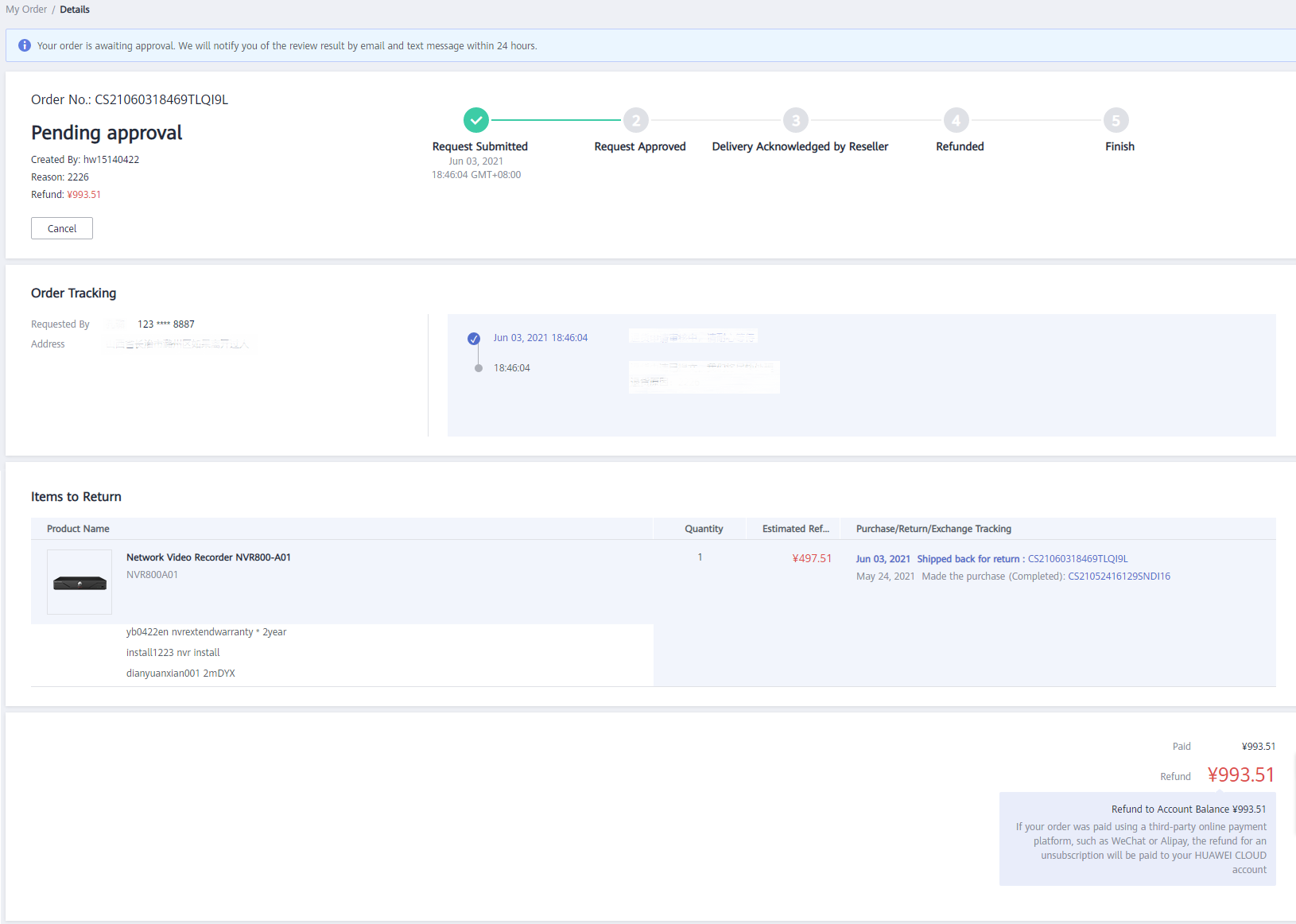
- If a hardware purchase order is Completed, you can return or exchange the hardware or view the tracking information and installation information on the order details page.

- If a hardware return/exchange order is Pending Approval or Pending Pickup, you can perform operations, such as canceling the order, on the order details page.
Parent topic: My Orders
Last Article: Canceling Orders
Next Article: Modifying the Delivery Address

Did this article solve your problem?
Thank you for your score!Your feedback would help us improve the website.