编写UDTF函数代码并导出Jar包
步骤1:编写UDTF函数代码
UDTF函数实现,主要注意以下几点:
- 自定义UDTF需要继承UDTFHandler。
- 在方法上添加@TypeResolve注解,用于表明函数的入参和出参。 入参和出参通过'->'分隔。入参和出参类型(resolveType)以及对应的SQL和Java数据类型请参考表1。
表1 resolveType类型 SQL type
Java type
resolveType
BooleanType
Boolean.class
BOOLEAN
ByteType
Byte.class
BYTE
ShortType
Short.class
SHORT
IntegerType
Integer.class
INT
LongType
Long.class
LONG
FloatType
Float.class
FLOAT
DoubleType
Double.class
DOUBLE
StringType
String.class
STRING
BinaryType
byte[].class
BINARY
DecimalType.Fixed(precision, scale)
BigDecimal.class
DECIMAL
DateType
LocalDate.class
DATE
TimestampType
ZonedDateTime.class
TIMESTAMP
TimestampNTZType
LocalDateTime.class
TIMESTAMP_NTZ
YearMonthIntervalType
Period.class
INTERVAL_YEAR_MONTH
DayTimeIntervalType
Duration.class
INTERVAL_DAY_TIME
List
List.class
LIST
Map
Map.class
MAP
Struct
Map.class
STRUCT
- 添加@deterministic注解:
spark调度参数,deterministic支持类级别和函数级别,函数级别高于类级别。
详细UDTF函数实现,可以参考如下样例代码:
- 功能描述:
对字符串进行分隔并生成分隔后的结果集。它接收两个字符串参数:body和split。
函数的主要功能是将body字符串按照split指定的分隔符进行分隔,并将分隔后的每个子字符串与一个固定的版本标签(version,值为"tag")组合成一个新的对象数组。
最终函数返回一个二维对象数组,其中每个元素都是一个包含分隔后的子字符串和版本标签的数组。
- 示例代码
package com.huawei.demo;

import com.huawei.spark.function.handlers.UDTFHandler;
import com.huawei.spark.function.types.FunctionType;
import com.huawei.spark.function.types.TypeResolve;


public class UDTFDemo extends UDTFHandler {
    @FunctionType(deterministic = true)
    @TypeResolve("string,string->string,string")
    public Object[][] splitString(Object[] args) {
        String body = (String) args[0];
        String split = (String) args[1];
        String[] value = body.split(split);
        Object[][] result = new Object[value.length][];
        String version = "tag";
        for (int i = 0; i < value.length; i++) {
            result[i] = new Object[] {value[i], version};
        }
        return result;
    }
}
- 功能描述:
步骤2:导出Jar包
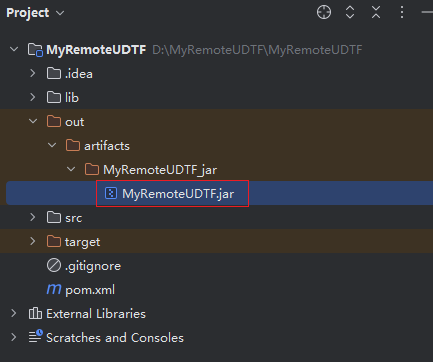
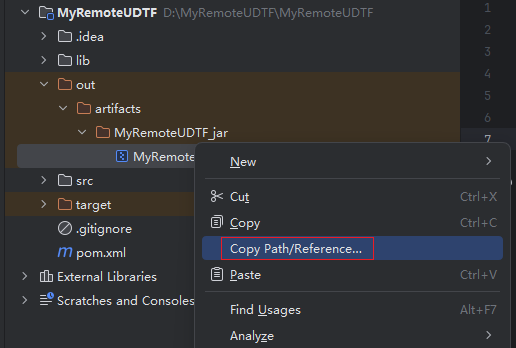
编写调试完成代码后,通过IntelliJ IDEA工具编译代码并导出Jar包。
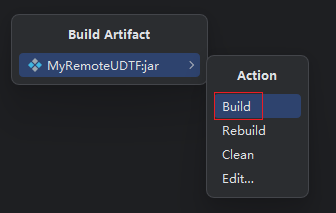
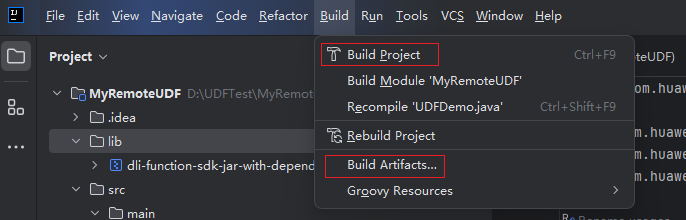
- 单击“Build”,参考下图分别单击“Build Project”、“Build Artifacts...”分别对代码进行编译和打包。 图1 编译和打包
- 在弹出的对话框中单击Build。 图2 编译和打包