

Processing Task Failure Caused by Task Schedule Error
Symptom
The processing task failed. The error message "The dependent component Task Schedule error." is displayed.
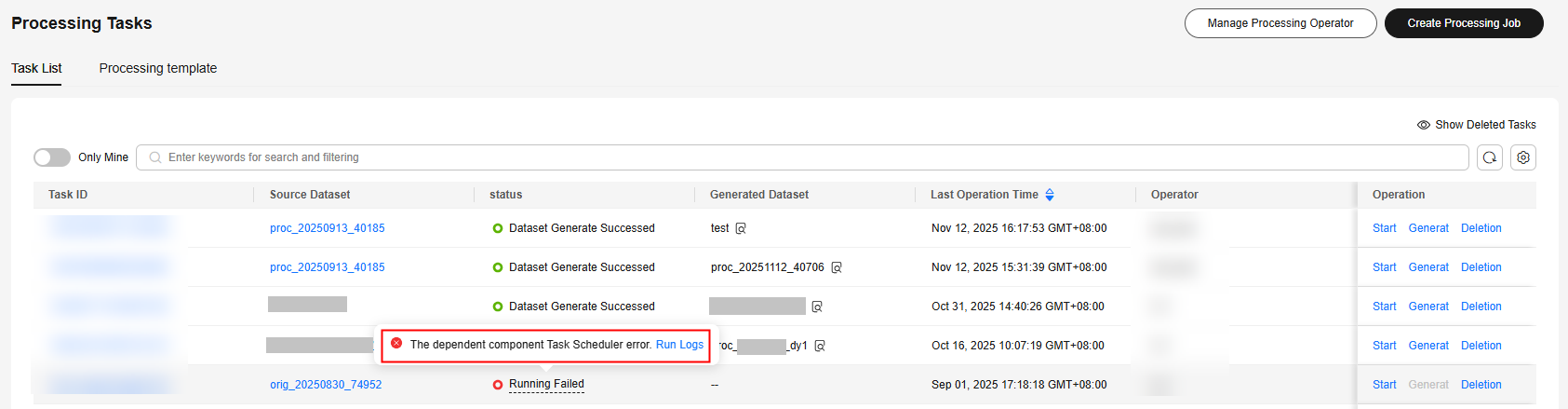
Troubleshooting Suggestion
Click the task ID, choose Log Management > Run Logs, and check the run logs. Locate the fault based on the logs.
- The dataset format is incorrect or does not meet the operator processing requirements. As a result, the operator fails to be executed. The error log is as follows:
- Error cause: The text field is missing.
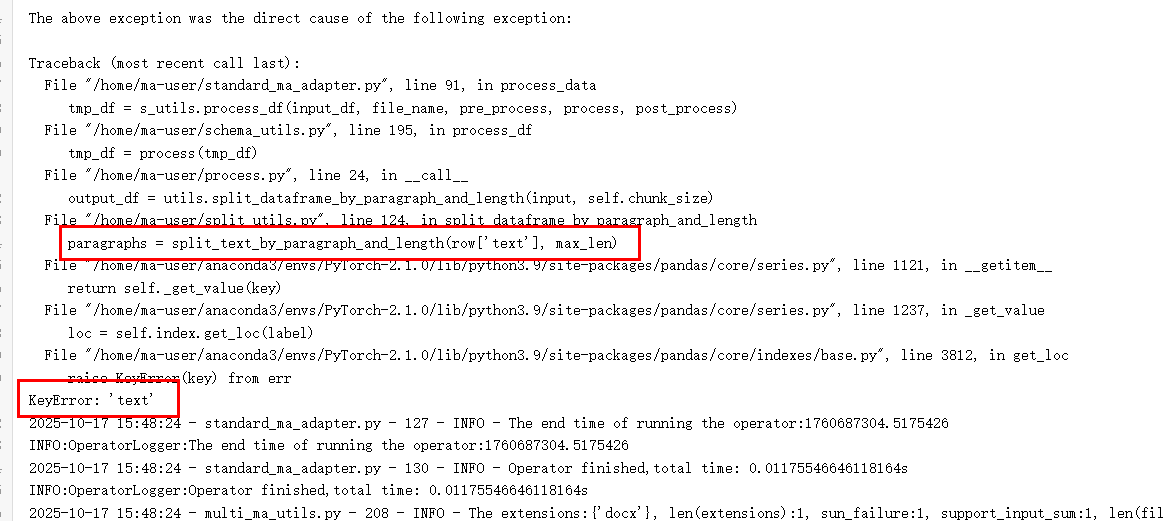
Solution: Check whether the dataset contains the text field. If not, add the field.
- Error cause: The targets field is missing.
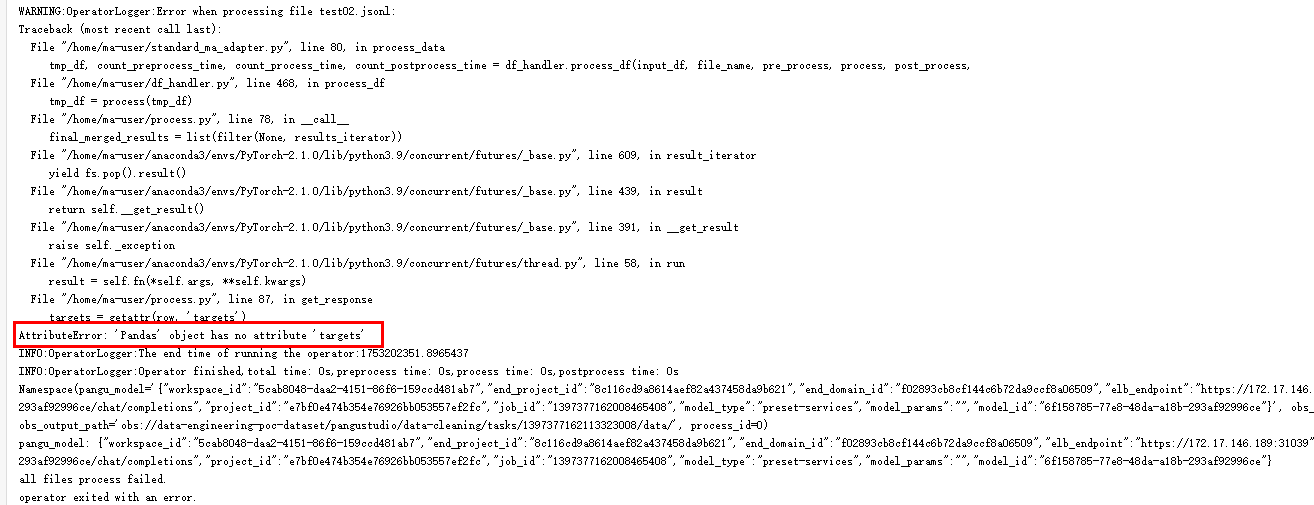
Solution: Check whether the dataset contains the targets field. If not, add the field.
- Error cause: Files of the current content type (PLAIN_TXT shown in the figure) cannot be processed.
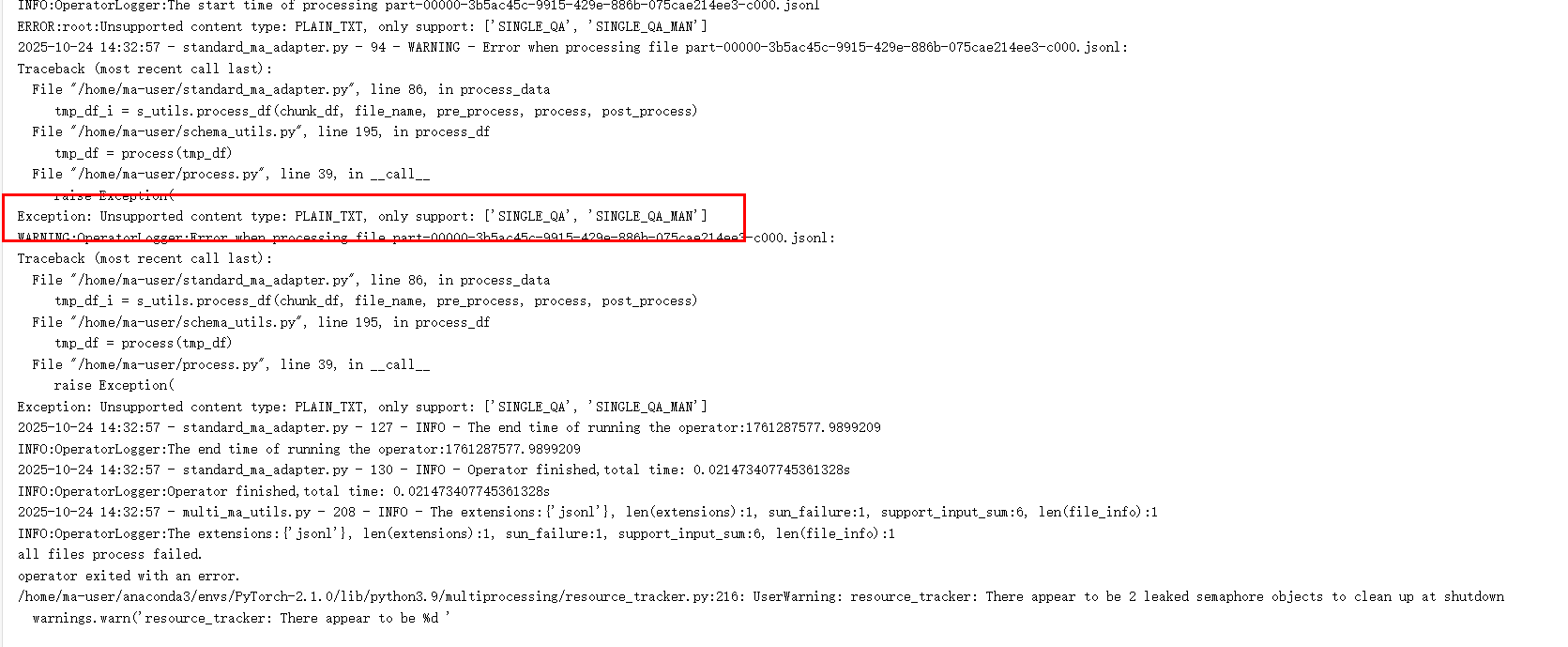
Solution: Select files of the supported content types (SINGLE_QA and SINGLE_QA_MAN shown in the figure) based on the log information.
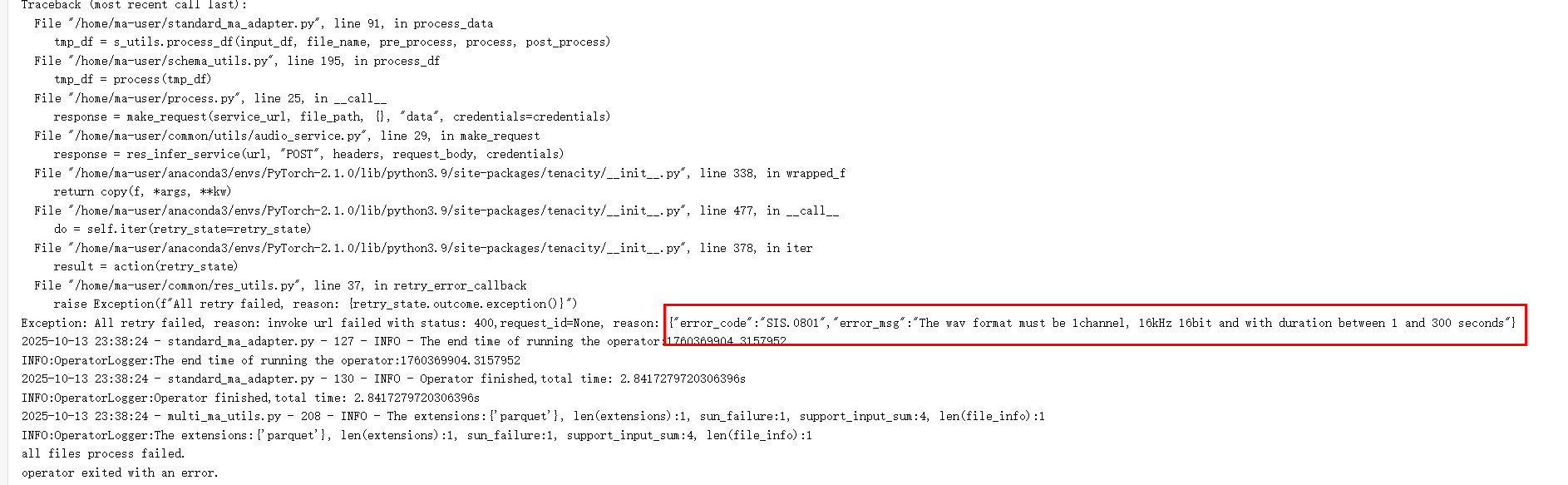
- Error cause: The MAV file format does not meet the operator processing requirements.
Solution: As shown in the error log, the MAV format must be single-channel data with the sampling rate of 16 kHz, sample bit of 16 bits, and duration of 1 to 300 seconds. Check whether the file format meets the requirements based on the error message.
- Error cause: The text field is missing.
- The MA task fails to be executed due to insufficient resources. The error log is as follows:
Error cause: The data intelligent computing units are insufficient.

Solution: Check whether data intelligent computing units in Data Resources are sufficient on Order Management > Resource ordering on the home page.
Feedback
Was this page helpful?
Provide feedbackThank you very much for your feedback. We will continue working to improve the documentation.See the reply and handling status in My Cloud VOC.
For any further questions, feel free to contact us through the chatbot.
Chatbot


