

No Permission Is Displayed on the Import Task Page
Symptom
The import tasks are not displayed on the import page. The error message no permission is displayed.
Troubleshooting Suggestion
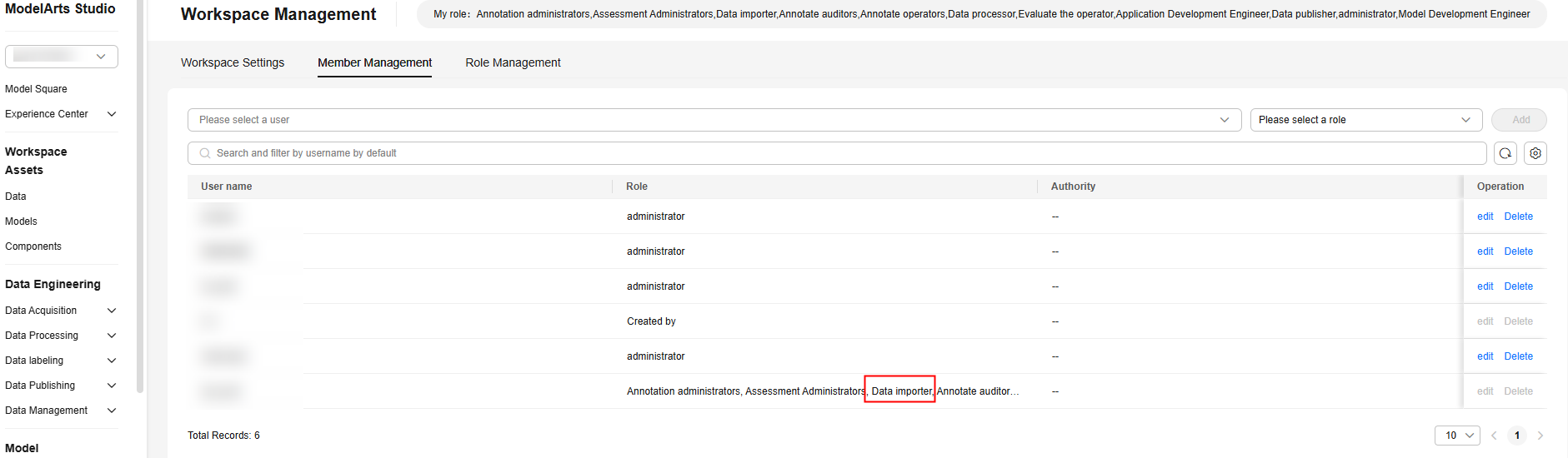
This issue occurs because the user does not have the Data importer permission. Click edit in the Operation column to configure the permission.
Rectification Suggestion
On the Member Management page, add the corresponding role or administrator role for the user. For details, see Modifying Pangu User Permissions.
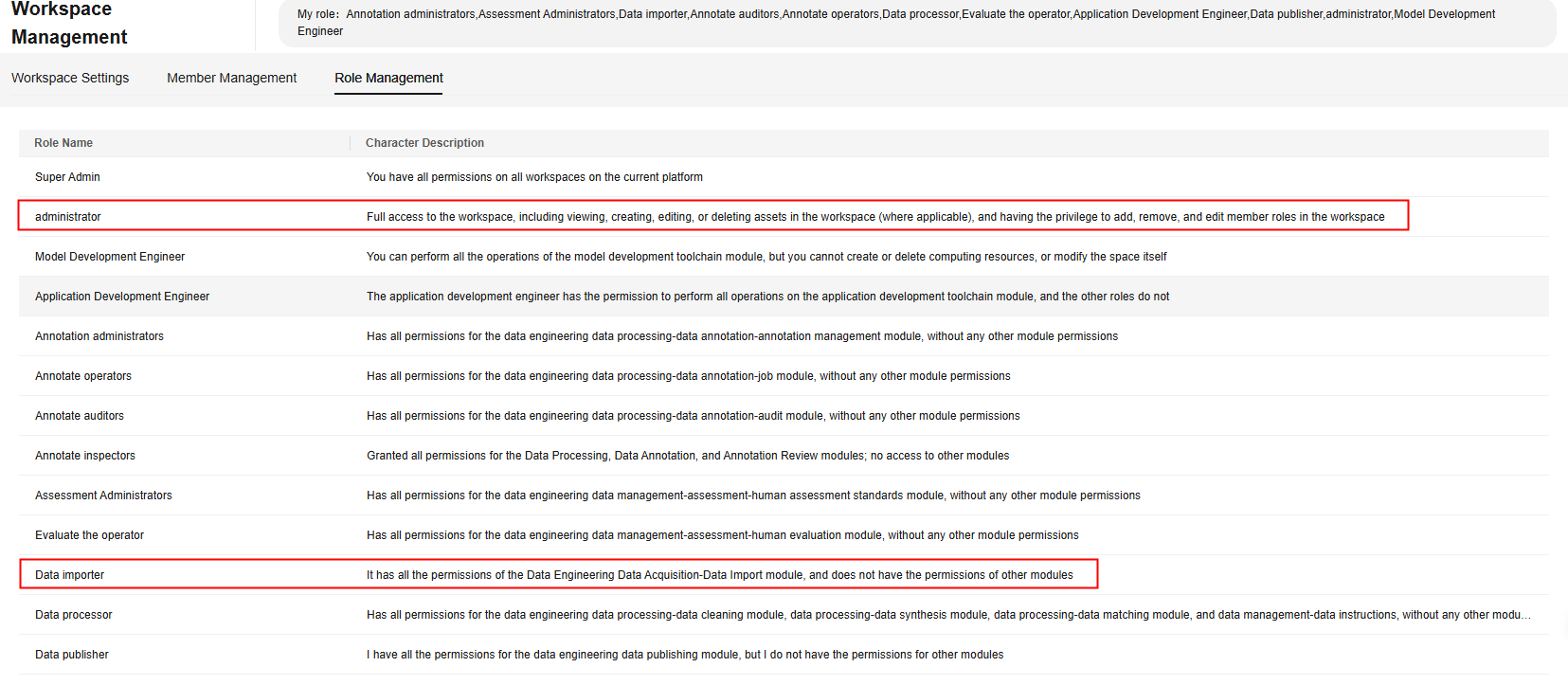

The administrator has full access to the workspace, including viewing, creating, editing, and deleting (when applicable) assets in the workspace, adding and removing workspace members, and editing workspace member roles.
Feedback
Was this page helpful?
Provide feedbackThank you very much for your feedback. We will continue working to improve the documentation.See the reply and handling status in My Cloud VOC.
For any further questions, feel free to contact us through the chatbot.
Chatbot


