

Updated on 2025-11-28 GMT+08:00
Deleting a Subscriber
Scenarios
If you no longer need a subscriber, you can delete it.
Procedure
- Log in to the SMN console.
- In the navigation pane on the left, choose Subscribers.
- In the subscriber list, select a subscriber and click Delete in the Operation column.
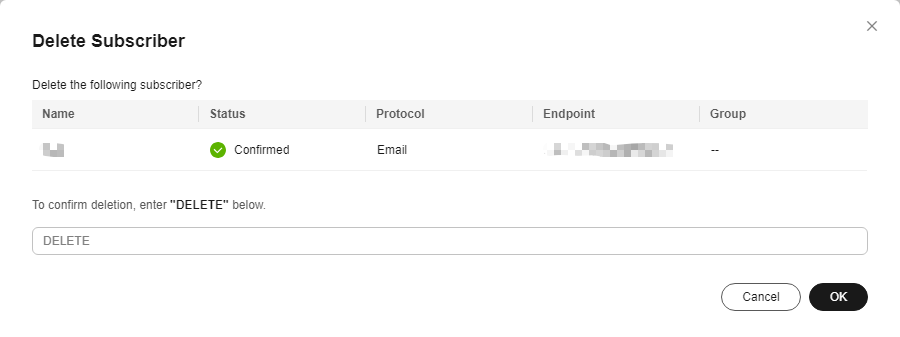
- In the displayed Delete Subscriber dialog box, enter DELETE in the text box and click OK. Figure 1 Delete Subscriber
Parent topic: Subscribers
What is your overall rating for this page?
0
1
2
3
4
5
6
7
8
9
10
Very dissatisfiedVery satisfied
Thank you very much for your feedback. We will continue working to improve the documentation.See the reply and handling status in My Cloud VOC.
The system is busy. Please try again later.
For any further questions, feel free to contact us through the chatbot.
Chatbot


