

Help Center/
Host Security Service/
User Guide/
Installation and Configuration on Servers/
Agent Management/
Viewing the Server Agent Version Description
Updated on 2025-12-12 GMT+08:00
Viewing the Server Agent Version Description
Scenario
HSS will be continuously optimized to improve service capabilities, including but not limited to adding functions and fixing defects. Agent versions are updated accordingly. You can view the latest agent version description to learn about the latest functions or fixed vulnerabilities, thereby upgrading agent as required.
Viewing the Agent Version
- Log in to the HSS console.
- Click
 in the upper left corner and select a region or project.
 - In the navigation pane on the left, choose .
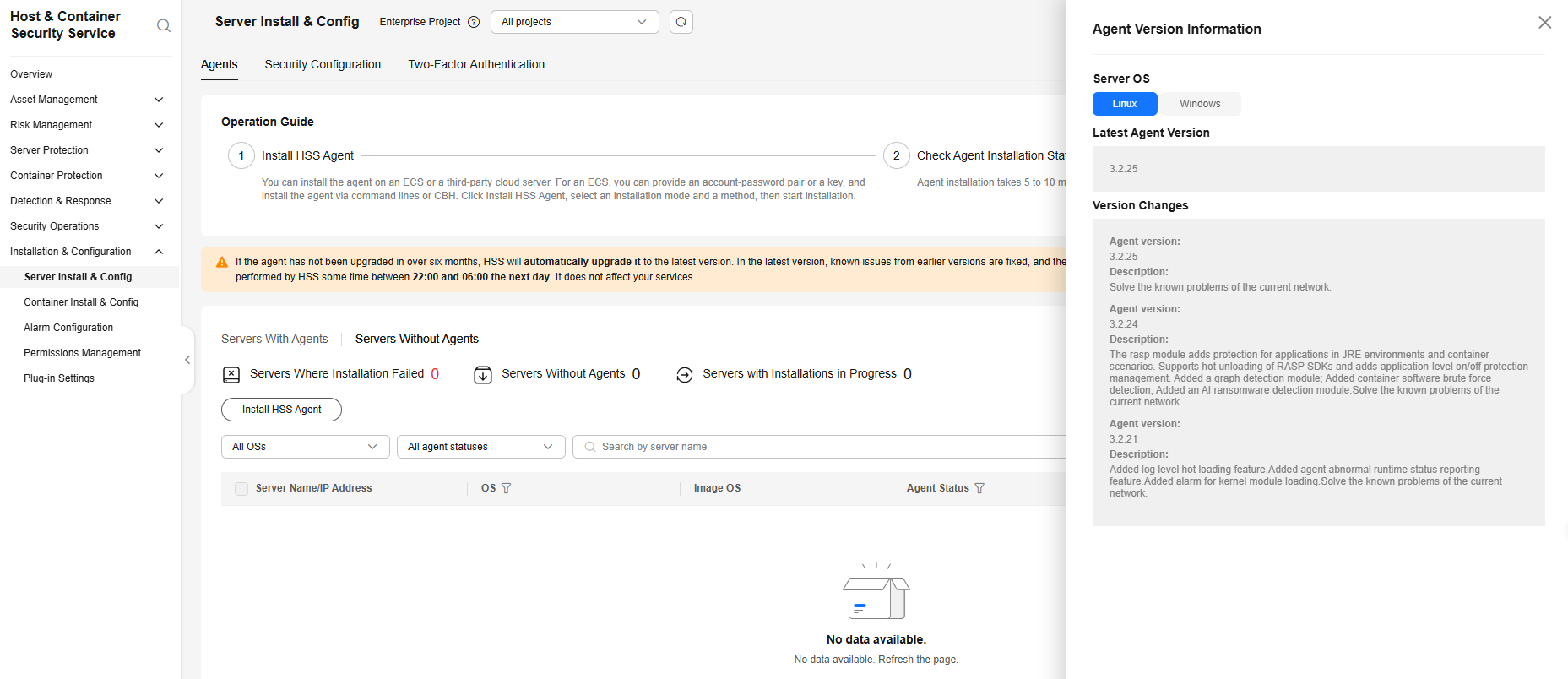
- Click Version Description in the upper right corner to view the latest agent version and description.
Figure 1 Agent version description
References
- For details about how to install the agent, see Installing the Agent on a Server.
- For details about how to upgrade the agent, see Upgrading the Agent.
Feedback
Was this page helpful?
Provide feedbackThank you very much for your feedback. We will continue working to improve the documentation.See the reply and handling status in My Cloud VOC.
The system is busy. Please try again later.
For any further questions, feel free to contact us through the chatbot.
Chatbot


