

Help Center/ Meeting/ FAQs/ Audio and Video Device Faults/ What Do I Do If the Huawei Cloud Meeting Client Cannot Start the Microphone or Speaker Due to Permissions Settings?
Updated on 2025-07-28 GMT+08:00
What Do I Do If the Huawei Cloud Meeting Client Cannot Start the Microphone or Speaker Due to Permissions Settings?
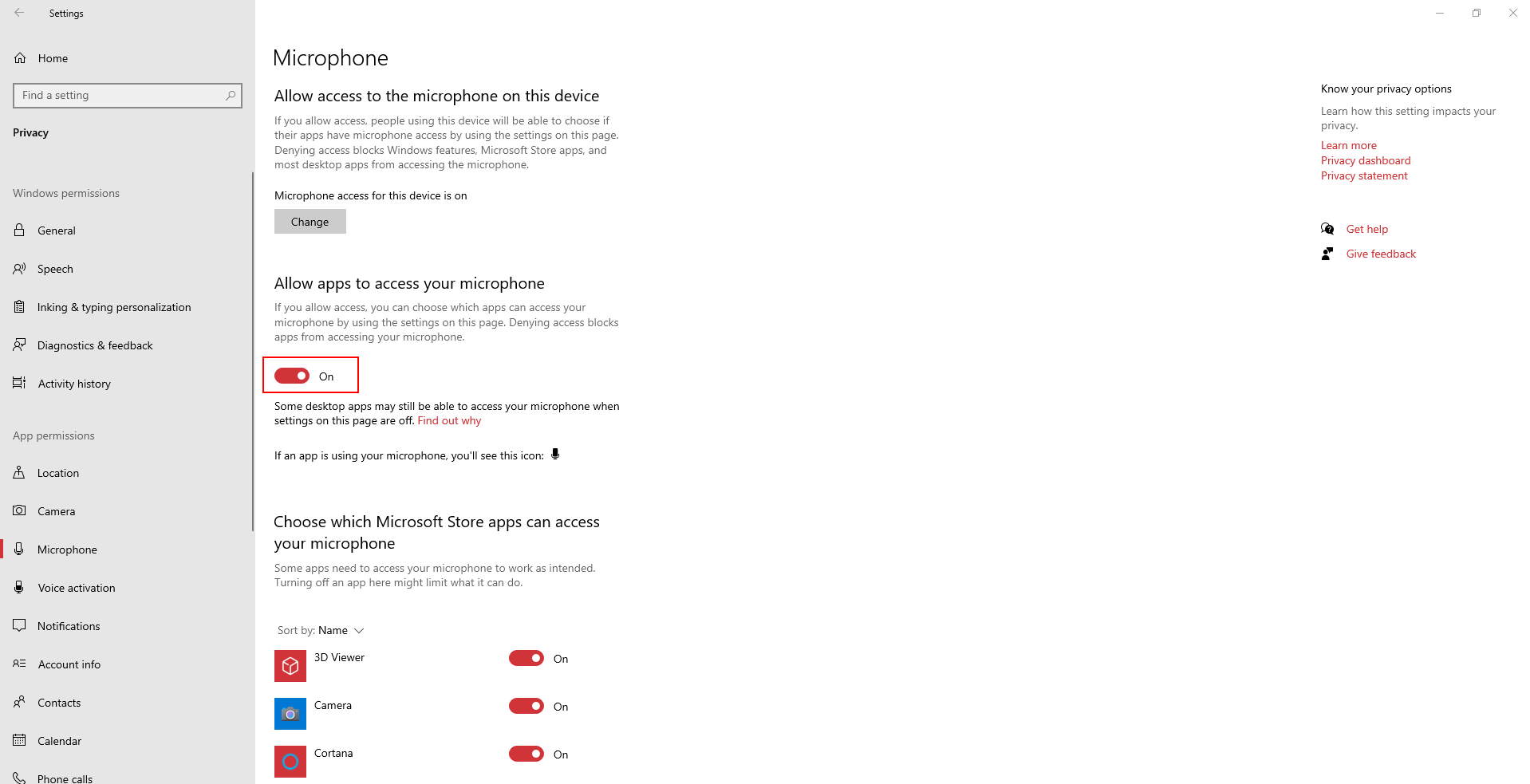
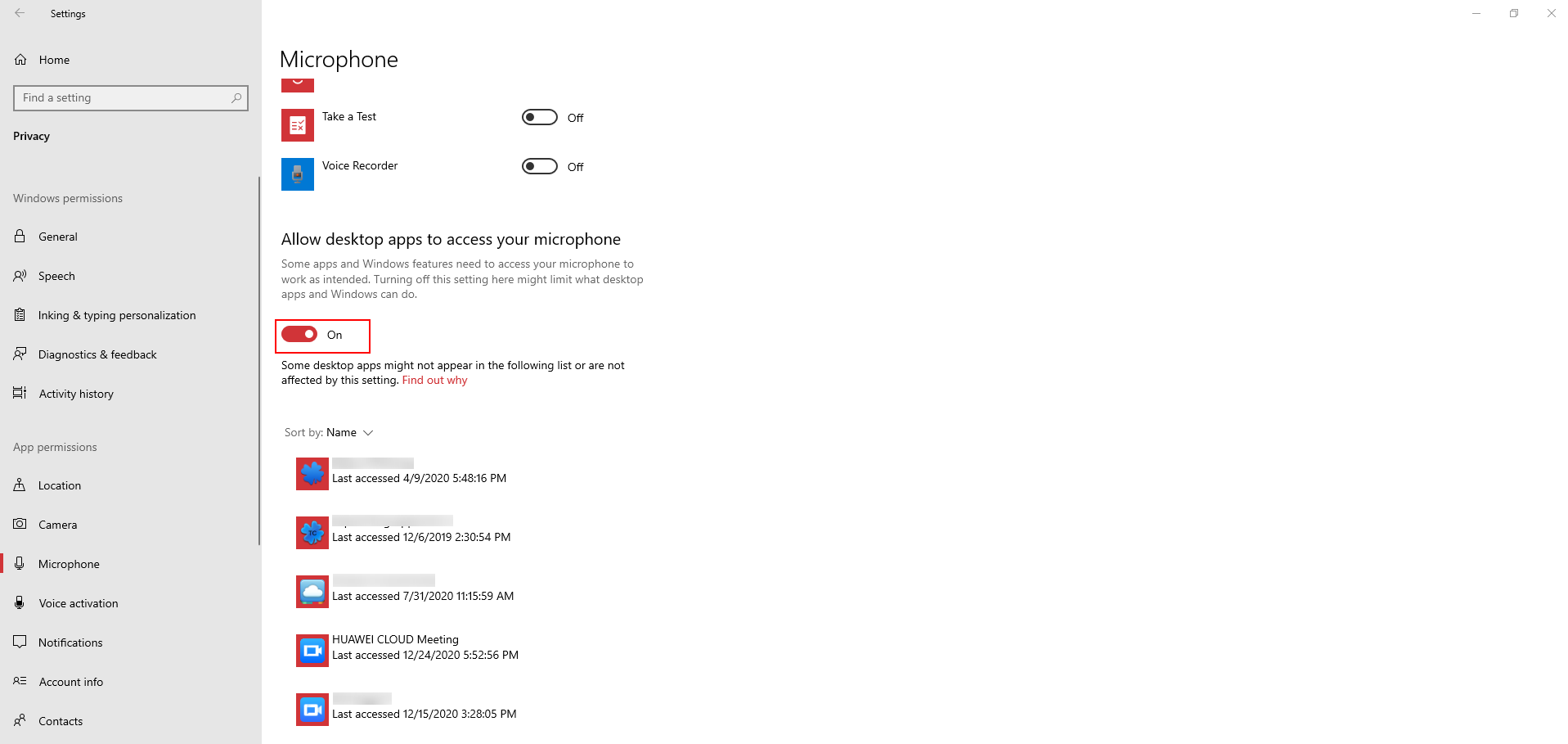
Right-click the speaker icon  in the lower right corner of the taskbar, choose Open Sound settings from the shortcut menu, click Microphone privacy settings on the right of the displayed window, and turn on Allow apps to access your microphone and Allow desktop apps to access your microphone.
Parent topic: Audio and Video Device Faults
What is your overall rating for this page?
0
1
2
3
4
5
6
7
8
9
10
Very dissatisfiedVery satisfied
Thank you very much for your feedback. We will continue working to improve the documentation.See the reply and handling status in My Cloud VOC.
The system is busy. Please try again later.
For any further questions, feel free to contact us through the chatbot.
Chatbot


