

How Do I Fix Incompatibility Issues with the New Version of Microsoft's Extension?
Symptom
During the installation of CodeArts Agent IDE, you have selected Import from VS Code, but the imported extension cannot run properly in the IDE.
Possible Causes
Microsoft has recently strengthened security controls on official language support extensions, such as C/C++, allowing them to run only within official products.
Solution
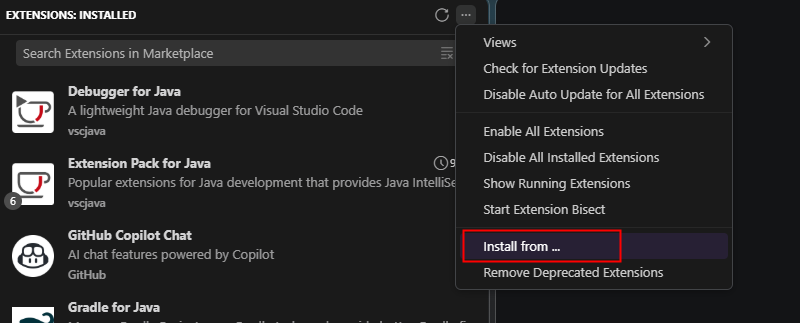
Visit the CodeArts Agent IDE extension marketplace and search for and install an alternative extension with similar functions. If no extension in the marketplace meets your requirements, obtain the installation package of an earlier version and manually install it.
What is your overall rating for this page?
Thank you very much for your feedback. We will continue working to improve the documentation.See the reply and handling status in My Cloud VOC.
For any further questions, feel free to contact us through the chatbot.
Chatbot


