

Configuring the Code Download
In this action, you set the download mode for pulling code from the repository during the build process.
Build on GUI
You can specify a source version with a code repository tag or commit ID. Besides, you can enable auto update of submodules and Git Large File Storage (LFS) for your build.
The Configure Code Download action is preset. Set the parameters according to Table 1.
| Parameter | Description |
|---|---|
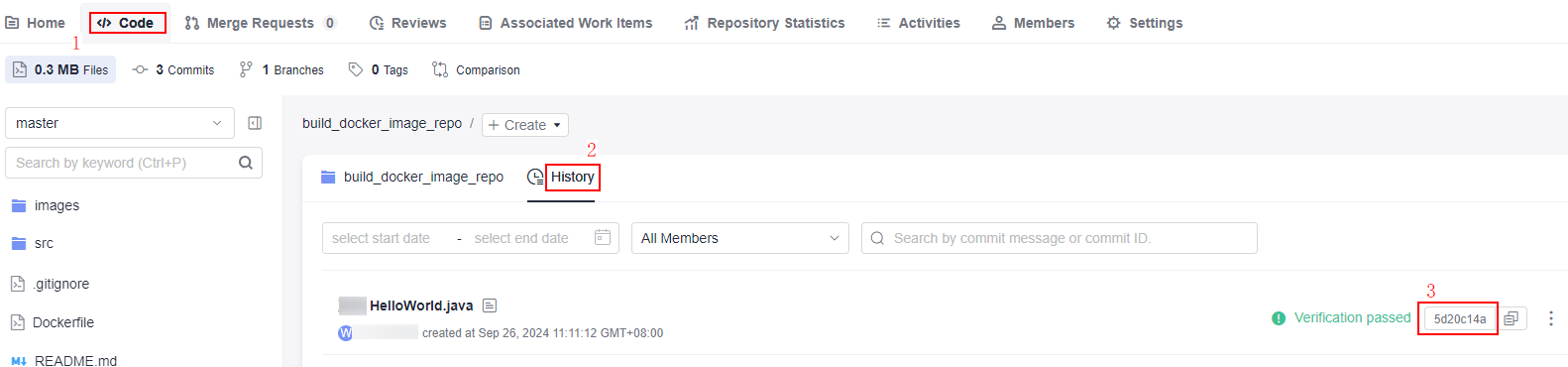
| Specify Repository Tag or Commit ID | Specify whether to specify a tag or a commit ID when running a build task.
|
| Clone Depth | Optional. The clone depth is the number of recent commits that will be cloned. A larger value indicates more commits will be fetched. The clone depth must be a positive integer. The recommended maximum value is 25. For example, setting the clone depth to 5 instructs the system to fetch only the five most recent commits, but no earlier records. |
| Auto Update | A submodule is a Git tool used to manage shared repositories for higher team efficiency. Submodules allow you to keep a shared repository as a subdirectory of your repository. You can isolate and reuse repositories, and pull latest changes from or push commits to shared repositories. For details, see Configuring a Submodule.
|
| Enable Git LFS | Determine whether to enable Git LFS to pull all files, including large files, such as audios, videos, and images, during a build. By default, these files are not pulled. |
| Sync Git Tag | This option is disabled by default. When enabled, all Git tags in a code repository are pulled along with the code, allowing you to execute tag-related commands in Shell commands to operate on the code. |
Build with Code (Downloading Code from a Single Repo)
Modify the code in the PRE_BUILD block in Creating a YAML File for Your Code-based Build by referring to the following sample code:
1 2 3 4 5 6 7 8 9 10 11 12 13 14 15 | version: 2.0 # The value must be 2.0. steps: PRE_BUILD: - checkout: name: checkout inputs: scm: codehub # Code source: CodeArts Repo only url: xxxxxxxxx # This refers to the SSH address of the repository that the code is pulled from. branch: ${codeBranch} # Mandatory. However, during execution, the branch specified on the configuration page takes precedence. commit: ${commitId} lfs: true submodule: true depth: 100 tag: ${tag} path: test |
| Parameter | Type | Description |
|---|---|---|
| scm | String | Enter a code source. Currently, only CodeArts Repo is supported. If this parameter is not configured in the YAML file, the code repository information configured in the build task will be used. The default value is codehub. |
| url | String | Enter the SSH address of the code repository from which the code will be pulled. |
| branch | String | Specify the branch from which to pull the code. The parameter is mandatory. However, during execution, the branch specified on the configuration page takes precedence.
|
| commit | String | Optional. If needed, you can enter a commit ID to indicate the specific version of the source code to be pulled for your build. You can also use ${commitId} to reference this parameter. |
| tag | String | Optional. If needed, you can enter a tag to indicate the specific version of the source code to be pulled for your build. You can also use ${tag} to reference this parameter. If you provide both the commit ID and tag, the build using the commit ID will be run first. |
| depth | Int | Optional. Shallow clone depth. When a commit ID is specified for builds, depth must be greater than or equal to the depth of the commit ID. The default value is 1. |
| submodule | Bool | Optional. Specify whether to pull the submodules.
The default value is false. |
| lfs | Bool | Optional. Specify whether to enable Git LFS.
By default, CodeArts Build does not pull large files such as audios, videos, and images. You can enable Git LFS to pull all files. The default value is false. |
| path | String | Optional. Sub-path for cloning: The code is downloaded to the sub-path. |

What is your overall rating for this page?
Thank you very much for your feedback. We will continue working to improve the documentation.See the reply and handling status in My Cloud VOC.
For any further questions, feel free to contact us through the chatbot.
Chatbot


