

How Do I Unbind a Virtual MFA Device?
You can unbind a virtual MFA device as needed.

Do not delete your virtual MFA application. Deleting the application will block your access to MFA verification codes, preventing login and the execution of sensitive operations.
Procedure
- Log in to the new IAM console and choose Users in the navigation pane.
- Click a username to go to the user details page.
- Select the Security Settings tab and find Multi-factor Authentication (MFA).
- Locate the virtual MFA device and click Unbind in the Operation column.

IAM users are prohibited from unbinding the virtual MFA device associated with the account. If you have completed the structural migration to a HUAWEI ID, navigate to Account Center and click Manage next to the HUAWEI ID Information on the Basic Information page. On the displayed page, locate the security verification area and click UNLINK next to Authenticator to unbind the virtual MFA device.
- In the displayed dialog box, enter Yes to confirm unbinding. Figure 1 Confirming unbinding
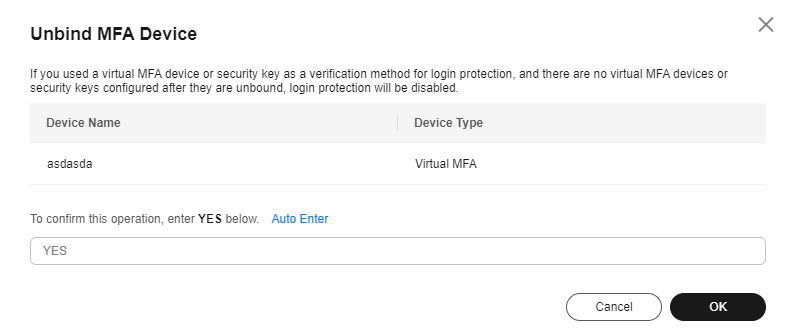
- Click OK.
What is your overall rating for this page?
Thank you very much for your feedback. We will continue working to improve the documentation.See the reply and handling status in My Cloud VOC.
For any further questions, feel free to contact us through the chatbot.
Chatbot


