

Help Center/ Huawei Cloud Astro Zero/ User Guide (No-Code)/ Applying for a Free Trial or Purchasing a Huawei Cloud Astro Zero Instance/ Applying for Free Trial
Updated on 2025-12-02 GMT+08:00
Applying for Free Trial
You can apply for a free instance with limited resources. This instance has no time limit and does not require unsubscription or resource release.
Prerequisites
You have a Huawei account, which owns resources and pays for the use of these resources. The account has full access permissions for your resources. For security purposes, create an IAM user to access Huawei Cloud Astro Zero and see Using IAM to Grant Permissions to Use Huawei Cloud Astro Zero to grant the IAM user permissions.
Procedure
- Log in to the Huawei Cloud official website as an authorized IAM user.
- In Products, choose Developer Services > Huawei Cloud Astro Zero.
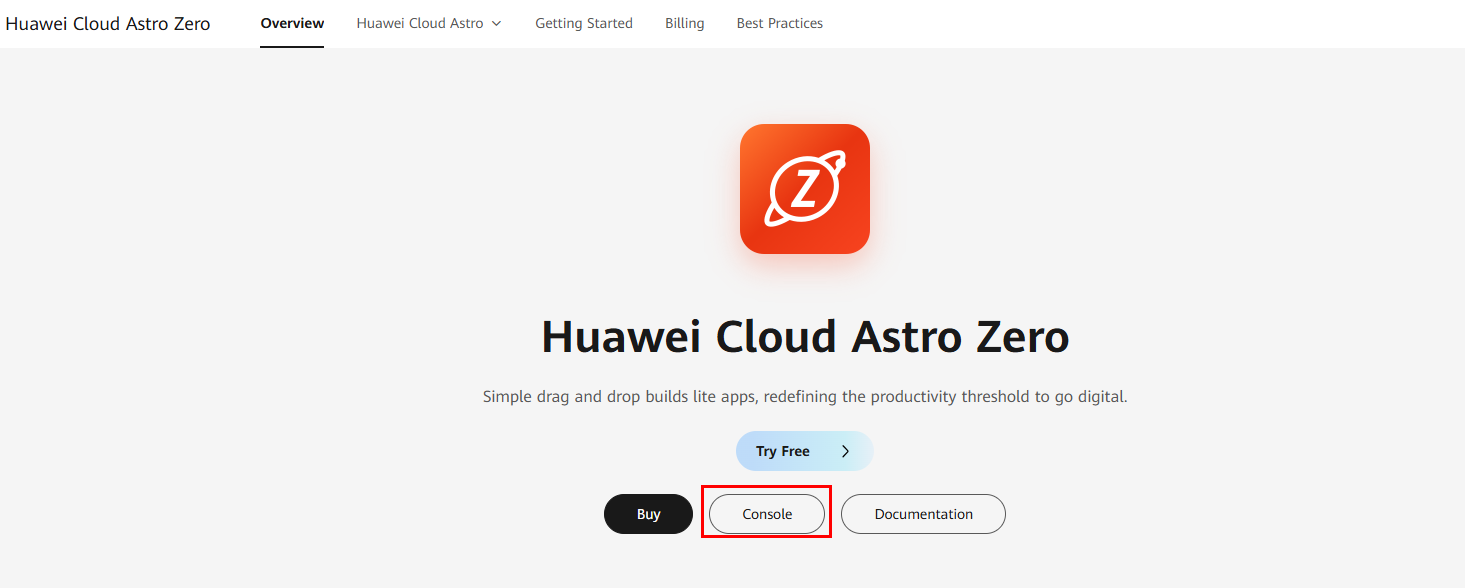
- On the product introduction page, click Console. Figure 1 Accessing the Huawei Cloud Astro Zero console
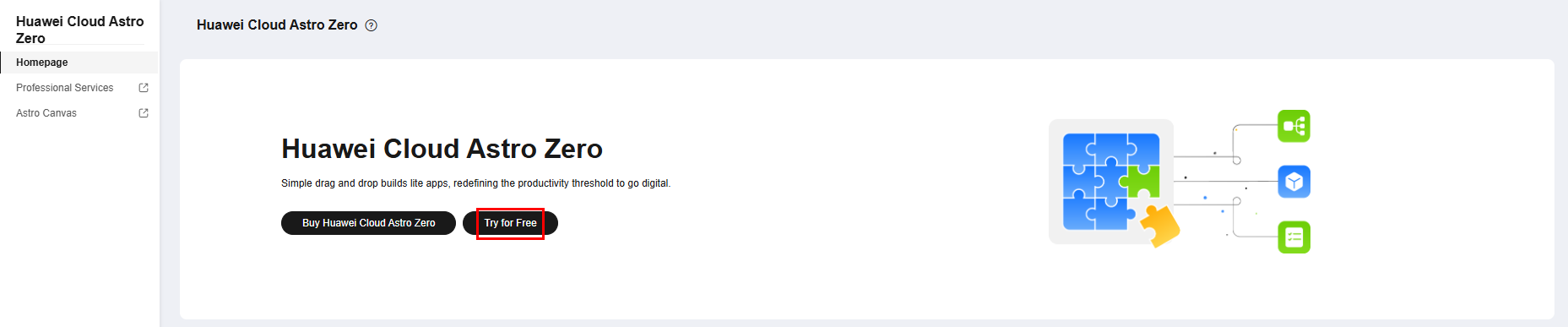
- On the console, click Try for Free. For details about the specifications of free instances, see Edition Differences.Figure 2 Clicking Try for Free
- On the displayed page, click Try for Free. Figure 3 Enabling an instance for free
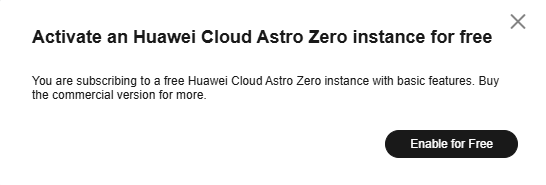 Figure 4 A free instance

- (Optional) Renew or unsubscribe from a created instance.
- Choose More > Check Details to view details about the instance.
- Choose More > Unsubscribe to unsubscribe from the instance.
- Choose More > Synchronize IAM User to update user information to Huawei Cloud Astro Zero after deleting a user on IAM or updating the email address.
What is your overall rating for this page?
0
1
2
3
4
5
6
7
8
9
10
Very dissatisfiedVery satisfied
Thank you very much for your feedback. We will continue working to improve the documentation.See the reply and handling status in My Cloud VOC.
The system is busy. Please try again later.
For any further questions, feel free to contact us through the chatbot.
Chatbot


