

Help Center/
Config/
User Guide/
Resource Compliance/
Configuring Remediation for Compliance Rules/
Editing a Remediation Configuration
Updated on 2025-12-04 GMT+08:00
Editing a Remediation Configuration
Scenarios
You can create only one remediation configuration for a compliance rule. You can edit the configuration anytime after creation.
Procedure
- Log in to the Config console.
- In the navigation pane on the left, choose Resource Conformance.
- On the Rules tab, click the name of a rule that has remediation configured to go to the details page.
- Click the Remediation tab.
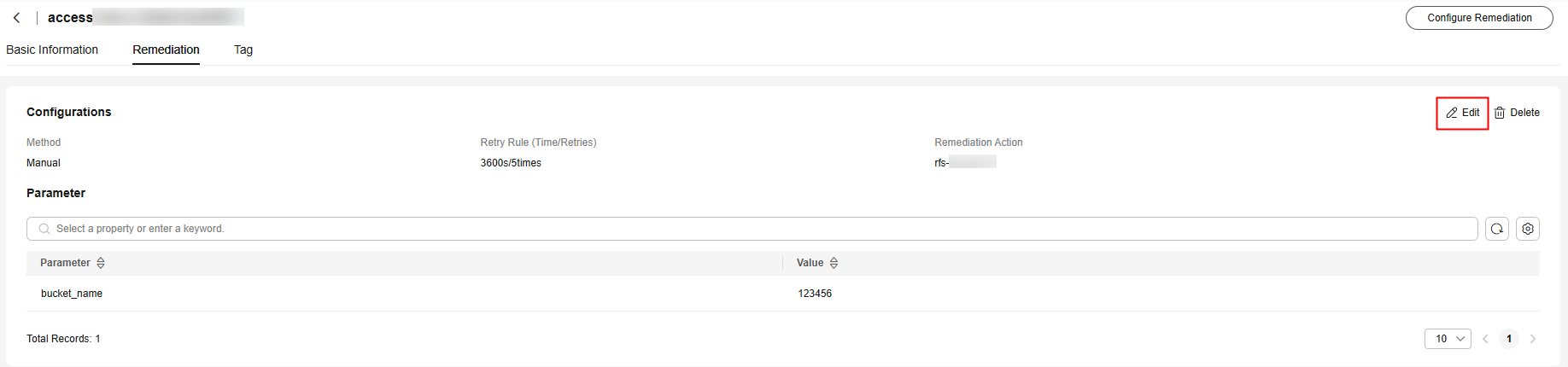
- In the upper right corner of the page, click Edit. On the displayed page, modify the parameters.
Figure 1 Editing remediation configurations
- Click Save.
Parent topic: Configuring Remediation for Compliance Rules
Feedback
Was this page helpful?
Provide feedbackThank you very much for your feedback. We will continue working to improve the documentation.See the reply and handling status in My Cloud VOC.
The system is busy. Please try again later.
For any further questions, feel free to contact us through the chatbot.
Chatbot


