

Help Center/
Relational Database Service_RDS for SQL Server/
User Guide/
Instance Connection/
Connection Management/
Changing a VPC and Subnet
Updated on 2025-12-12 GMT+08:00
Changing a VPC and Subnet
Scenarios
A Virtual Private Cloud (VPC) is an isolated private virtual network environment provided for cloud databases using network virtualization technologies. A subnet is a unique CIDR block with a range of IP addresses in a VPC. You can change the VPC and subnet of an RDS for SQL Server instance.
Constraints
- You can change a VPC and subnet only through the primary instance. To use this function, submit a service ticket to request required permissions.
- If there are read replicas, changing the VPC and subnet of the primary instance will also change those of the read replicas. The subnet of the read replicas must be the same as that of the primary instance.
- Changing a VPC or subnet will briefly interrupt workloads. Perform this operation during off-peak hours.
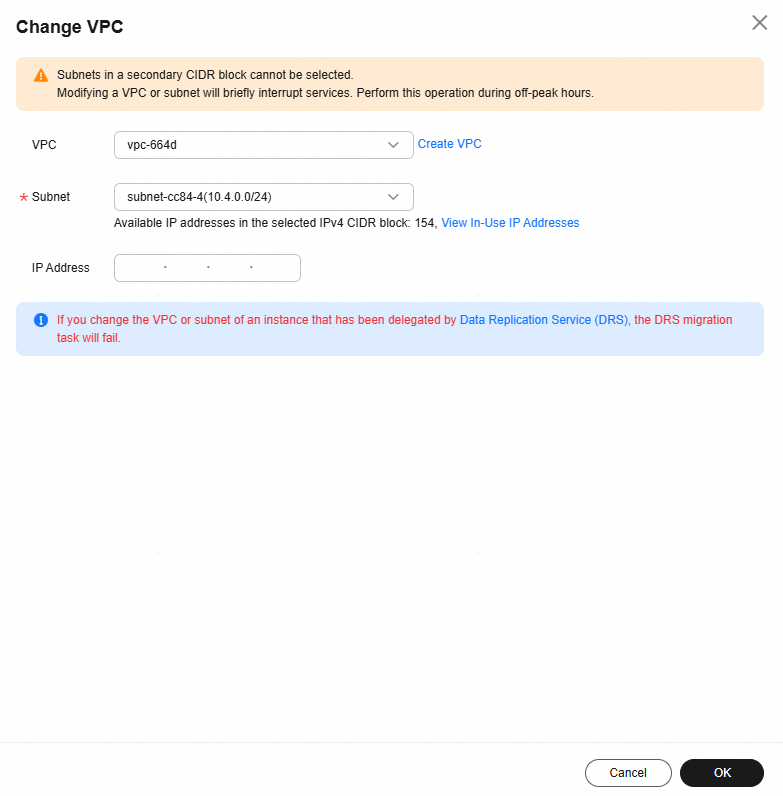
- Subnets in a secondary CIDR block cannot be selected.
Procedure
- Click
 in the upper left corner and select a region.
 - Click
 in the upper left corner of the page and choose Databases > Relational Database Service.
 - On the Instances page, click the DB instance name to go to the Overview page.
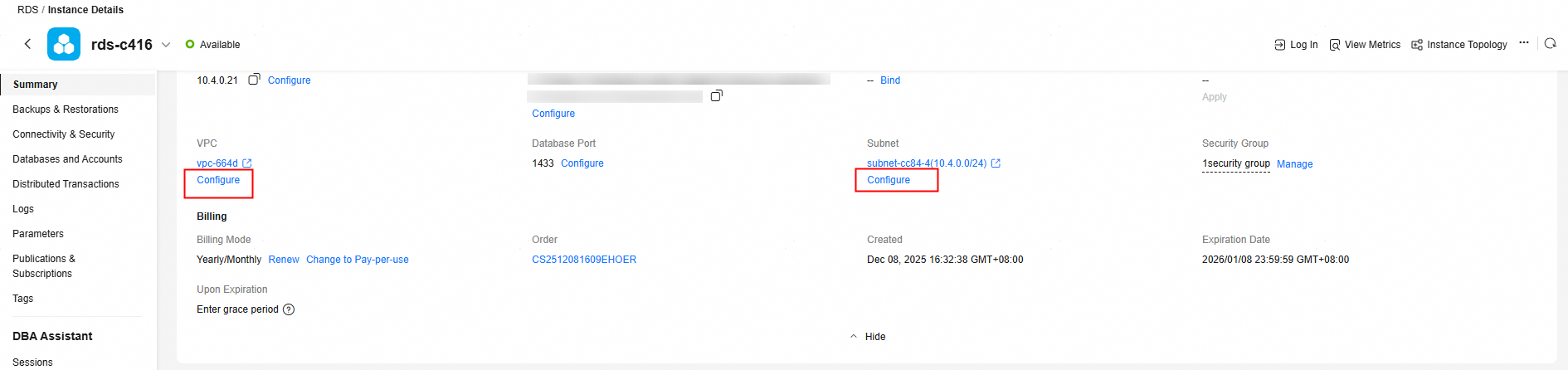
- Under VPC or Subnet, click Configure.
Figure 1 Overview
- In the displayed dialog box, select a VPC and subnet and click OK.
Figure 2 Changing a VPC and subnet
Feedback
Was this page helpful?
Provide feedbackThank you very much for your feedback. We will continue working to improve the documentation.See the reply and handling status in My Cloud VOC.
The system is busy. Please try again later.
For any further questions, feel free to contact us through the chatbot.
Chatbot


